


Jitsi
Last Updated
Overview
Jitsi software provides comprehensive video interaction capabilities, aiding in real-time customer engagement and troubleshooting. While the self-hosting setup requires technical expertise, its high-definition audio and end-to-end encryption justify the adoption. Overall, Jitsi’s strategic benefits make it a compelling choice for project handling.
Jitsi Specifications
- Call Recording
- CRM Integration
- Omnichannel Support
- Call Transfer and Conferencing
Jitsi Features
Video Conferencing
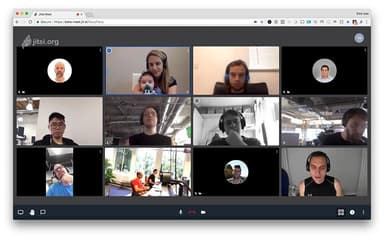
This project provides high-definition, browser-based video calls that require no downloads, simplifying the connection between agents and customers. By allowing instant face-to-face engagement, support teams can build stronger trust and resolve complex issues through real-time visual assessment and troubleshooting.
Videobridge Media Routing
This selective forwarding unit powers all multi-party video capabilities by routing original video packets without re-encoding. This architectural choice is critical for call center operations, as it ensures low-latency communication and high scalability, allowing hundreds of agents to interact simultaneously.
Recording And Streaming
Jibri acts as a dedicated broadcaster and recorder used for saving video call recordings and streaming to YouTube Live. This ensures that call center interactions are documented for quality assurance and training purposes, meeting critical compliance requirements for all modern businesses.
Pros And Cons of Jitsi
Pros
High-quality audio, video, and screen sharing
Strong security and privacy controls
Easy meeting links and broad platform support
Cons
Recording setup can need external components
Participant limit may restrict very large meetings
Jitsi Reviews
Total 42 reviews
4.1
All reviews are from verified customers
Rating Distribution
5
Stars38%
4
Stars40%
3
Stars17%
2
Stars2%
1
Stars2%
Share your experience
Not Specified, N/A employees
“simple open source video meetings”
Pros
It's a easy open-source solution for video meetings. I like that platform is simple to use and doesn't make things complicated.
Cons
It does have limits when it comes to the number of participants. It's advertised as supporting up to 75 people but in reality it works better with fewer than that.
Rating Distribution
Ease of use
10
Value for money
10
Customer Support
10
Functionality
10
Not Specified, N/A employees
“Powerful conferencing alternative”
Pros
A really interesting alternative to the usual video conferencing and team meeting platforms. It works fully as expected and feels like a complete solution to me.
Cons
Setting it up for self-hosting isn't the most simple part but it's still a very great option. With a tool like this, it helps to already know exactly what you need.
Rating Distribution
Ease of use
10
Value for money
10
Customer Support
10
Functionality
10
Not Specified, N/A employees
“frequent bugs and connection errors made it frustrating”
Pros
It's a fairly basic video conferencing tool overall but it covers the essentials well. I can make video calls, share your screen and use the chat without any unnecessary extras.
Cons
Unfortunately, we ran into a lot of problems on our side, with frequent bugs such as connection errors for clients and cases where people either couldn't hear others or weren't heard themselves. Because of that, using it was often very frustrating and complicated.
Rating Distribution
Ease of use
6
Value for money
6
Customer Support
6
Functionality
6
Frequently Asked Questions
What level of support does Jitsi offer?
Jitsi offers support through documentation, user guides, FAQs, and community.
Does Jitsi have a mobile app?
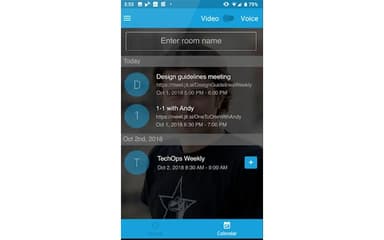
Yes, Jitsi has a mobile app for Android and iOS.
What types of pricing plans does Jitsi offer?
The Jitsi price starts at $300 for setup, the setup with rebranding costs $1400, and the full package that includes setup, rebranding, and integration costs $2000. Request a personalized Jitsi pricing quote for your business.
What language does Jitsi support?
Jitsi is available in over 50 languages, including English, Spanish, French, German, Chinese, Japanese, and Arabic.
What other apps does Jitsi integrate with?
Information about integrations is currently unspecified by the vendor.
Does Jitsi offer an API?
Yes, Jitsi offers an API.
Who are the typical users of Jitsi?
Typical users include industries like customer support services, healthcare, insurance, financial services, and education.