


Samu
Last Updated
Overview
Samu captures, transcribes, and analyzes sales calls to provide conversation intelligence and performance insights. While some users find the interface could improve, it is praised for accurate transcriptions, actionable coaching insights, and reliable call analytics.
Samu Specifications
- Call Recording
- Speech Analytics
- CRM Integration
- Real-Time Dashboard
Samu Features
Call Recording And Automated Transcription
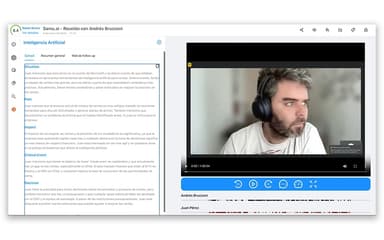
Samu automatically captures and transcribes sales and support calls, reducing manual backlog and giving teams searchable text reflecting actual talk-time. This accelerates review cycles and surfaces actionable insights without manual note-taking.
Conversation Intelligence Insights
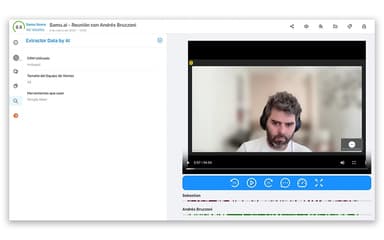
The platform analyzes key moments in calls, highlighting trends and behavioral patterns so managers can pinpoint strengths and gaps in customer and prospect conversations.
Performance Management Metrics
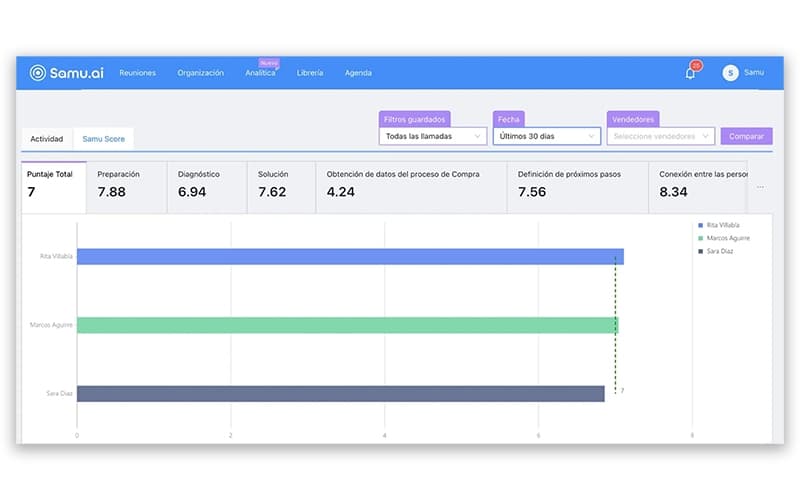
Dashboards display performance indicators such as talk/listen ratios and coaching outcomes, enabling leaders to track individual and team progress against targets and goals.
Meeting Management Tools
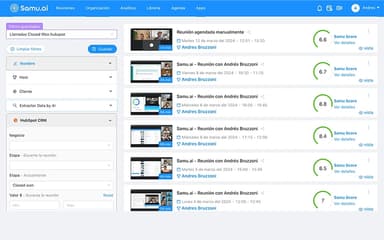
Samu organizes call data and provides structure around meeting outcomes, helping teams assess wins and gaps from interactions and refine follow-up processes.
Content And Reporting Controls
With access controls, permissions, and reporting tools, teams ensure secure visibility into analytics while tailoring insights to their workflows. The platform’s flexible reporting enhances operational efficiency.
Pros And Cons of Samu
Pros
Accurate call transcriptions
Useful coaching insights and analytics
High ease-of-use ratings
Cons
Samu Reviews
Total 15 reviews
4.7
All reviews are from verified customers
Rating Distribution
5
Stars80%
4
Stars13%
3
Stars7%
2
Stars0%
1
Stars0%
Share your experience
Logistics and Supply Chain, 51-100 employees
Less than 6 months
“useful meeting recordings”
Pros
This records my meetings and lets me share the recording link with others. I can also search for keywords from the meeting which saves time. Another helpful part is being able to check the score it gives me so I can improve.
Cons
The recording link only stays available for 7 days. Also some recordings show up without a score.
Rating Distribution
Ease of use
6
Value for money
7
Customer Support
7
Functionality
7
Law Practice, 51-100 employees
Less than a year
“meeting recordings that save time”
Pros
One of the things I love about this platform is having every meeting recorded so I can go back and review the important milestones afterward. The biggest time saver for me though, is how it transcribes the meeting, analyzes it and then, based on the sales methodology I use, helps me improve the next steps with clients.
Cons
What I like the least is that response times can sometimes be affected by OpenAI's demand although that makes sense since it depends on a third party service.
Rating Distribution
Ease of use
10
Value for money
10
Customer Support
9
Functionality
10
Primary/ Secondary Education, 51-100 employees
Free Trial
“quick setup”
Pros
Getting started with it is very easy and the installation is really fast. The user experience feels very comfortable and even though it still lacks some features, what it already does keeps getting better.
Cons
This still needs more features and integrations, hopefully without losing the simplicity and ease of use it has now.
Rating Distribution
Ease of use
9
Value for money
8
Customer Support
8
Functionality
7
Frequently Asked Questions
What other apps does Samu integrate with?
It integrates with Google Calendar.
Who are the typical users of Samu?
Users are from computer software, management consulting, information technology and services, internet, and professional services.
What types of pricing plans does Samu offer?
Samu pricing starts at $40/user/month for core capabilities, with a free trial available. For custom Samu cost, contact us.
Does Samu have a mobile app?
Information about a dedicated mobile app is not listed; support appears focused on web interfaces.
Does Samu offer an API?
No. Samu does not currently offer an API.
What language does Samu support?
Samu supports English and Spanish.
What level of support does Samu offer?
Support is available via email/help desk, training webinars, and live online sessions.