


Sinch Voice
Last Updated
Overview
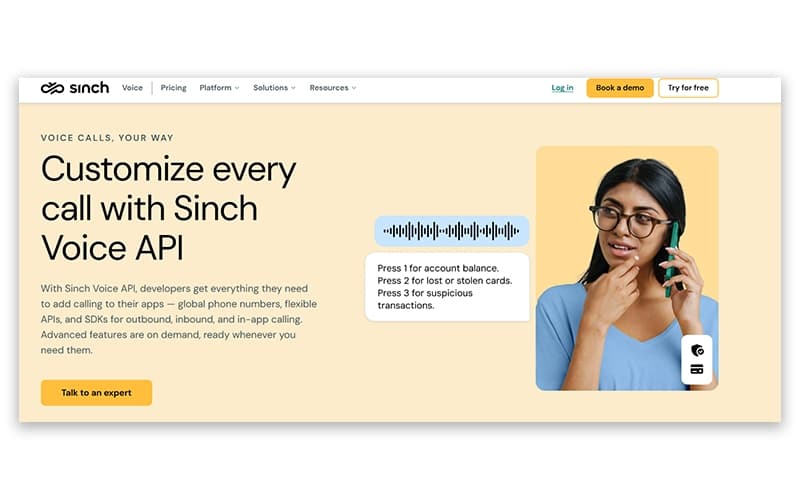
Sinch Voice helps businesses integrate programmable voice calling into their applications using APIs and automated call flows. While it requires technical setup and custom development, it provides granular control over call handling. Overall, it is a flexible voice API platform suitable for organizations building application-driven calling workflows at scale.
Sinch Voice Specifications
- Interactive Voice Response (IVR)
- Call Recording
- Call Monitoring
- Call Reporting And Analytics
Sinch Voice Features
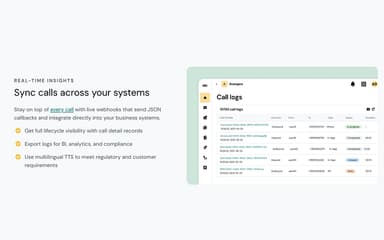
Real-Time Insights
The platform provides full visibility into all calls through detailed call records and live monitoring. Businesses can export logs for business intelligence, analytics, and compliance purposes. Multilingual text-to-speech ensures messages meet regulatory requirements while call tracking across systems helps teams optimize workflows and enhance customer communication.
Event Webhooks
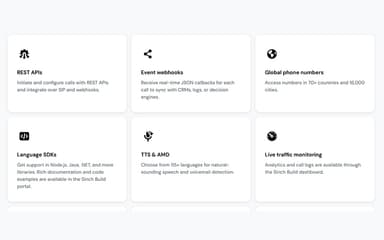
Sinch Voice allows businesses to receive real-time JSON callbacks for every call, enabling seamless synchronization with CRMs, logs, or decision engines. This ensures that call data is instantly captured and can be used for automated workflows, reporting, or analytics, helping organizations maintain up-to-date operational information and improve decision-making.
Call Recording
Users can capture and store every interaction securely for quality assurance and training. Organizations can use their own cloud storage from providers like AWS, Azure, or Google Cloud. This flexibility ensures data compliance while providing full visibility into call performance and history.
Number Masking
This feature helps businesses protect personal privacy by using temporary proxy numbers for customer interactions. It is essential for marketplaces and ride-sharing services to build trust. It prevents the off-platform movement of users while maintaining secure and reliable communication between buyers and sellers.
Pros And Cons of Sinch Voice
Pros
Works across multiple channels
Effective for campaign scheduling and chatbots
Helps maintain strong customer communication
Cons
User interface and navigation can take time to learn
Customer support response time can be slow
Sinch Voice Reviews
Total 3 reviews
4
All reviews are from verified customers
Rating Distribution
5
Stars67%
4
Stars0%
3
Stars0%
2
Stars33%
1
Stars0%
Share your experience
Mid Market, 51-100 employees
“helpful templates”
Pros
Getting started is simple and the interface feels very user friendly. The option to save templates saves a lot of time and it's really useful that the platform can automatically detect existing contacts.
Cons
A small downside is that performance can be inconsistent at times. Pages occasionally take a while to load and the system may sign users out after being inactive for a while.
Rating Distribution
Ease of use
10
Value for money
10
Customer Support
9
Functionality
8
Not Specified, 11-50 employees
“frustrating support response”
Pros
There really isn't much to appreciate here. The support is poor and the overall user experience is bad.
Cons
Support has been awful and the product is nearly impossible to test or even move beyond the testing stage.
Rating Distribution
Ease of use
3
Value for money
2
Customer Support
2
Functionality
1
Mid Market, 51-100 employees
“powerful messaging for campaigns”
Pros
It has been a really helpful business messaging platform for us and using it feels quite simple once you get started. It works especially well for scheduling campaigns and using chatbots to stay connected with customers. The support team is also very responsive and helpful whenever questions come up and they resolve issues quickly. On top of that it integrates well for multichannel communication and overall business messaging needs.
Cons
The interface and navigation can take a little time to fully understand at first but it becomes much more manageable and familiar with continued use.
Rating Distribution
Ease of use
8
Value for money
9
Customer Support
10
Functionality
10
Frequently Asked Questions
What other apps does Sinch Voice integrate with?
The platform integrates with Genesys and 3CX.
Who are the typical users of Sinch Voice?
Typical users who benefit from Sinch Voice features include businesses across various industries and sectors, such as finance, technology, and banking.
What languages does Sinch Voice support?
Sinch Voice software is available in English, Spanish, Portuguese, and French.
Does Sinch Voice offer a mobile app?
No, it doesn’t offer a mobile app.
What types of pricing plans does Sinch Voice offer?
The vendor offers a modular pricing approach, where pricing depends on the selected features. Its price starts from $0.0025/minute for voice calling, $0.005/call for answering machine detection, $0.002/minute for recording, $0.04/minute for transcription, and $0.015/voice input event for voice IVR. Get in touch for a personalized Sinch Voice cost estimate for your business.
What level of support does Sinch Voice offer?
Sinch Voice offers support via live chat and a ticketing system.
Does Sinch Voice offer an API?
Yes, it offers an API.