


Textr Team
Last Updated
Overview
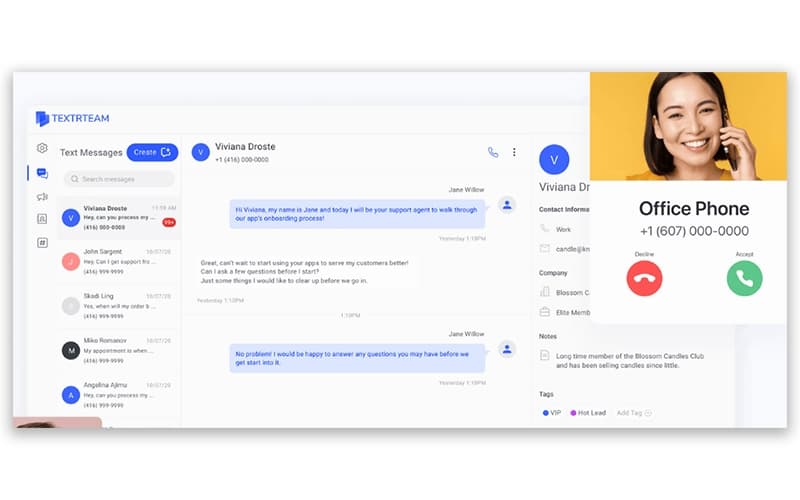
Textr Team offers a unified business phone solution, enabling teams to manage calls and texts from a single app. Despite the dependency on a stable internet connection for optimal performance, its ability to text-enable landlines adds significant value. Consequently, Textr Team effectively supports improved customer engagement and team productivity.

Textr Team Specifications
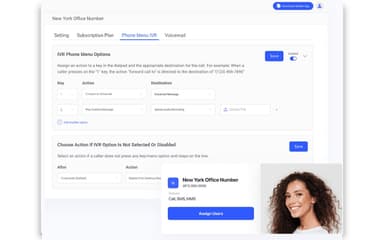
- Interactive Voice Response (IVR)
- Call Recording
- CRM Integration
- Call Routing
Textr Team Features
Team And Collaboration
The software allows users to bring their entire team on board by assigning them to a business phone number. Team members can text and call using shared phone numbers and contacts, which ensures everyone stays on the same page for better customer service.
SMS Campaigns
Businesses can create effective SMS campaigns using the Textr Team SMS API to reach a broader audience. This feature enhances outbound efforts by enabling bulk messaging and personalized communication, boosting engagement and productivity.
Outbound Sales
Textr Team enables sales representatives to focus on closing leads with tools like a lightweight CRM and call recording. Users can automate workflows and manage customer relationships efficiently to enhance their go-to-market strategy and increase overall sales performance.
Centralized Communication Channels
The system helps users say goodbye to cluttered communication by centralizing all contacts in one app accessible from any device. It prioritizes customer relationships and improves team efficiency by managing calls, messages, and voicemails in a single business phone management system.
Landline Texting
Textr Team enables users to text from their existing business landline number without the need for physical installation. Organizations can activate their current number for SMS and MMS, avoiding long hold times and providing a convenient way to interact with customers.
Pros And Cons of Textr Team
Pros
Unified texting and calling in one app for streamlined communications
Robust outbound sales tools to support lead outreach and follow‑ups
Virtual phone numbers to present a professional business presence
Cons
Analytics and reporting capabilities for teams could be more advanced
No built-in video conferencing or screen sharing
Textr Team Reviews
Total 10 reviews
4.5
All reviews are from verified customers
Rating Distribution
5
Stars50%
4
Stars50%
3
Stars0%
2
Stars0%
1
Stars0%
Share your experience
Information Technology and Services, 500+ employees
“unified messaging tool”
Pros
Having SMS, calling and a light CRM all in one cloud based platform makes this really convenient to use. The interface feels user friendly and it keeps business texting and calling consistent across devices without needing to switch between different apps or rely on extra hardware. Tools like call recording, multiple business numbers and team collaboration features help keep communication organized and make day to day work more productive. Clear pricing and fast onboarding are also strong advantages especially for small businesses and startups.
Cons
On the downside, call quality can occasionally be inconsistent even over Wi Fi and the platform doesn't offer as many advanced integrations as larger enterprise solutions. It also lacks support for importing contacts from some apps which can make onboarding take longer for certain teams.
Rating Distribution
Ease of use
9
Value for money
8
Customer Support
7
Functionality
7
Small Business, 11-50 employees
“easy to access from anywhere”
Pros
I can access it from both my phone and my computer which makes it really convenient. It works especially well for freelancers or remote teams that need a local presence to support and grow their clients' business.
Cons
The help articles are a bit limited and don't cover enough topics. That said, the platform itself is simple to set up and use. When I searched for call recording, only two articles came up and neither of them actually explained anything about recording calls.
Rating Distribution
Ease of use
10
Value for money
10
Customer Support
10
Functionality
8
Mid Market, 51-100 employees
“comes with lots of advanced features”
Pros
It is mainly built for calling and messaging especially when handling international calls during the recruitment process. It comes with a lot of advanced features, including calling, SMS campaigns, direct messaging, SMS templates and call recording which makes it very useful for business communication.
Cons
I use the app regularly for business and it works really well overall. The only major issue is that it depends entirely on the internet so when the connection is poor, problems show up quickly.
Rating Distribution
Ease of use
10
Value for money
9
Customer Support
8
Functionality
8
Frequently Asked Questions
Does Textr Team have a mobile app?
Yes, Textr Team offers a mobile app for both Android and iOS devices.
What level of support does Textr Team offer?
Textr Team software provides support through email, SMS, a dedicated account manager, a help center, and blogs.
What types of pricing plans does Textr Team offer?
The Textr Team price begins at $5.69/phone number/month for its pay-as-you-go plan. Request a personalized Textr Team pricing quote for your business.
What other apps does Textr Team integrate with?
The vendor has not listed any available third-party integrations for Textr Team.
What language does Textr Team support?
Textr Team is primarily available in English and Chinese (Simplified).
Does Textr Team offer an API?
Yes, Textr Team offers an API.
Who are the typical users of Textr Team?
The typical users of Textr Team features are startups and small businesses from a range of industries, including automotive and car rental, healthcare services, human resources, real estate, and law firms.