


CloudCall
Last Updated
Overview
CloudCall streamlines communication by enabling teams to manage calls, texts, and AI-driven insights directly within their CRM. While it relies on strong CRM integration, it supports staffing, recruiting, and sales teams seeking organized, efficient, and data-driven communication workflows.
CloudCall Specifications
- Real-Time Communication
- Integration with Other Tools
- Automation & Workflow
- Mobile Accessibility
CloudCall Features
Automatic Call Distribution (ACD)
CloudCall intelligently routes incoming calls to the next available agent or team member, ensuring no call goes unanswered. This helps improve response rates and ensures customers reach someone who can help quickly. It’s particularly valuable for maintaining high service standards and reducing missed opportunities.
AI Summaries
This feature automatically transcribes and summarizes every conversation using AI, turning calls into searchable text and actionable insights. These summaries make it easy to revisit key points later and streamline follow-up workflows.
Real-Time Coach
The software enables supervisors to monitor live calls, whisper advice, or even barge in to join conversations. This supports more effective coaching, helps improve agent performance, and enables timely interventions when needed.
Power Dialer
The platform helps outbound calling become more efficient with the Power Dialer, which automatically dials the next contact when a call ends and syncs all notes and dispositions back into the CRM. This reduces manual dialing and keeps the team focused on conversations.
Interactive Voice Response (IVR)
This feature greets callers with an automated system that collects information and ensures they reach the correct team or person. This helps improve first-contact resolution and reduces wait times by routing callers efficiently.
Pros And Cons of CloudCall
Pros
Seamless CRM integration boosts productivity
Clear call quality with minimal dropouts
Real-time coaching improves agent performance
Cons
Advanced customization options are limited
Mobile app lacks some desktop features
CloudCall Reviews
Total 29 reviews
4.5
All reviews are from verified customers
Rating Distribution
5
Stars69%
4
Stars17%
3
Stars10%
2
Stars3%
1
Stars0%
Share your experience
Staffing and Recruiting, N/A employees
More than a year
“Has flexible settings for recruiting”
Pros
The platform felt user friendly right away and it came with several unique configuration options that let us design it to fit our business needs.
Cons
CloudCall had recurring connectivity problems and our calls were often flagged as spam. At times, I wasn't able to make outbound calls at all which was a major issue since recruiting work depends heavily on calling.
Rating Distribution
Ease of use
8
Value for money
10
Customer Support
9
Functionality
8
Professional Training & Coaching, N/A employees
More than a year
“all-in-one communications”
Pros
Having multiple services and options integrated in one place makes communication much easier to handle, both within our company and with people outside of it.
Cons
One downside is that it still doesn't seem very well known. With how user-friendly and effective it is, I really think more companies should be using it.
Rating Distribution
Ease of use
10
Value for money
9
Customer Support
10
Functionality
9
Education Management, N/A employees
More than a year
“Frustrating bugs”
Pros
One thing it does well is connect with most recruiting CRMs. The unlimited texting and calling in most countries also makes it fairly cost-effective. Also, the sales team was pleasant and simple to work with.
Cons
Day to day though, the platform feels buggy and pretty inflexible. It really doesn't handle being used across multiple devices very well, whether that's laptops, desktops or phones which makes it harder to stay agile. Because of that, placing or receiving calls can turn into a hassle. Click-to-call also stops working from time to time and the integrations can break down. At one point, my account number was changed without any notice on the day it happened which left me unable to log in. The iphone app is genuinely awful nd I mean that. It was even worse before the update about a year ago but even now it's still not very good. Logging in is difficult and there's no option to transfer a call from the PC to the phone.
Rating Distribution
Ease of use
5
Value for money
5
Customer Support
6
Functionality
5
Frequently Asked Questions
Who are the typical users of CloudCall?
CloudCall features are used by industries and sectors, including healthcare recruitment, staffing, and recruiting, and professional services.
Does CloudCall offer an API?
Yes, CloudCall offers an API.
What types of pricing plans does CloudCall offer?
CloudCall price plans start at $20/user/month for Starter, $33/user/month for Pro, and $45/user/month for Advanced. Get a detailed CloudCall cost breakdown tailored to your specific requirements.
What other apps does CloudCall integrate with?
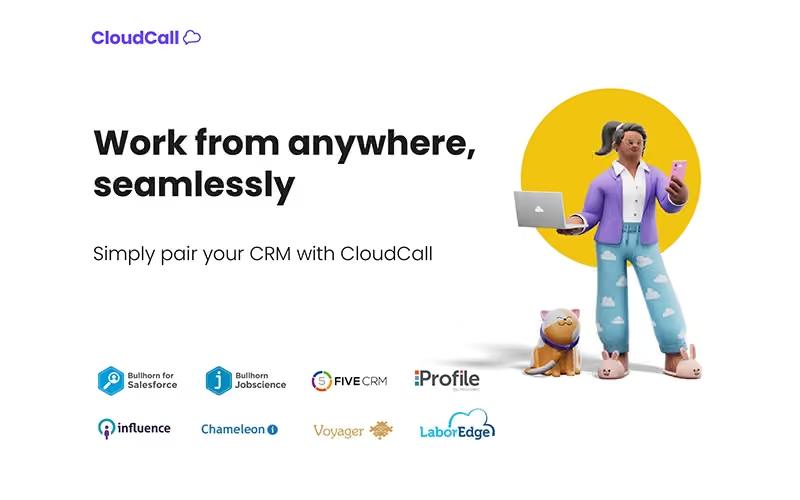
CloudCall integrates with JobDive, Bullhorn, Vincere, Salesforce, and LaborEdge.
What language does CloudCall support?
CloudCall primarily supports the English language.
What level of support does CloudCall offer?
CloudCall offers support through phone, email, and contact form.
Does CloudCall have a mobile app?
Yes, CloudCall offers a dedicated mobile app.