


Last Updated
Overview
Irma helps remote teams and knowledge workers capture and organize meeting notes automatically. While it relies on system audio quality for accuracy, its searchable transcripts and AI-powered summaries make it easy to retain and revisit key discussions. Overall, it is a practical solution for teams looking to streamline meeting documentation.
Be the first one to leave a review!
No review found

Starting Price
Custom
Irma Specifications
- Real-time Communication
- File Sharing & Management
- Document Management
- Integration with Other Tools
What Is Irma?
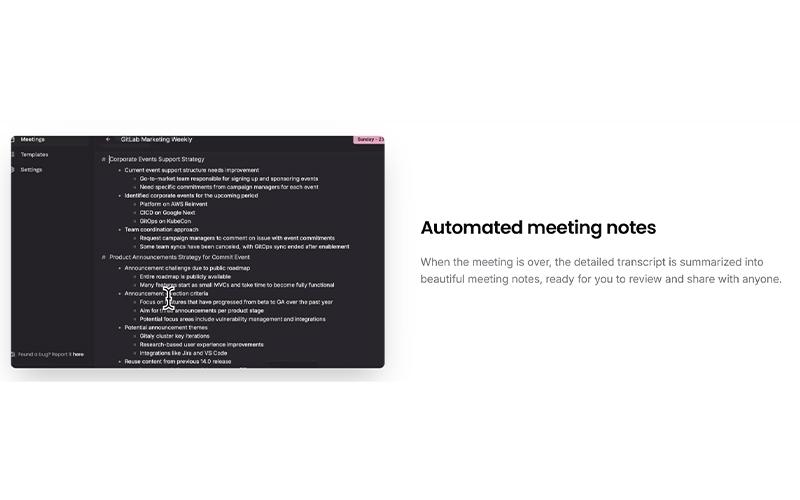
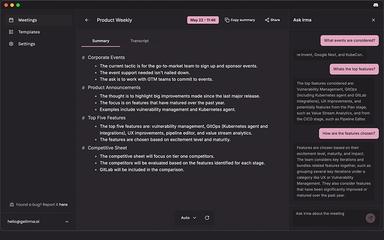
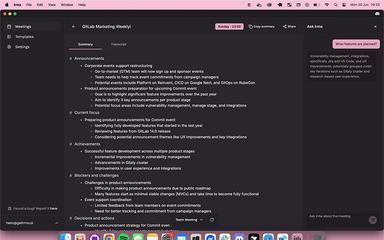
Irma is a software product designed for remote teams, knowledge workers, and startups to capture and manage meeting notes efficiently. The software records the system audio, transcribes it into text, and generates summarized, shareable meeting notes. Users can customize templates, search transcripts with ‘Ask Irma’, and distribute notes across teams.
Moreover, Irma helps users stay focused during meetings while ensuring that all important discussions are documented and easily accessible for later review.
Irma Pricing
The pricing for Irma starts at $19/month. This basic plan, known as Individual, includes 30 meeting hours, automated meeting notes, and custom templates. Further pricing tiers of the software are listed as follows:
- Free: $0/month
- Business: $39/month
- Enterprise: Custom pricing
In addition to the base subscription cost, users adopting Irma should account for the following additional costs:
- Internal Setup and Adoption: $0–$200 for basic installation and initial configuration, depending on team size and internal time invested
- User Training Or Onboarding: $100–$500 for internal team orientation and workflow alignment, depending on organizational size and usage practices
Disclaimer: The pricing is subject to change.
Irma Integrations
The platform integrates with several third-party applications and systems, such as:
- Microsoft Teams
- Slack software
- Zoom
- Google Meet
Who Is Irma For?
Irma is ideal for a range of users and organizations that need automated meeting note capture without disruptive bots or calendar access. These typically include:
- Individuals and professionals
- Small to medium‑sized businesses
- Remote and hybrid teams
- Consultants and freelancers
- Knowledge workers
- Project teams
- Cross‑platform collaboration users
Is Irma Right For You?
Irma is ideal for individuals, remote teams, and small-to-medium-sized businesses that need reliable automated meeting note capture. With AI-driven transcription, customizable summaries, encrypted data storage, and GDPR-compliant handling of user data, it ensures critical discussions are accurately recorded, easy to review, and securely shared across teams.
Irma also encrypts data both at rest and in transit, keeps recordings temporary, and gives users full control over when recordings start and stop, helping professionals stay focused while maintaining strong privacy and security standards.
Still doubtful if Irma software is the right fit for you? Connect with our customer support staff at (661) 384-7070 for further guidance.
Irma Features
System Audio Capture
The software captures both system audio and microphone input during meetings, ensuring that every spoken word is recorded accurately. This functionality allows users to focus fully on discussions while Irma silently collects all meeting content for transcription and note creation without interrupting the session.
Audio Transcription
Irma features AI-driven transcription that converts recorded meeting audio into readable text. The platform processes all captured audio efficiently, generating a clear and structured transcript. This enables users to quickly review discussions, identify key points, and ensure no important details are missed.
AI Meeting Notes Generation
The platform transforms meeting transcripts into polished, shareable notes automatically. Users can customize note templates to match their preferred structure or select from pre-designed formats. This ensures consistent, professional documentation that can be easily distributed to team members for follow-up and reference.
Pros And Cons of Irma
Pros
Captures and summarizes meeting audio automatically
Works across multiple meeting platforms efficiently
Customizable templates for post-meeting review
Cons
Lacks calendar integration for scheduling
Limited advanced real-time automation features
Irma Reviews

No reviews yet!
Be the first to review this product
Frequently Asked Questions
Does Irma offer an API?
No, Irma does not offer an API.
Does Irma have a mobile app?
No, Irma does not offer a dedicated mobile app.
What language does Irma support?
The software supports English and Svenska.
What level of support does Irma offer?
The platform provides support via email.
What types of Irma price plans are available?
The pricing plans start with the free plan, followed by the Individual plan at $19/month, the Business plan at $39/month, and the Enterprise plan available through custom pricing. Contact us for a detailed Irma cost breakdown based on your organization's requirements.
Who are the typical users of Irma?
Irma features are used by individuals, small to medium-sized businesses, remote and hybrid teams, consultants and freelancers, knowledge workers, project teams, and cross-platform collaboration users.
What other apps does Irma integrate with?
The platform integrates with several third-party applications and systems, including Microsoft Teams, Zoom, Slack, and Google Meet.