

Transkriptor
Last Updated
Overview
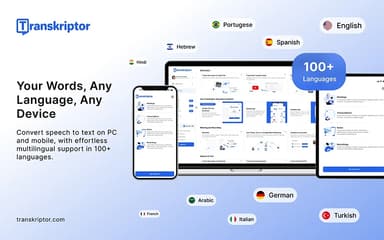
Transkriptor helps businesses and professionals streamline documentation with AI-powered audio-to-text conversion and automated meeting summaries. While it focuses primarily on automated transcription rather than manual human verification services, its intuitive interface ensures reliable results. Overall, it is an efficient solution for teams seeking fast, accessible, and organized communication records.
Transkriptor Specifications
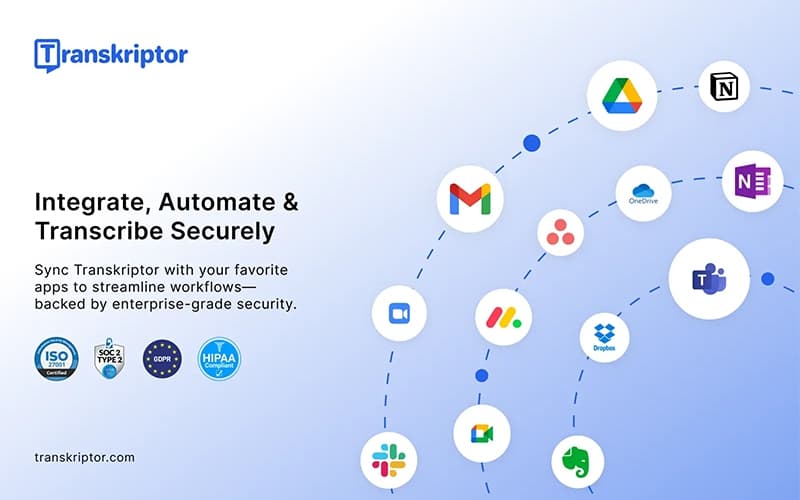
- Integration With Other Tools
- Mobile Accessibility
- Security & Compliance
- Customer Support
Transkriptor Features
Instant Transcription
This feature allows users to instantly convert speech from audio and video files into accurate text records. The software utilizes professional-grade AI technology to process content in seconds, enabling teams to focus on insights rather than manual notetaking. Transkriptor ensures high accuracy and supports various file formats for seamless documentation.
Simple Screen Recording
Users can capture screen activity with clarity to create tutorials, demos, and presentations effortlessly. This feature pairs recording capabilities with automatic transcription, ensuring that every visual demonstration is accompanied by a searchable text record. The platform simplifies the creation of accessible educational and professional video content for streamlined knowledge sharing.
Smart Meeting Assistant
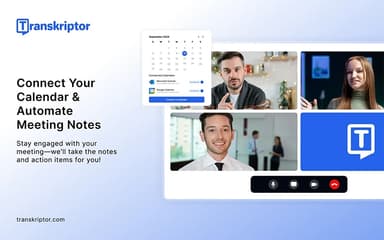
The software acts as an automated aide that joins calls to transcribe conversations and generate concise summaries. Users can connect their calendars to ensure no detail is missed, as the platform identifies action items and organizes key points. Transkriptor transforms virtual meetings into searchable, actionable productivity assets for teams.
AI-Powered Content Writing
This feature enables users to transform raw transcripts and ideas into polished, high-quality written content with minimal effort. The software analyzes the input to generate engaging text tailored to specific audiences, streamlining the content creation process. Transkriptor software effectively bridges the gap between spoken concepts and professional publication for creators.
Text-To-Speech Magic
The platform offers the ability to convert written text into natural-sounding, realistic spoken words to enhance content accessibility significantly. Users can bring static text to life, making information more engaging and audible for diverse audiences. The software provides a seamless way to repurpose written materials into immersive auditory experiences.
Pros And Cons of Transkriptor
Pros
Ensures accurate AI-powered transcription every time
Compatible across desktop, mobile, and browser
Provides user-friendly interface for professionals and students
Cons
Some advanced features require subscription
Cannot directly edit transcripts in mobile app
Transkriptor Reviews
Total 25 reviews
4.3
All reviews are from verified customers
Rating Distribution
5
Stars60%
4
Stars24%
3
Stars8%
2
Stars0%
1
Stars8%
Share your experience
Education Management, 1-10 employees
Less than 6 months
“Terrible transcription results”
Pros
I cannot find anything positive about this app as the transcription results are terrible.
Cons
I feel completely ripped off after paying for this service especially given the absurdly short seven-day refund window which didn�t give me enough time to properly test its real-world performance. In my experience it�s been the worst transcription app I�ve ever tried.. inaccurate, slow and far from what was advertised. The whole situation has been incredibly disappointing and frustrating to say the least.
Rating Distribution
Ease of use
1
Value for money
1
Customer Support
1
Functionality
1
Computer Software, 11-50 employees
Less than a year
“easy calendar linking and summaries”
Pros
In my opinion it is a good platform because I can link my calendar without hassle and the app automatically joins my meetings to record them. Afterward I can instantly create concise summaries making client follow-ups easy and efficient.
Cons
The lack of CRM integrations is most frustrating as I cannot smoothly manage client info and follow-ups within my team's existing tools.
Rating Distribution
Ease of use
8
Value for money
8
Customer Support
7
Functionality
7
Medical Practice, 1-10 employees
Less than a year
“Really useful for high-quality research”
Pros
For my research Transkriptor has been really useful and consistently produces high-quality transcriptions.
Cons
I need to use a microphone to get a clear, high-quality transcript.
Rating Distribution
Ease of use
9
Value for money
9
Customer Support
9
Functionality
9
Frequently Asked Questions
Does Transkriptor have a mobile app?
Yes, Transkriptor offers a dedicated mobile app.
Does Transkriptor offer an API?
Yes, Transkriptor offers an API.
What language does Transkriptor support?
Transkriptor primarily supports several languages including English, Dutch, Polish, Portugese and German.
What types of pricing plans does Transkriptor offer?
Transkriptor price starts at $9.99/month for Lite, $19.99/month for Pro, $30/month/seat for Team, $60/month for 100 Hours, $150/month for 250 Hours, $300/month for 500 Hours, and $600/month for 1000 Hours. Get a detailed Transkriptor cost breakdown tailored to your specific requirements.
Who are the typical users of Transkriptor?
Transkriptor features are used by organizations across industries and sectors, including consulting, education management, and manufacturing.
What level of support does Transkriptor offer?
Transkriptor offers support through email and a help center.
What other apps does Transkriptor integrate with?
Transkriptor integrates with various third-party applications, such as Google Drive, Notion, and Dropbox.