


Cloudinary Software
Last Updated
Overview
Cloudinary streamlines image and video management for developers and businesses, providing tools to automate and optimize visual workflows. Its pricing model can be challenging for smaller teams with limited budgets, but its robust features make it a standout solution for managing visual assets efficiently.


Cloudinary Software Specifications
- Content Creation and Editing Tools (WYSIWYG)
- Media Library Management
- Content Versioning
- Role-Based Permission
Cloudinary Software Features
Programmable Media
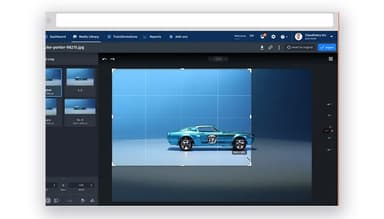
Cloudinary’s programmable media solutions enables users to automate the lifecycle of visual content, including transformations, optimizations, and responsive delivery. This enhances efficiency, ensures consistent quality across platforms, and improves user experiences by adapting media to various devices and network conditions.
Cloudinary AI
Cloudinary AI provides intelligent tools for media optimization, such as automated tagging, background removal, and content analysis. These capabilities streamline workflows, enhance visual accuracy, and reduce manual effort, enabling faster and more reliable media management and delivery.
MediaFlows
MediaFlows is a low-code workflow automation tool that simplifies the processing and management of images and videos. It enables teams to build and execute media pipelines quickly, improving productivity and reducing repetitive tasks.
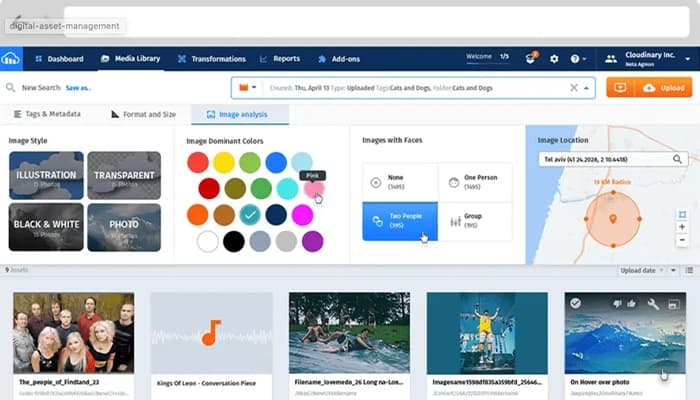
Digital Asset Management (DAM)
The software centralizes media storage and management, creating a single source of truth for visual assets. It facilitates collaboration, speeds up content creation, and ensures efficient asset organization for enterprises and creative teams.
Workflow Automation
Workflow automation in Cloudinary streamlines repetitive tasks, such as media uploads, transformations, and tagging. By automating these processes, teams save time, reduce errors, and focus on strategic creative work, enhancing overall operational efficiency.
Pros And Cons of Cloudinary Software
Pros
Excellent for managing and delivering creative assets via a robust content delivery network
Intuitive interface for managing digital assets and workflows
Delivers consistently fast and reliable content delivery
Provides flexible customization options for various formats
Cons
Can consume significant system memory
Requires API usage for certain bulk operations, adding complexity
Some users report occasional server errors with delayed support response
Cloudinary Software Reviews
Total 16 reviews
4.6
All reviews are from verified customers
Rating Distribution
5
Stars69%
4
Stars25%
3
Stars6%
2
Stars0%
1
Stars0%
Share your experience
IT, 51-100 employees
More than a year
“It performs well but comes at a premium price”
Pros
We were locked into a lower legacy rate, which made Cloudinary an incredible deal. It was simple to use and the links would load very quickly.
Cons
The pricing doesn't seem competitive compared to other alternatives. If we weren't locked into a legacy rate, we might have reconsidered it. Also the user interface feels quite outdated.
Rating Distribution
Ease of use
10
Value for money
4
Customer Support
2
Functionality
8
IT, 500+ employees
Less than 6 months
“So convenient application”
Pros
What I like most is that you can convert multiple files or images even with the free version.
Cons
I am only using this for converting images, and I absolutely love the way it handles the conversion so I don't really have any issues with it.
Rating Distribution
Ease of use
10
Value for money
10
Customer Support
10
Functionality
10
Casuality, 1-10 employees
More than a year
“Excellent service!”
Pros
I really appreciate that it compresses my website image files, making them smaller and more efficient.
Cons
I can't think of anything, except that it requires payment for even a small amount of storage space.
Rating Distribution
Ease of use
10
Value for money
10
Customer Support
10
Functionality
10