


Crowdin
Last Updated
Overview
Crowdin assists support teams by making it easy to create and maintain multilingual support documentation and important customer content for organizations that are scaling globally. While the user interface can be updated, the platform ensures that the provided support articles are consistently localized and up to date for all users.


Crowdin Specifications
- CRM Integration
- Analytics and Reporting
- Self-Service Portal
- Email management
Crowdin Features
Customization Of Workflow
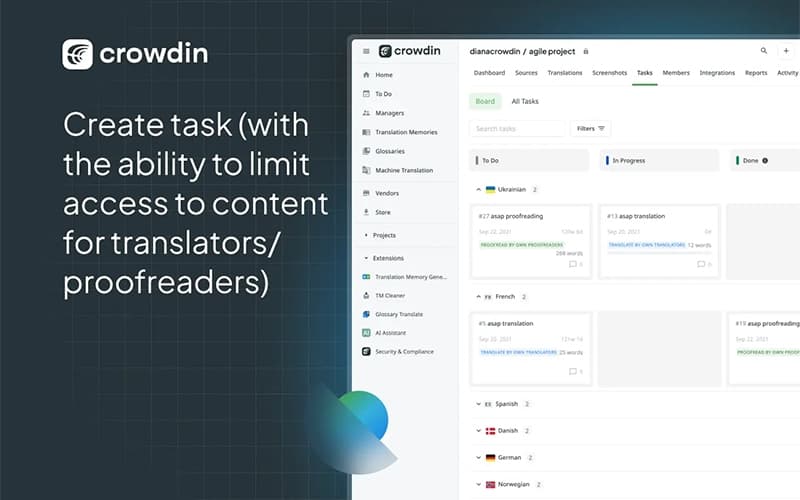
This feature allows for the creation of flexible localization workflows that precisely fit documentation and customer support content projects. The platform manages work through distinct, necessary stages, including Source Text Review, Automated Pre-translation, and Human Translation. This process guarantees that required quality control steps are consistently integrated into the content lifecycle before the final delivery.
In-Context Preview
The In-Context Preview is an online editor utilized by translators and reviewers. It provides a real-time visual representation of how translated support text will display in the help center or application interface. This viewing capability assists linguists in adjusting translations for length and accurate placement to confirm that the content fits the design and context before implementation.
Translation Memory
Translation Memory is a key linguistic asset for content collaboration, systematically storing all previously translated segments of documentation. The system automatically retrieves and suggests exact or highly similar translations, which ensures uniform and consistent phrasing across all customer-facing articles. This efficiency mechanism significantly speeds up the localization process for updated or newly created knowledge base content.
Terminology Management
The Glossary tool is essential for effective Terminology Management, critical for guaranteeing consistent phrasing across all support communications. It acts as a central repository for approved, mandatory terms and specialized phrases that all translators must employ throughout every language project. Utilizing the Glossary during online collaboration is necessary for delivering high-quality, professional, and uniform documentation.
Quality Assurance Checks
Automated QA Checks are run within the platform online environment to confirm translated content meets the required quality standards before it reaches the customer. These checks automatically flag potential errors, such as missing variables, incorrect placeholders, or translations that exceed length limitations. Running these quality assurance checks is a necessary final step for ensuring the delivery of high-quality and fully functional translations for all customer support resources.
Pros And Cons of Crowdin
Pros
Familiarity and baked-in platform status solve the localization problem
In-context tool removes the guesswork around length variations
Translation memory and glossaries keep product copy consistent
Clarity of the translation editor helps translators work faster
Intuitive user interface makes it easy to translate fast and efficient
Cons
Big chunks of text in one string sometimes have a hard time loading
Initial setup for integrations can require careful coordination
Advanced settings are sometimes a bit hidden in the admin interface
Crowdin Reviews
Total 50 reviews
4.7
All reviews are from verified customers
Rating Distribution
5
Stars74%
4
Stars24%
3
Stars2%
2
Stars0%
1
Stars0%
Share your experience
Entertainment, N/A employees
More than a year
“Strong tool”
Pros
Right from the start, the interface feels friendly and simple which matters a lot for a volunteer-driven translation project like ours. Non-technical translators can begin contributing without much friction, while the platform still respects the guardrails we need. For instance, HTML codes are clearly highlighted during translation, the UI nudges people to carry them over properly and it throws errors if someone tries to save without them. On top of that, you can choose whether people are allowed to override those checks or not. The management features cover what we need and it includes several machine translation options as well as a built-in global translation memory which is especially valuable for our use case of translating software UI. Permissions are thoughtfully designed and the moderation tools are effective too, including the ability to remove contributions when needed because of mistakes or bad intent. Since we adopted it, they also added the "Developer" permission which really rounded things out for us. We have not needed anything beyond the default setup. Even with our completely open contribution model, we have not had a single spam incident in 9 years and across more than 3,000 members. It also supports a wide range of file formats and although software localization formats can be all over the place, there is enough compatibility that developers can usually adapt their translation files into something the platform accepts. A few years back, they added a multilingual view and that has been especially helpful for comparing regional variations within the same language, such as Brazilian Portuguese and European Portuguese.
Cons
Management side could still be improved for projects like ours where anyone can join and start contributing. The QA tools are quite thorough but they do not feel as integrated as they should. For example, there is both a "Reports" area and an "Advisors" area. The simpler "Advisors" view is the one I prefer because it is more actionable but it could definitely be expanded. It also seems to have some problems, for example, I believe the Screenshots advisory is broken. Our project gets a "Low screenshot coverage" warning claiming "0% of UI strings tagged on screenshots," even though we have hundreds of screenshots and thousands of tagged strings visible from a quick look at the Screenshots tab. CSV translation has also been frustrating to manage especially when importing existing translations because the file schema errors were hard to interpret. Better documentation would make a big difference there. I also think "File context" and especially the "Dictionary" could be surfaced much better in the translation interface. At the moment, words get underlined even when there is no relevant translation or context available for that language. What usually happens is that, say, a French translator adds a dictionary entry with a translation as guidance or quality control. But the original English source term is often just the same generic word so that word ends up underlined for every language even when it provides no useful information. Over time so many words have been added for different languages that the underlining has become noisy and translators stop paying attention to it, basically a Boy Who Cried Wolf situation. Lastly, the GitHub integration can behave in ways that feel a bit opaque especially when the token suddenly expires and it is not clear why. It would help a lot if the documentation explained this behavior in a more precise, repeatable way so we could understand how it interacts with downstream systems. One detail we have never been able to fully figure out is which contexts added through it actually make their way back into our Git repository.
Rating Distribution
Ease of use
9
Value for money
10
Customer Support
9
Functionality
9
Translation and Localization, N/A employees
More than a year
“Accurate workflow”
Pros
As a freelance translator I really appreciate the simple editor and user interface. The built-in translation memory, glossaries and context screenshots speed up my workflow a lot while also helping me stay accurate. It supports languages very well and manages complex files without breaking tags or code.
Cons
Getting used to complex project settings and more advanced QA checks takes a bit of time at first. Also some automated suggestions can be repetitive now and then so they still need manual fine-tuning.
Rating Distribution
Ease of use
10
Value for money
8
Customer Support
7
Functionality
7
Translation and Localization, N/A employees
More than a year
“Consistent translation quality”
Pros
Having translation memory suggestions and machine translation built right into the editor really helps. Direct access to TM matches and MT engines speeds up the work noticeably and makes it easier to keep translations consistent across different projects.
Cons
Automated QA checks can be useful in English but they do not always fit Japanese well. Standard rules tend to trigger false positives for Japanese syntax and punctuation so clearing those warnings just adds extra noise during proofreading.
Rating Distribution
Ease of use
10
Value for money
10
Customer Support
10
Functionality
10
Frequently Asked Questions
What language does Crowdin support?
The platform supports multiple languages including English, Spanish, German, and French.
What level of support does Crowdin offer?
The platform provides support through email, chat, and contact form.
Does Crowdin offer an API?
Yes, Crowdin provides an API.
Who are the typical users of Crowdin?
Crowdin features are designed for businesses in industries and sectors like customer support, marketing, e-commerce, gaming, and software.
What types of pricing plans does Crowdin offer?
The vendor offers four plans: Pro ($59/month), Team ($179/month), Team+ ($450/month), and Business (Custom pricing). Request a personalized Crowdin pricing quote for your business today!
Does Crowdin have a mobile app?
Information regarding a dedicated mobile app has not been specified by the vendor.
What other apps does Crowdin integrate with?
The platform integrates with multiple software including GitHub, GitLab, Figma, Slack, and Zendesk.