


EverAfter
Last Updated
Overview
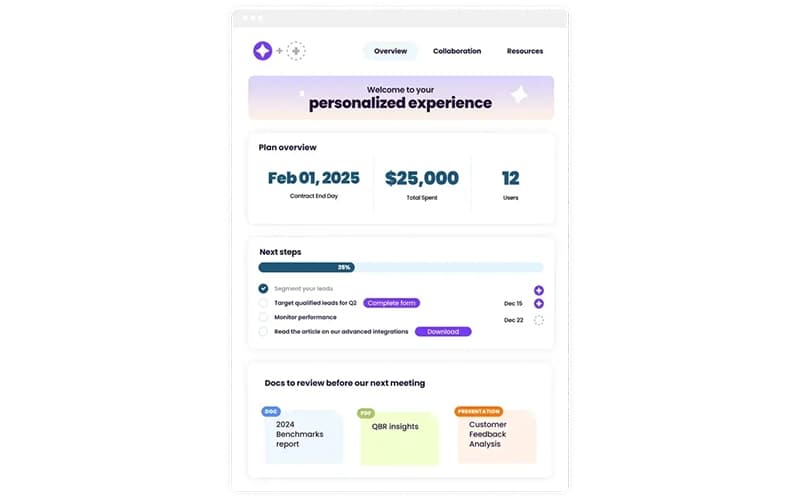
EverAfter simplifies customer onboarding and success management for B2B SaaS teams through personalized, AI-driven experiences. It helps reduce manual effort while improving customer engagement and time-to-value. However, occasional UI glitches may interrupt workflows, though the platform’s flexibility and automation capabilities continue to deliver strong operational value.
EverAfter Specifications
- CRM Integration
- Analytics And Reporting
- Self-Service Portal
- Ticket Management
EverAfter Features
AI Studio
EverAfter features blah blah enable teams to design and launch personalized customer experiences using a no-code environment. The feature connects live customer data to dynamic interfaces, allowing post-sale teams to adapt onboarding and success journeys quickly while maintaining consistent branding and scalable delivery.
AI Agents
Designed to automate customer-facing actions, AI Agents interpret signals such as usage data, feedback, and milestones to trigger next steps automatically. This feature reduces manual follow-ups, keeps customers engaged at the right moments, and helps teams scale proactive engagement without increasing operational workload.
AI Experts
Built to centralize organizational knowledge, AI Experts provide contextual, always-on guidance within customer interfaces. The feature pulls information from connected systems and documents to answer questions accurately, improving self-service experiences while lowering dependency on customer success and support teams.
Engagement Tracking And Analytics
Powered by real-time data, this feature tracks how customers interact with content, tasks, and journeys. It provides visibility into engagement patterns, helping teams identify adoption gaps, prioritize outreach, and refine customer programs based on measurable behavior insights.
Pros And Cons of EverAfter
Pros
Enables scalable yet personalized customer experiences
Reduces dependency on manual customer follow-ups
Improves customer engagement and self-service adoption
Cons
Advanced workflows may require initial learning curve
Interface customization between modules still evolving
EverAfter Reviews
Total 1 reviews
5
All reviews are from verified customers
Rating Distribution
5
Stars100%
4
Stars0%
3
Stars0%
2
Stars0%
1
Stars0%
Share your experience
Not Specified, N/A employees
“Time-saving digital onboarding”
Pros
This has been a great customizable tool for getting customers to the right "Getting Started" materials immediately, allowing them to learn on their own schedule. Using digital onboarding for specific customers has saved our internal teams hundreds of hours, giving us more time for other projects while still providing a higher level of service. The support team was also phenomenal during implementation and while we refined our Onboarding Kits. They were helpful, dedicated and flexible throughout the process.
Cons
I would like to see a more customizable experience between the AI capabilities in Studio and our kit experience.
Rating Distribution
Ease of use
10
Value for money
10
Customer Support
10
Functionality
9
Frequently Asked Questions
Does EverAfter have a mobile app?
No, EverAfter does not have a mobile app.
What other apps does EverAfter integrate with?
EverAfter integrates with Salesforce, HubSpot CRM software, Dropbox, Zendesk suite, Intercom, Asana, and Tableau software.
What types of pricing plans does EverAfter offer?
EverAfter pricing follows a custom-quote model. Request a custom EverAfter price quotation.
What level of support does EverAfter offer?
EverAfter provides support via phone, email, and contact form.
What language does EverAfter support?
EverAfter supports the English language.
Does EverAfter offer an API?
Yes, EverAfter provides API access.
Who are the typical users of EverAfter?
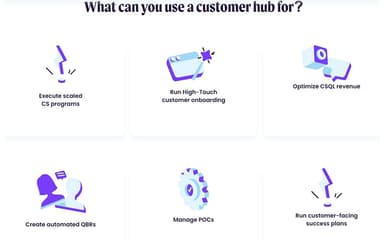
EverAfter is designed for customer success, SaaS, B2B software, technology services, enterprise software, subscription-based businesses, and digital platforms.