


ShowMyPC
Last Updated
Overview
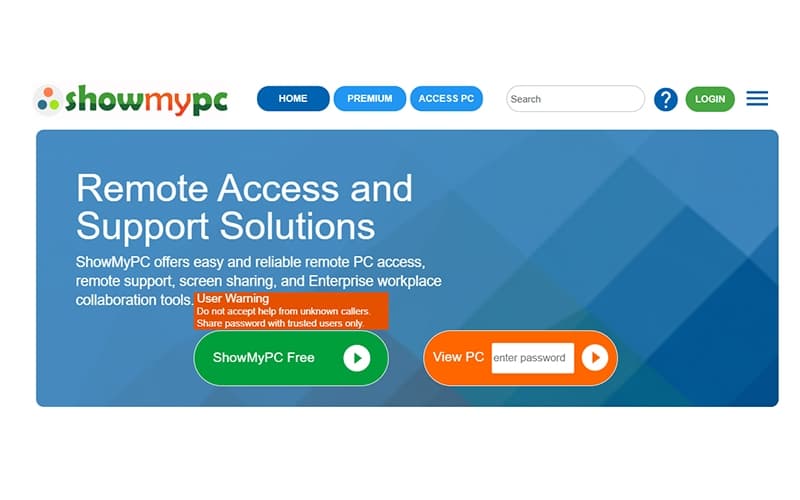
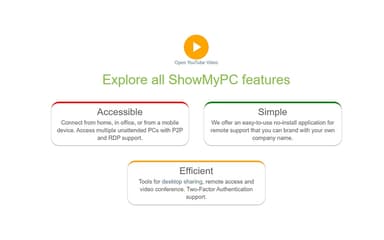
ShowMyPC helps teams securely access and manage PCs and Macs remotely, supporting screen sharing, file transfers, and web-based collaboration. While advanced voice and video conferencing options are limited, its easy, no-install setup and multi-device support make it practical for IT support, educators, and businesses needing reliable remote connectivity.
ShowMyPC Specifications
- Live Chat
- Knowledge Base
- Phone Support
- Email Management
ShowMyPC Features
Access Home Or Office PCs
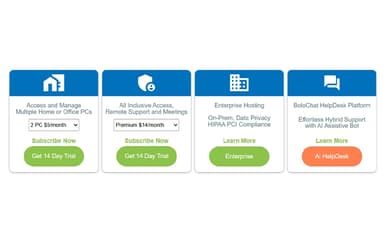
Users can securely access and manage multiple unattended PCs from any location, using web and RDP support across firewalls. The no-download web viewer allows seamless interaction, mobile access, PC location tracking, and remote rebooting, ensuring full remote control and flexibility.
Remote Support And Meetings
This feature allows users to provide remote support, share screens, and hold video meetings effortlessly. Web-based sharing requires no downloads, while APIs enable app integration. The web viewer helps train and assist users remotely, including session reconnection after reboots for continuity.
Private Enterprise Solution
The software offers a dedicated, scalable, and secure enterprise solution. Users can customize APIs, deploy on dedicated servers or virtual machines, and maintain PCI and HIPAA compliance. This setup enables organizations to scale operations safely while effectively controlling infrastructure and resources.
BoloChat: AI Helpdesk
BoloChat provides effortless hybrid support through an AI chatbot and helpdesk platform. It offers round-the-clock engagement, personalized response training, integration with Google Workspace email, and support augmentation to improve user interactions, automate tasks, and enhance overall service efficiency.
Pros And Cons of ShowMyPC
Pros
Works across multiple platforms and devices
Quick setup with simple installation
Enables quick screen sharing and file transfer
Cons
Audio can be inconsistent during sessions
Updates do not install automatically
ShowMyPC Reviews
Total 10 reviews
4.6
All reviews are from verified customers
Rating Distribution
5
Stars60%
4
Stars40%
3
Stars0%
2
Stars0%
1
Stars0%
Share your experience
Hospitality, 101-500 employees
“Exactly what I needed”
Pros
Getting started with it is refreshingly simple. Launching a remote session takes very little effort and there's no need to deal with a long or complicated setup. The one-time code method for sharing access is quick, dependable and especially useful when helping someone who isn't very tech-savvy. For basic remote support and screen sharing, it gives me exactly what I need without piling on extra features or unnecessary complexity.
Cons
It does the job well for basic tasks but it feels a bit limited when compared with more advanced remote access platforms. Features like file transfer, session management and deeper security settings are pretty minimal. The interface also feels somewhat dated. Even so, for fast and simple remote sessions, those drawbacks are usually manageable.
Rating Distribution
Ease of use
7
Value for money
9
Customer Support
7
Functionality
10
Not Specified, N/A employees
“Affordable tool”
Pros
Whenever I need to connect to my home computer while traveling abroad, it makes the whole process simple and affordable. The customer service is very accessible, the software is simple to use and the pricing is reasonable which makes remote access much less of a hassle. Installation was quick and the app feels very user-friendly from the start. The interface is user-friendly as well which helps me work more efficiently. On top of that, it costs less and provides better support than other similar apps I've tried. Altogether, it has been a very satisfying product for me and I'd highly recommend it to others.
Cons
None for me at this point, I don't have any real complaints or dislikes about it.
Rating Distribution
Ease of use
10
Value for money
9
Customer Support
10
Functionality
10
Information Technology and Services, 11-50 employees
“Reasonable pricing”
Pros
I found it to be user friendly and the pricing is reasonable too.
Cons
The UI could use a bit more work and refinement.
Rating Distribution
Ease of use
7
Value for money
8
Customer Support
9
Functionality
7
Frequently Asked Questions
Does ShowMyPC offer an API?
Yes, ShowMyPC offers an API.
Does ShowMyPC have a mobile app?
Yes, ShowMyPC offers a mobile app for Android and iOS users.
What other apps does ShowMyPC integrate with?
Information about third-party integrations has not been specified by the vendor.
What types of pricing plans does ShowMyPC offer?
ShowMyPC offers a range of pricing plans, i.e., Access to multiple home or office PCs starts at $5/month for two PCs. Remote Support and Meetings plans cost $14/month (Premium), $19/month (Professional), and $60/month (Enterprise). BoloChat HelpDesk Platform begins at $10/month/user, and Enterprise Hosting is available with custom pricing, with a 14-day free trial for all plans. Request a tailored ShowMyPC price plan for your organization.
What language does ShowMyPC support?
ShowMyPC primarily supports the English language.
What level of support does ShowMyPC offer?
ShowMyPC provides support through phone, ticketing system, FAQs, and a help center.
Who are the typical users of ShowMyPC?
ShowMyPC features are used by organizations across multiple industries and sectors, including retail and e-commerce, healthcare, government, IT, financial and professional services, and education.