


Bitwarden
Last Updated
Overview
Bitwarden provides a trusted cybersecurity solution for managing passwords, passkeys, and sensitive data across all devices. Although the user interface can feel dated to some, its core functionality is powerful and intuitive. Nevertheless, its open-source transparency and strong encryption make it a highly reliable security tool for any organization.
Bitwarden Specifications
- Data Encryption
- Multi-Factor Authentication
- Security Audits And Reporting
- Cloud Security
What Is Bitwarden?
Bitwarden is a comprehensive Cybersecurity software designed to protect sensitive information for businesses of all sizes. It secures and manages passwords, passkeys, and other credentials in an end-to-end encrypted vault. This platform helps organizations prevent costly data breaches and harden their security posture through features like centralized administration and auditable event logs. By simplifying secure access to critical systems, Bitwarden empowers employees to work safely and productively from anywhere.
Bitwarden Pricing
The Bitwarden cost ranges in the following two packages: Personal and Business. It also offers a 7-day free trial.
Personal:
- Free: $0
- Premium: $1/month
- Families: $3.33/month up to 6 users
Business:
- Teams: $4/user/month
- Enterprise: $6/user/month
Disclaimer: The pricing is subject to change.
Bitwarden Integrations
The software supports integration with multiple platforms, such as:
- Okta
- Duo
- Rapid7
- Splunk Enterprise
- Microsoft Sentinel
- Ansible
Who Is Bitwarden For?
Bitwarden is ideal for a range of industries, including:
- Information technology
- Finance and insurance
- Healthcare
- Government agencies
- Manufacturing
- Software
- Advertising and marketing
Is Bitwarden Right For You?
Bitwarden stands out due to its unwavering commitment to transparency and security, built on an open-source foundation that anyone can inspect. This approach has earned it numerous accolades, including the 9th Annual Cybersecurity Breakthrough Award of "Password Management Solution of the Year." For businesses seeking a highly trusted, scalable, and user-friendly platform that meets rigorous compliance standards like SOC 2 and HIPAA, Bitwarden software is an exceptional choice that delivers enterprise-grade security.
Still not sure about Bitwarden? Contact our support team at (661) 384-7070 for further guidance.
Bitwarden Features
Data Breach Reports
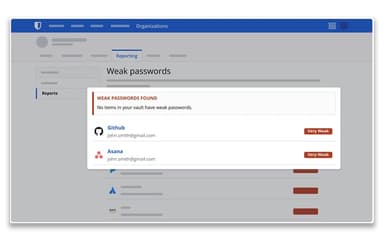
This feature enhances proactive security by allowing users to run reports on data that has been exposed in known public breaches. It helps organizations quickly identify compromised credentials, enabling them to mitigate risks before attackers can exploit them.
Centralized Administration
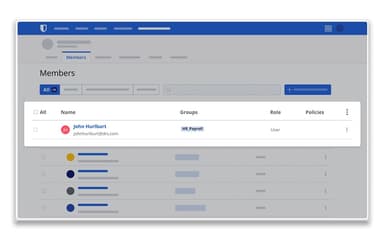
This tool provides administrators with complete control over organizational security through a single, intuitive console. It allows for the efficient management of users, enforcement of security policies, and oversight of access permissions. Therefore, it streamlines security operations and ensures compliance across the enterprise.
Local Cache And Offline Access
Bitwarden ensures productivity remains uninterrupted even without an internet connection. It maintains a secure local cache of the user's vault. In this regard, it ensures that employees can always access their essential credentials and sensitive information, regardless of their connectivity status, which is ideal for remote teams.
Encrypted File Attachments
This capability allows users on any paid plan to securely attach files to items within their vault. With up to 1 GB of storage per user, all attachments are protected with the same robust end-to-end encryption as other vault data, perfect for storing sensitive documents.
Passkey Management And Usage
The software embraces the future of authentication with full passkey support. This feature allows users to securely store, manage, and use passkeys for passwordless logins. It provides a more convenient and phishing-resistant method of accessing websites and applications that support this modern standard.
Pros And Cons of Bitwarden
Pros
Offers strong end-to-end, zero-knowledge encryption
Supports seamless password synchronization across all devices
Facilitates with reliable autofill and autosave capabilities
Cons
In-app update prompts can be unreliable
Its user interface feels dated to some
Bitwarden Reviews
Total 53 reviews
4.6
All reviews are from verified customers
Rating Distribution
5
Stars72%
4
Stars23%
3
Stars4%
2
Stars2%
1
Stars0%
Share your experience
Higher Education, 11-50 employees
More than a year
“one app covers all your password needs”
Pros
Everything I need from a password manager is built into one app, with all the features and functionality in a single place.
Cons
Everything checks out so far, no complaints at all.
Rating Distribution
Ease of use
10
Value for money
10
Customer Support
10
Functionality
10
Information Technology and Services, 500+ employees
More than a year
“Your passwords stay safe no matter what”
Pros
Security is front and center here, your sensitive data is guarded against external threats at all times.
Cons
As of now I've got no complaints with Bitwarden and I hope it stays that way.
Rating Distribution
Ease of use
9
Value for money
10
Customer Support
9
Functionality
9
Architecture & Planning, 1-10 employees
More than a year
“workflow stays simple and tools stay free”
Pros
Using it felt very simple to use from the start and the tools are simple to work with. The fact that they're free makes it even better and is easily one of the best parts.
Cons
A very common feature that didn't work for me was unlocking the password with my fingerprint or Face ID.
Rating Distribution
Ease of use
9
Value for money
10
Customer Support
10
Functionality
8
Frequently Asked Questions
Does Bitwarden have a mobile app?
Yes, Bitwarden has mobile apps for both Android and iOS devices.
Who are the typical users of Bitwarden?
The typical users of Bitwarden features are from different industries, including IT, healthcare, finance, government agencies, and manufacturing.
What types of pricing plans does Bitwarden offer?
The Bitwarden price ranges in the following two packages: Personal and Business. The Personal package includes a Free plan, a Premium plan ($1/month), and a Families plan ($3.33/month up to 6 users). The Business package includes a Teams plan ($4/user/month) and an Enterprise plan ($6/user/month). Request a personalized Bitwarden pricing quote for your business.
What language does Bitwarden support?
Bitwarden is primarily available in more than 50 languages, including English, Spanish, German, French, Chinese, and Japanese.
Does Bitwarden offer an API?
Yes, Bitwarden offers an API.
What other apps does Bitwarden integrate with?
Bitwarden software integrates with various third-party platforms, such as Okta, Duo, Rapid7, Splunk, Microsoft Sentinel, and Ansible.
What level of support does Bitwarden offer?
Bitwarden provides support through email, form submission, help center, and community forums.