


Last Updated
Overview
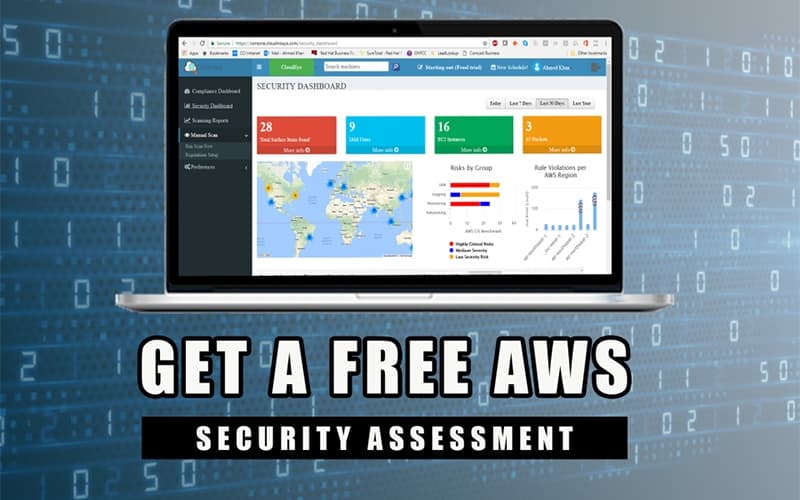
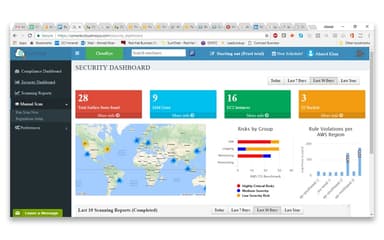
CloudEye helps organizations protect their cloud environments with real-time risk detection and automated compliance. While some users may need time to get familiar with the dashboard, its agentless scanning and contextual analysis ensure security teams can respond efficiently. Overall, CloudEye provides actionable insights for managing cloud security at scale.
Be the first one to leave a review!
No review found

Starting Price
Custom
CloudEye Specifications
- Cloud Security
- Anti-Virus And Anti-Malware
- Vulnerability Management
- Intrusion Detection
CloudEye Features
Agentless Workload Scanning
The tool scans cloud workloads for vulnerabilities and malware without installing any agents on the host. It provides deep visibility into the security posture of virtual machines and containers, enhancing the overall security of cloud assets.
Attack Path Analysis
CloudEye utilizes sophisticated analysis to map and visualize potential attack vectors and lateral movement paths across the cloud infrastructure. This capability allows security teams to prioritize and remediate interconnected risks that an attacker could exploit to compromise critical assets.
Malware Detection
This feature performs deep, agentless scanning of cloud workloads, including virtual machines and containers, to identify malicious files, trojans, bots, and viruses on disk. It actively safeguards the business’s runtime environment by using advanced detection techniques to maintain the integrity of hosted applications and data.
Risk Context Analysis And Prioritization
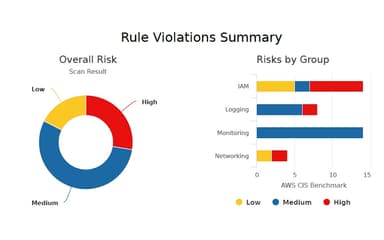
The platform combines machine data with contextual analysis to create a unified view of all cloud risks, which allows security teams to focus on the most critical issues first. This intelligence helps prioritize remediation efforts by highlighting vulnerabilities with the highest potential impact on the business.
Pros And Cons of CloudEye
Pros
Provides deep risk context analysis
Features automated remediation playbooks
Highly effective compliance reporting
Cons
Documentation gaps may hinder user workflows
Extensive capabilities may initially overwhelm users
CloudEye Reviews

No reviews yet!
Be the first to review this product
Frequently Asked Questions
Does CloudEye offer an API?
Information regarding an API is currently unspecified by the vendor
Does CloudEye have a mobile app?
No, CloudEye does not offer a dedicated mobile app.
Who are the typical users of CloudEye?
CloudEye features support organizations in financial services, healthcare, e-commerce, government, and SaaS industries.
What other apps does CloudEye integrate with?
CloudEye integrates with platforms, such as Slack, Google Cloud, Gmail, and Jira.
What types of CloudEye pricing plans are available?
CloudEye offers three pricing plans: Basic ($10/resource/month), Advanced ($25/resource/month), and Enterprise (Custom). Receive a personalized CloudEye cost estimate specific to your organization.
What level of support does CloudEye offer?
CloudEye offers support through phone, email, and a contact form.
What language does CloudEye support?
CloudEye supports the English language.