

Strike Graph
Last Updated
Overview
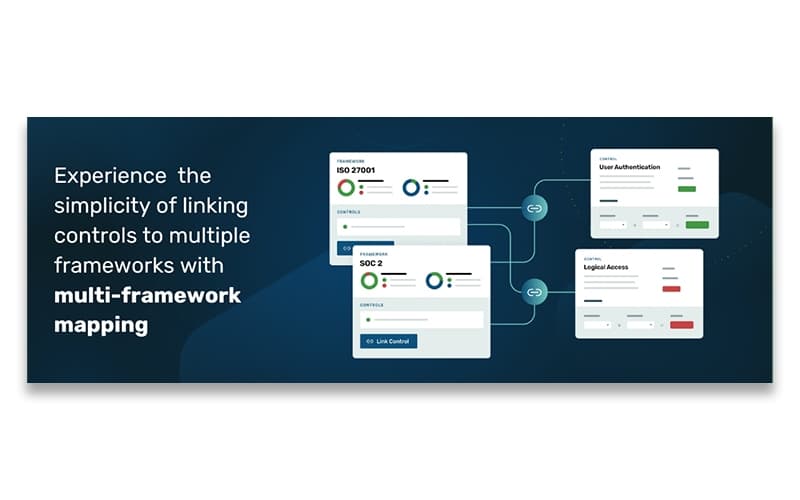
Strike Graph assists businesses in achieving security certifications like SOC 2 and ISO 27001 by streamlining compliance processes. Some users may find the initial evidence requirements extensive, requiring customization. Overall, Strike Graph's tailored approach and automation make it an asset for organizations seeking efficient compliance management.
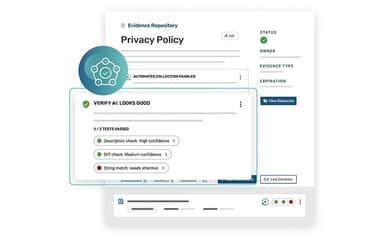
Strike Graph Specifications
- Security Audits and Reporting
- Vulnerability Management
- Patch Management
- Data Encryption
Strike Graph Features
AI Security Assistant
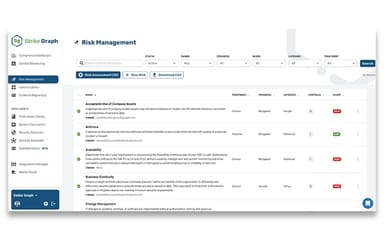
Strike Graph’s AI-powered assistant streamlines compliance by automating risk assessments and suggesting security controls. It reduces manual effort, enhances accuracy, and helps businesses stay ahead of evolving threats, making compliance management more efficient and less time-consuming.
Audits And Certifications
The platform simplifies audit preparation and certification processes by providing structured workflows and real-time monitoring. It ensures businesses meet industry standards like SOC 2 and ISO 27001, while reducing audit fatigue and improving overall compliance readiness.
Customizations
Strike Graph enables businesses to tailor compliance frameworks to their specific needs. Companies can adjust security controls, policies, and workflows, ensuring the solution aligns with industry requirements and organizational goals, while maintaining flexibility for future compliance changes.
Dashboards And Reporting
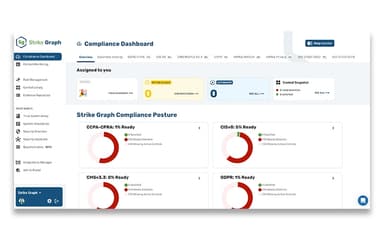
Intuitive dashboards provide a centralized view of compliance progress, risk levels, and audit readiness. Businesses can generate detailed reports for stakeholders, auditors, and leadership, ensuring transparency and informed decision-making while tracking improvements in security posture over time.
Pen Testing
Strike Graph facilitates penetration testing to identify vulnerabilities and strengthen security defenses. It helps businesses proactively address risks before audits, ensuring a robust security framework that meets compliance requirements and safeguards sensitive data from potential cyber threats.
Pros And Cons of Strike Graph
Pros
Streamlines SOC 2 Type II audit preparation
User-friendly interface enhances compliance management
Responsive customer support assists with implementation
Provides valuable resources and templates for documentation
Integrates consulting assistance with auditing services
Cons
Collaboration with auditors may require external tools
Manual re-uploading of updated documents for multiple evidence items
Dashboard drilldowns could be more intuitive
Inconsistent screen reloads when applying filters
Strike Graph Reviews
Total 8 reviews
4.6
All reviews are from verified customers
Rating Distribution
5
Stars63%
4
Stars38%
3
Stars0%
2
Stars0%
1
Stars0%
Share your experience
Senior Security and Compliance Engineering, 11-50 employees
“Valuable partnership that takes care of our compliance demands”
Pros
The customer success team has been incredibly helpful. We worked with Stephanie Lorraine for our SOC 2 Type 2 audit and she made sure we had everything we needed. She planned out the work, provided us with detailed guidelines for the audit and communicated all important dates ahead of time, which helped us stay stress free throughout the process. The StrikeGraph platform is super easy to use and our team navigated it with ease. We use it frequently to manage our controls. The integration with Google Drive is also a huge plus and made document management a breeze. The audit team was very precise with the information they needed from us and overall, we had a great audit experience with it.
Cons
We really enjoyed working with them. No complaints here, everything went smoothly.
Rating Distribution
Ease of use
10
Value for money
10
Customer Support
10
Functionality
10
Operations Management, 11-50 employees
“best platform for completing your SOC II certification”
Pros
My favorite part of StrikeGraph was the dashboard. It gave us a clear view of our progress and highlighted the tasks we needed to focus on. Looking at the entire list of controls or evidence can feel overwhelming so having a comprehensive dashboard to give us a snapshot of where we stood was incredibly useful. On top of that, our success manager, was outstanding. She was timely, efficient, transparent and always helpful. She took the time to review certain controls with us in detail, which was crucial. Having someone who knows the ins and outs of SOC 2 made all the difference.
Cons
The only thing that bugged me was the lack of synced policies. Whenever I made changes to a policy, I had to remove and re upload the document because only copies are saved in the system.
Rating Distribution
Ease of use
10
Value for money
10
Customer Support
10
Functionality
10
Computer Software, 11-50 employees
“The expiration date reminders from Strike Graph are clear and easy to understand”
Pros
The reminders are super helpful without being annoying. They give us the nudge we need without overwhelming us.
Cons
I also wish the reminder emails were more specific. Instead of just saying "soon" it would be great if they included the exact date when an evidence item expired.
Rating Distribution
Ease of use
7
Value for money
7
Customer Support
8
Functionality
7
Frequently Asked Questions
What language does Strike Graph support?
Strike Graph software supports English.
Does Strike Graph have a mobile app?
No, Strike Graph does not have a mobile app.
What types of pricing plans does Strike Graph offer?
Strike Graph price starts at $9000/year for the Certify plan and $18000/year for the Scale plan. Users can request a detailed Strike Graph cost analysis.
What level of support does Strike Graph offer?
Strike Graph offers phone support, email, chat, FAQs, and a Knowledge Base.
Does Strike Graph offer an API?
Yes, Strike Graph software offers an API.
What other apps does Strike Graph integrate with?
Strike Graph integrates with various business applications, including AWS, Azure, Jira Software, GitLab, Office 365, BambooHR, Gusto HR Software, and ADP Workforce Now.
Who are the typical users of Strike Graph?
Strike Graph is used by manufacturing, life sciences and AI technology industries.