

Aderant Expert
Last Updated
Overview
Aderant Expert empowers law firms with seamless financial management, workflow automation, and advanced reporting. While reports aren’t easily formatted for management in Excel, the system ensures efficient time and billing tracking. Gain better control over firm operations with smart tools designed to boost productivity, profitability, and client satisfaction.
Aderant Expert Specifications
- Financial Management
- Business Intelligence
- Compliance and Risk Management
- Document Management
Aderant Expert Features
Comprehensive Financial Management
Comprehensive Financial Management enhances cash flow and profitability by systemizing accounting, budgeting, and collections. AI-driven automation and deep analytics provide smarter financial control, ensuring faster cash collection and better decision-making for law firms.
Time & Expenses
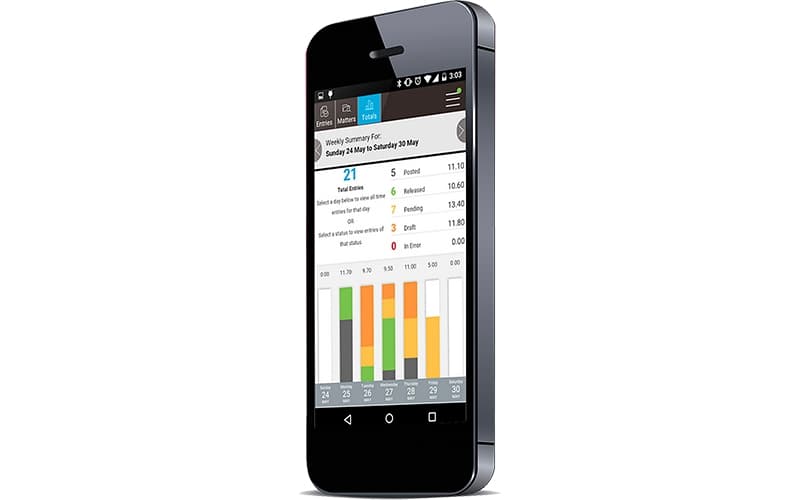
This powerful feature empowers lawyers to track time and expenses effortlessly from any device. Automated approvals and client guideline compliance simplify expense claims, ensuring accurate billing and seamless financial management on the go.
Billing & Rates
This important feature streamlines billing with automated rate selection, paperless pre-billing, and Alternative Fee Arrangement management. Seamless integration ensures accurate bill delivery, tracking, and compliance, making the entire billing process faster and hassle-free.
Matter & Case Management
Matter & case management is an advanced feature that centralizes case and financial data for real-time visibility. It enhances collaboration, automates workflows, and improves forecasting—reducing risks, improving client service, and optimizing firm-wide efficiency.
Practice Tools
Aderant Expert offers this valuable feature to boost efficiency by consolidating financial data, client intake, and document creation into a single dashboard. Automated workflows and collaboration tools save time, ensuring seamless operations for legal professionals.
Workflow & Integration
This flexible feature helps firms create and customize workflows while integrating with key business tools like CRM and HR systems. Furthermore, it improves staff productivity, automates processes, and ensures compliance with business rules.
Inquiries & Business Intelligence
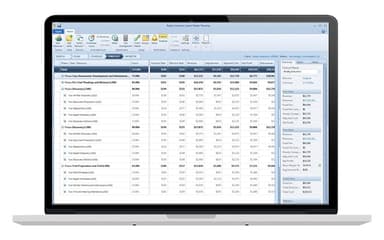
This powerful feature delivers customizable reports and real-time dashboards for smarter decision-making. Automated data distribution ensures partners and staff get actionable insights to improve profitability, efficiency, and firm-wide performance.
Pros And Cons of Aderant Expert
Pros
Enables attaching images to invoices and payments for easy access
Efficient time and billing tracking for professionals
Helps communicate with legal teams for approvals and reviews
Offers shortcuts and quick navigation for time entry
Cons
Some screens get locked by other users even when not in use
Generating invoices involves too many steps and is slow
Reports are not easily formatted for management in Excel
Aderant Expert Reviews
Total 26 reviews
3.6
All reviews are from verified customers
Rating Distribution
5
Stars19%
4
Stars46%
3
Stars15%
2
Stars12%
1
Stars8%
Share your experience
Mid Market, 500+ employees
“Top choice for time billing”
Pros
Aderant Expert has turned into the go to solution for tracking time and billing for professionals. The product has improved tremendously over the years and has come a long way from where it started.
Cons
They're shifting to the cloud which does make it more secure but it also means there will be a lot of changes to adjust to.
Rating Distribution
Ease of use
10
Value for money
9
Customer Support
9
Functionality
10
Law Practice, 101-500 employees
“useful image storage”
Pros
Being able to save images in it has been one of the best parts for me along with how user friendly it is overall. Keeping images in the system really matters because we can pull them up later instead of digging through old emails to find what we need.
Cons
A few things about Expert are still frustrating. At times certain screens get locked by other users even when they are no longer actually in that screen which feels unnecessary. Another issue is that invoice numbers cannot include spaces so we end up having to alter the numbers vendors send us and that really should not be necessary. On top of that when a problem comes up, it can take several days before it gets resolved.
Rating Distribution
Ease of use
10
Value for money
7
Customer Support
9
Functionality
8
Law Practice, 101-500 employees
“Helpful billing, frustrating support”
Pros
After switching from Elite because Thomson was ending support, we landed on it. It has definitely come with both upsides and downsides which honestly seems pretty normal with software. One thing that really helps is how it auto-fills information while you're typing in certain fields which cuts down on data entry time. It's also useful that images can be attached to invoices and payments so everything related to them stays together in one place.
Cons
That said there are quite a few glitches and sometimes items get stuck in a way that forces you to reach out to support because there's no way to resolve it on your own. The billing side of the software works well but getting issues corrected through support can be a lot of effort. Reporting in Appshell is also very slow. We run monthly aging reports and it can sometimes take hours before they finish.
Rating Distribution
Ease of use
8
Value for money
8
Customer Support
7
Functionality
7
Frequently Asked Questions
What other apps does Aderant Expert integrate with?
Aderant Expert has integration arrangements with Milana, Handshake, viRecruit, CompuLaw, BillBlast, OCG Live, and iTimekeep.
Who are the typical users of Aderant Expert?
Typical users of Aderant Expert are medium to large law firms, including lawyers, administrators, and IT teams.
Does Aderant Expert offer an API?
Yes, Aderant Expert offers an API.
What types of pricing plans does Aderant Expert offer?
Aderant Expert pricing is tailored to individual business needs, with costs varying based on specific requirements.
Does Aderant Expert have a mobile app?
No, Aderant Expert does not have a mobile app.
What language does Aderant Expert support?
Aderant Expert supports only the English language.
What level of support does Aderant Expert offer?
Aderant Expert offers phone, email/helpdesk, and customer portal support.