


AssetWatch
Last Updated
Overview
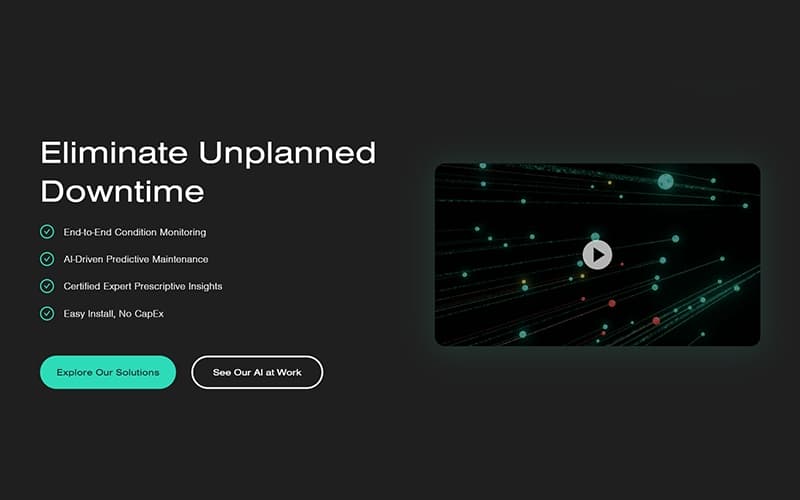
AssetWatch delivers early warnings, component-level insights, and full asset history for optimized equipment reliability. While the initial configuration may take some time, its proactive maintenance tools benefit mid-market companies and operations teams aiming to minimize downtime.
AssetWatch Specifications
- Asset Lifecycle Management
- Maintenance Management
- Reporting And Analytics Dashboards
- Mobile Accessibility
What Is AssetWatch?
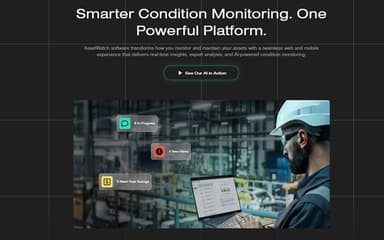
AssetWatch is a cloud-based asset monitoring and predictive maintenance platform designed to help organizations maintain equipment reliability and operational continuity. The system uses AI-driven analytics and sensor data to detect early signs of machine issues before they lead to costly failures. With real-time asset health monitoring and centralized reporting dashboards, AssetWatch enables teams to make faster maintenance decisions, improve equipment performance, and reduce unexpected downtime across large scale operations.
AssetWatch Pricing
The pricing for AssetWatch is $199 for a 30-day, risk-free trial. This includes professional installation of up to 200 sensors, 24/7 monitoring, and access to AssetWatch cloud-based software with unlimited user licenses. No capital expenditure, engineering effort, or IT integration is required to begin using the platform.
Beyond the 30-day, $199 risk-free trial, organizations scaling their deployment or expanding asset coverage may encounter additional costs depending on their requirements. These may include ongoing subscription fees, optional system integrations, training, and enterprise-level customization. Industry benchmarks for predictive maintenance solutions suggest that annual platform costs can range from $5,000 to $200,000+, while integration and training expenses may add several thousand dollars depending on complexity and deployment scope.
Disclaimer: The pricing is subject to change.
AssetWatch Integrations
The software supports integration with multiple systems and platforms, such as:
Who Is AssetWatch For?
AssetWatch software is ideal for a wide range of industries and sectors, including:
- Chemicals
- Food and beverage
- Forestry and building materials
- Metals and processing
- Mining and aggregates
- Pharmaceutical and healthcare
Is AssetWatch Right For You?
If you are looking for a proactive solution to help keep your facility running and reduce unplanned downtime, AssetWatch is a strong fit. It addresses common maintenance challenges such as unpredictable equipment failures and limited asset visibility by using AI-driven condition monitoring and expert-guided insights to detect machine issues early and support timely intervention.
Trusted by a range of industrial organizations, such as Sherwin-Williams, Crown, Sonoco, Smurfit Westrock, and Worthington Steel, AssetWatch is built to support teams that want to move from reactive maintenance to a more proactive, data-driven approach.
Still doubtful if AssetWatch is the right fit for you? Connect with our customer support staff at (661) 384-7070 for further guidance.
AssetWatch Features
Real-Time Monitoring
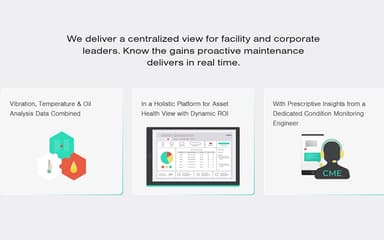
AssetWatch provides real-time monitoring of asset health, continuously tracking vibration, oil, and temperature trends. This feature enables teams to detect early signs of potential failures and make timely maintenance decisions, reducing unexpected downtime.
Prioritized Alerts
The software delivers prioritized alerts, highlighting critical issues first. This feature ensures maintenance teams focus on the most urgent problems, improving response times, preventing failures, and optimizing operational efficiency across all monitored assets.
Full Asset History
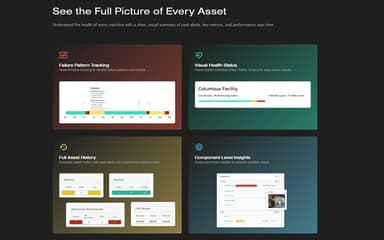
AssetWatch maintains a complete history of all assets, including past alerts and maintenance actions. This feature allows teams to analyze trends, evaluate performance over time, and make data-driven decisions for improved reliability.
Component-Level Insights
The software provides component-level insights, helping pinpoint specific problem areas within machines. This feature enables targeted maintenance, reduces unnecessary repairs, and supports predictive strategies for maximizing equipment performance and lifespan.
Maintenance KPIs
AssetWatch tracks facility-wide maintenance KPIs to measure operational effectiveness and ROI. This feature allows managers to benchmark performance, evaluate team efficiency, and implement improvements to enhance overall asset reliability and productivity.
Pros And Cons of AssetWatch
Pros
Early warnings prevent costly downtime events
Oil and vibration analysis in one portal
Dedicated CME monitoring assets adds value
Cons
Customer support response time may vary
Certain sensor types not available yet
AssetWatch Reviews
Total 3 reviews
5
All reviews are from verified customers
Rating Distribution
5
Stars100%
4
Stars0%
3
Stars0%
2
Stars0%
1
Stars0%
Share your experience
SmallBusiness, 1-10 employees
“best tool for vibration analysis I've used”
Pros
This has been the best tool I've used for getting information about motor vibrations, fans and other related issues.
Cons
I haven't noticed any problems with it at all.
Rating Distribution
Ease of use
9
Value for money
10
Customer Support
9
Functionality
10
SmallBusiness, 1-10 employees
“Direct team support”
Pros
Having direct, personal support from the AssetWatch team has been especially valuable for me since I do not have much experience with vibration analysis.
Cons
Right now, the only real challenge with AssetWatch is getting my coworkers to trust it. From what I have seen, the system performs well but some people on my team are still skeptical about using the program.
Rating Distribution
Ease of use
9
Value for money
10
Customer Support
10
Functionality
10
MidMarket, 500+ employees
“One-day rollout with zero disruption”
Pros
One of the biggest benefits of using AssetWatch is getting an early warning when something may be going wrong which gives us time to plan a repair instead of dealing with unplanned downtime that costs both time and money. Another thing we really appreciate is that a CME actively monitors the assets and notifies us when they see something that needs attention. The rollout was very uncomplicated and was finished in a single day with zero disruption to our equipment. We were also able to connect it with our CMMS and when an alert needs immediate action, the CME can generate a work order for our team to handle it. On top of that, the customer service has been outstanding. Whenever I have a question or concern, I usually hear back right away or within a few minutes. Even if our usual CSR or CME is unavailable for a short time someone else on the team steps in without hesitation and gets everything handled. They are genuinely a pleasure to work with.
Cons
Like anything else, it is not perfect. There were a couple of capabilities we were hoping for when we began using AssetWatch that still are not available. We want to place some of the sensors in a high-temperature environment but because these devices rely on batteries and electronics, the models available at the time could not meet our temperature requirements. We also need pressure monitoring. To their credit, the AssetWatch team took time to set up a Teams call, understand our exact needs and requirements in both areas and let us know they would share that feedback with their R&D and development teams. Since these requests have also come up from other customers and locations, they mentioned those are areas they may choose to pursue.
Rating Distribution
Ease of use
10
Value for money
10
Customer Support
8
Functionality
9
Frequently Asked Questions
Who are the typical users of AssetWatch?
AssetWatch features are used by organizations across various industries and sectors, including chemicals, food and beverage, forestry and building materials, metals and processing, mining and aggregates, pharmaceutical and healthcare, and plastics.
What types of pricing plans does AssetWatch offer?
AssetWatch price for its 30-day, risk-free trial starts at $199. Get in touch for a personalized AssetWatch cost estimate.
What level of support does AssetWatch offer?
AssetWatch provides support via phone, email, and a contact form.
Does AssetWatch offer an API?
Yes, AssetWatch offers an API.
Does AssetWatch have a mobile app?
Yes, AssetWatch offers mobile apps for both iOS and Android platforms.
What other apps does AssetWatch integrate with?
AssetWatch integrates with systems like MaintainX and Limble.
What language does AssetWatch support?
The software is available in English.