

Last Updated
Overview
Cobot is an intuitive coworking management software that simplifies bookings, billing, and member management for operators. It streamlines daily operations and enhances community engagement through automation. Although event ticketing lacks deep customization options, its ease of use and responsive support make it a standout choice for efficient workspace management.
Be the first one to leave a review!
No review found

Starting Price
Custom
Cobot Specifications
- Reporting And Analytics Dashboards
- Space Management And Planning
- Incident/Event Tracking
- Visitor And Resource Booking
What Is Cobot?
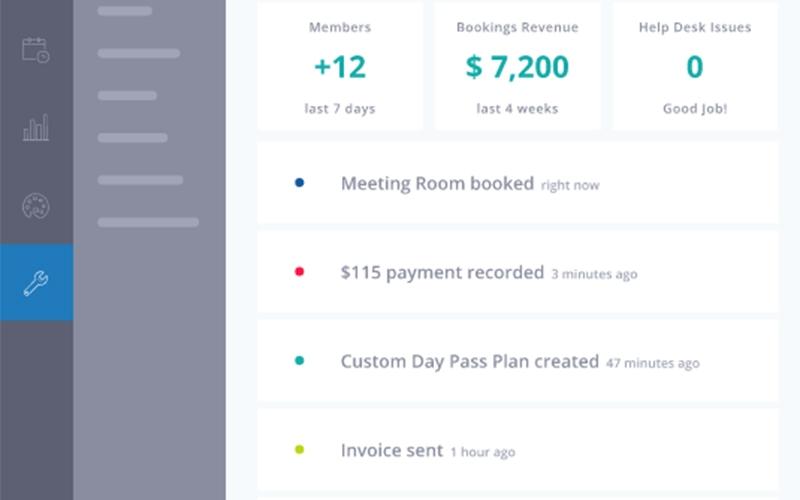
Cobot is a cloud-based coworking management system designed to help operators streamline complex operations with ease. It enables efficient order management, automated invoicing, and visual member scheduling, significantly reducing administrative workloads. With real-time occupancy monitoring and centralized financial analytics, businesses gain better operational visibility and control. Cobot helps reduce manual errors, improve resource coordination, and support scalable growth for small to mid-sized coworking spaces seeking professional management and enhanced member experiences.
Cobot Pricing
Cobot pricing starts at approximately $69/month for 1-10 members, rising to $519/month for 171-179 members, with custom pricing for over 180 members.
In addition to the subscription fee, coworking spaces adopting Cobot should expect standard implementation costs. Based on industry benchmarks, setup and configuration typically range from $500 to $2,000; staff training from $200 to $800, and optional add-ons such as external bookings or Wi-Fi integration may add $100 to $500.
Disclaimer: The pricing is subject to change.
Cobot Integrations
Cobot offers integration with a wide range of third-party apps, including:
- GoCardless
- Stripe
- PayPal software
- Xero Accounting Solution
- QuickBooks
- Kisi
- Mailchimp software
Who Is Cobot For?
Cobot is designed for coworking and flexible workspace operators. Its users include:
- Coworking space owners
- Coworking space managers
- Workspace administrators
- Multi-location operators
- Flexible office operators
Is Cobot Right For You?
Cobot is ideal for organizations seeking to automate manual bookings, eliminate paperwork, and optimize member management. It provides digital, real-time invoicing and scheduling, resulting in measurable gains in operational efficiency and community engagement. The platform meets GDPR data security standards and scales with organizational growth to support businesses of any size, especially in the flexible workspace sector. This specialized focus makes it an excellent fit for operators prioritizing growth and community.
Are you still unsure if Cobot software is the right option? Call our customer support team at (661) 384-7070 for further assistance.
Cobot Features
Automated Invoicing And Payments
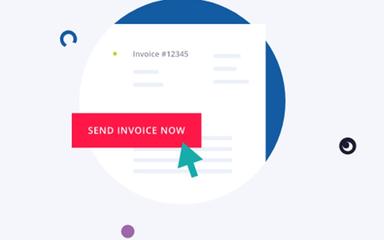
Cobot streamlines billing and payments by automating invoices for memberships, bookings, and office services. Users can rely on trusted payment providers, gain a clear overview of collected and pending amounts, and reduce manual administrative work while improving financial efficiency.
White-Label Member Portal
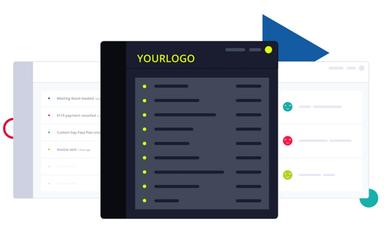
Users can create a fully branded member portal that reflects their coworking identity. The portal supports self-service for bookings, invoices, and memberships while enabling member networking. Customizable colors, logos, and help-desk features effortlessly enhance the member experience and brand consistency.
Visitor And Member Management
This feature allows administrators to efficiently track and manage members and visitors. Users can check in guests, control access, send automated invoices, and centrally organize all memberships. It simplifies daily operations while ensuring accurate records and streamlined communication within the coworking space.
Bookings And Calendar
This feature allows users to schedule desks, rooms, and resources with precision. Cobot provides conflict-free calendars, flexible booking modes, and integration with external calendars. Administrators and members enjoy a seamless scheduling experience that prevents double bookings and maximizes space utilization efficiently.
External Bookings
Cobot enables coworking spaces to accept bookings from non-members, including meeting rooms and event areas. It simplifies scheduling, manages payments instantly, and prevents resource conflicts. This feature boosts revenue opportunities while providing an organized, responsive system for external visitors and clients.
Pros And Cons of Cobot
Pros
Built-in analytics tracks space usage data
Automated invoicing and payment processing system
Members can book workspaces on mobile
Cons
Booking reports may need more depth
No built-in chat between community members
Cobot Reviews

No reviews yet!
Be the first to review this product
Frequently Asked Questions
Does Cobot offer an API?
Yes, Cobot offers an API.
What languages does Cobot support?
Cobot supports multiple languages, including English, German, Spanish, French, Italian, Portuguese, and Japanese.
What level of support does Cobot offer?
Cobot provides support through email, online form, and a help center.
What types of pricing plans does Cobot offer?
Cobot’s pricing begins at $69/month (1–10 members) and increases to $519/month (171–179) members, with custom pricing available for spaces exceeding 180 members, as well as a free trial for new users. Request a tailored Cobot price plan for your organization
Does Cobot have a mobile app?
Yes, Cobot has a mobile app for Android and iOS users.
What other apps does Cobot integrate with?
Cobot has integration arrangements with a wide range of third-party websites, including Mailchimp software, QuickBooks, Stripe, Kisi, PayPal software, Xero Accounting Solution, and GoCardless.
Who are the typical users of Cobot?
Cobot features are primarily used by flexible office operators, workspace administrators, coworking space managers, multi-location operators, and coworking space owners.