

Last Updated
Overview
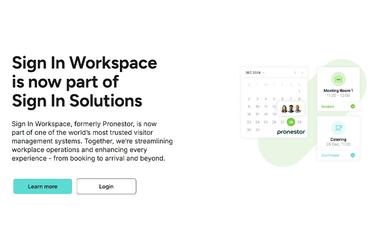
Sign In Workspace software is a comprehensive facility management platform designed to streamline bookings, visitor management, and on-site logistics. It centralizes meeting scheduling, resource allocation, and compliance. While some users note that feature development could be faster, the platform is praised for its ease of use and responsive support.
Be the first one to leave a review!
No review found

Starting Price
Custom
Sign In Workspace Specifications
- Reporting And Analytics Dashboards
- Compliance And Safety Management
- Mobile Accessibility
- Space Management And Planning
What Is Sign In Workspace?
Sign In Workspace is a centralized platform that helps organizations streamline how they schedule and manage workspaces, meetings, and on-site activities. It offers intuitive meeting room booking and resource planning tools that reduce time spent locating space and coordinating services, while real-time usage insights help facilities teams optimize space utilization and improve operational efficiency. With customizable dashboards and automated booking workflows, it supports scalable workplace planning for businesses of all sizes.
Sign In Workspace Pricing
The Sign In Workspace cost is $3.5/month/desk. Moreover, the implementation and deployment costs are based on three plans: Standard, Essential, and Premier. According to our estimate and industry benchmark, the implementation costs might vary between $8,000 to $60,000 for solutions similar to Sign In Workspace.
Disclaimer: Pricing references are based on publicly available third-party information and industry benchmarks. Actual costs may vary.
Sign In Workspace Integrations
The software supports integration with multiple platforms, such as:
- Microsoft Teams
- Slack software
- Everbridge
- DocuSign
- Cisco
- BambooHR
- ServiceNow
Who Is Sign In Workspace For?
Sign In Workspace is ideal for a wide range of industries, including:
- Aerospace and defense
- Government
- Manufacturing
- Pharmaceuticals
- Technology
Is Sign In Workspace Right For You?
Struggling with manual bookings, inefficient visitor flows, or compliance headaches? Sign In Workspace tackles these pain points by automating meeting scheduling, visitor sign-ins, and resource management, all from a single platform. It delivers measurable benefits like improved operational efficiency, real-time insights, and enhanced compliance tracking. The platform meets global standards including SOC 2 Type II, ISO 27001, EU GDPR, and CCPA for secure and compliant data handling. With scalability for multi-site organizations and adaptability for diverse industries, it’s a strong fit for enterprises, government, manufacturing, and tech sectors.
Still doubtful if Sign In Workspace is the right fit for you? Connect with our customer support staff at (661) 384-7070 for further guidance.
Sign In Workspace Features
Centralized Meeting And Resource Booking
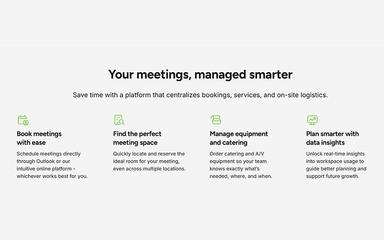
Sign In Workspace allows users to schedule meetings and reserve rooms directly through Outlook or its intuitive online platform. This centralization minimizes double bookings and ensures that the right resources are allocated automatically, streamlining the entire booking process.
Automated Visitor Management
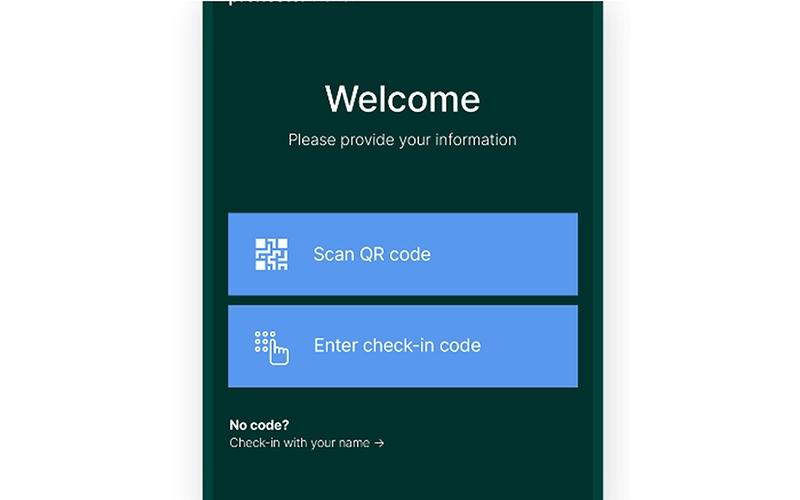
The platform automates the visitor journey from pre-approval to arrival, enabling invites with scheduling links, document uploads, and risk assessments before guests even step on site. Frictionless sign-in options, including kiosks and QR codes, help keep arrivals smooth and secure.
Real-Time Workspace Insights
Gain actionable data on workspace usage, visitor patterns, and office occupancy. These insights empower organizations to optimize space, adjust policies, and support future growth based on actual usage trends.
Compliance And Risk Management
Sign In Workspace helps organizations navigate complex compliance requirements by tracking visitor and staff compliance status, recording incidents, and supporting regulatory audits. Automated watch lists and risk assessments further enhance workplace safety and compliance.
Integrated Notifications And Emergency Management
Hosts and visitors receive instant notifications via Teams, Slack, SMS, or email, ensuring everyone stays informed. The platform also provides accurate occupancy views for effective emergency evacuations and resource release when meetings end early.
Pros And Cons of Sign In Workspace
Pros
Easy meeting room and visitor management
Cloud based with low IT maintenance
Excellent customer support and helpful team
Cons
Feature development could be faster
Initial setup may feel complex for smaller teams
Sign In Workspace Reviews

No reviews yet!
Be the first to review this product
Frequently Asked Questions
What level of support does Sign In Workspace offer?
Sign In Workspace offers support through chat, contact form, help center, and FAQs.
What languages does Sign In Workspace support?
Sign In Workspace is primarily available in English.
What types of pricing plans does Sign In Workspace offer?
The Sign In Workspace price is $3.5/month/desk. Moreover, the implementation and deployment costs are based on three custom pricing plans: Standard, Essential, and Premier. According to our estimate, the implementation costs might vary between $8,000 to $60,000. Request a personalized Sign In Workspace pricing quote for your business.
Does Sign In Workspace have a mobile app?
No, Sign In Workspace does not have a mobile app.
Who are the typical users of Sign In Workspace?
Typical users include industries like aerospace and defense, government, manufacturing, pharmaceuticals, and technology.
Does Sign In Workspace offer an API?
Yes, Sign In Workspace offers an API.
What other apps does Sign In Workspace integrate with?
The software supports integration with multiple platforms, such as Microsoft Teams, Slack software, Everbridge, DocuSign, Cisco, BambooHR, and ServiceNow.