


Sine
Last Updated
Overview
Sine is a facility management platform that simplifies visitor, contractor, and staff check-ins while boosting site security and compliance. It offers automated badge printing, real-time reporting, and customizable workflows. However, kiosk check-ins are limited to iPads, which may restrict hardware options, making it important to consider hardware compatibility.
Sine Specifications
- Compliance And Safety Management
- Visitor And Resource Booking
- Space Management And Planning
- Asset Lifecycle Management
Sine Features
Automated Visitor And Contractor Check-In
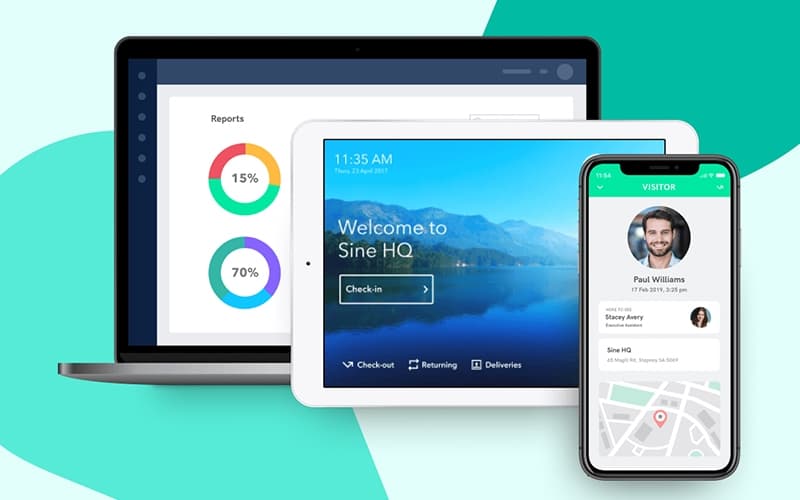
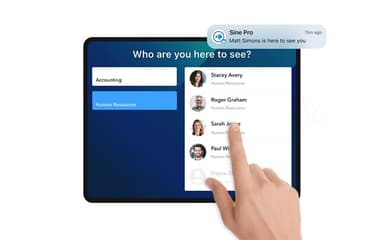
Sine enables seamless digital check-in for visitors, contractors, and staff via iPad kiosks or mobile apps. This automation eliminates manual paperwork, speeds up entry, and ensures accurate tracking of everyone on site, enhancing both efficiency and security.
Customizable Compliance Workflows
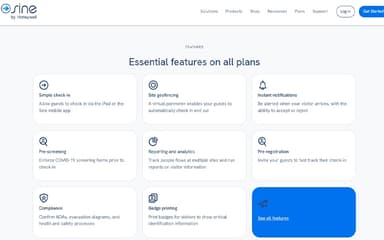
With Sine Workflows, organizations can digitize compliance processes, including pre-arrival inductions, document collection, and health screenings. Custom forms and workflows ensure all regulatory requirements are met before site access is granted.
Real-Time Reporting And Analytics
Sine’s dashboard provides live visibility into site activity, allowing administrators to monitor who is on site, generate reports, and export data for audits. This supports proactive management and compliance tracking across multiple locations.
Instant Badge Printing And Photo Capture
Upon check-in, Sine can instantly print visitor badges with photo ID, ensuring clear identification and supporting site security. This feature helps organizations maintain a professional and secure environment for all entrants.
Mobile App And Geofencing
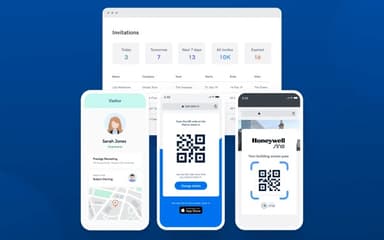
The Sine Pro mobile app allows users to check in and out using their smartphones, with geofencing enabling automatic check-ins when entering a designated area. This contactless solution streamlines entry and exit, reducing queues and enhancing user experience.
Pros And Cons of Sine
Pros
Streamlines visitor and contractor check-in
Robust compliance and reporting tools
Easy badge printing and notifications
Cons
Might require initial training for better software adoption
Some users desire more admin notifications
Sine Reviews
Total 55 reviews
4.3
All reviews are from verified customers
Rating Distribution
5
Stars47%
4
Stars40%
3
Stars9%
2
Stars2%
1
Stars2%
Share your experience
Construction, 500+ employees
Less than a year
“visitor sign in made simple”
Pros
It has made the sign in experience much simpler and more user friendly for office visitors and contractors coming on site.
Cons
During busy times, the check in process can be a little slow which ends up causing delays for both visitors and contractors.
Rating Distribution
Ease of use
8
Value for money
7
Customer Support
9
Functionality
9
Consumer Services, 1-10 employees
Free Trial
“reliable guest tracking”
Pros
The check in process runs smoothly and the real time visitor tracking is a really useful feature.
Cons
Getting everything set up at the beginning can be a little complicated to work through.
Rating Distribution
Ease of use
8
Value for money
8
Customer Support
7
Functionality
9
Events Services, 11-50 employees
Less than 6 months
“Too expensive for what it is”
Pros
This app only barely managed to support my workflow management needs.
Cons
Between the high price and the terrible loading times, using it felt frustrating from the start. The whole system was a bit slow and when I reached out to customer service, they couldn't have cared less about helping. Responses were slow and the attitude was surprisingly arrogant. They even implied they didn't need me as a customer because they're such a big company.
Rating Distribution
Ease of use
2
Value for money
1
Customer Support
1
Functionality
1
Frequently Asked Questions
Who are the typical users of Sine?
Typical users include facility managers, office administrators, security teams, and compliance officers in sectors such as business, education, healthcare, and industry.
What other apps does Sine integrate with?
Sine integrates with popular business and compliance tools such as Microsoft Teams, Slack, Microsoft Outlook, Eventbrite, Gallagher, Cm3, and Descartes MK Denial to streamline visitor management and workplace processes.
What languages does Sine support?
Sine supports 26 languages, including English, Chinese, French, German, Japanese, Spanish, and more, making it suitable for global operations.
Does Sine have a mobile app?
Yes, Sine offers the Sine Pro mobile app for both iOS and Android devices, allowing users to check in, receive notifications, and manage workflows on the go.
Does Sine offer an API?
Yes, Sine provides an API that enables organizations to build custom integrations and automate workflows with other workplace systems.
What types of pricing plans does Sine offer?
The software offers four plans. Small costs $69/site/month, covering basic features. Medium, Large, and Enterprise have custom pricing, allowing tailored features and integrations to fit different organizational needs. Get a detailed Sine price quote.
What level of support does Sine offer?
Sine provides 24/7 global support through its helpdesk, live chat, and regional phone numbers, ensuring assistance is always available.