

Last Updated
Overview
Witco helps organizations enhance workplace coordination through unified desk booking, hybrid scheduling, analytics insights, and communication tools that support productive teams. Although the initial setup may take some time, it is well-suited for medium-to-large organizations managing flexible or multi-site office environments.
Be the first one to leave a review!
No review found

Starting Price
Custom
Witco Specifications
- Space Management And Planning
- Helpdesk And Service Requests
- Visitor And Resource Booking
- Mobile Accessibility
What Is Witco?
Witco is a digital workplace management platform that helps organizations streamline operations and improve employee interactions. It provides tools for space reservations, attendance coordination, and workplace service access through a centralized interface, reducing administrative overhead and improving planning. By combining operational visibility with engagement features, Witco supports distributed teams and evolving office models, making it ideal for mid-size and enterprise organizations.
Witco Pricing
Witco pricing starts at €200/user/month. In addition to the base subscription costs, organizations should account for the following expenses:
- Implementation: $1,000–$25,000 for SMBs; $25,000–$150,000 for complex or multi-site deployments
- Data Migration: $500–$25,000, depending on data volume and complexity
- Admin And Staff Training: $500–$10,000
- SSO, HRIS, IoT, And API Integrations: $2,500–$50,000, depending on integration scope
Disclaimer: Pricing references are based on publicly available third-party information and industry benchmarks. Actual costs may vary.
Witco Integrations
The software integrates with various third-party integrations. Some of these include:
- Circles
- BambooHR
- Foodles
- Google Workspace software
- ParkHere
Who Is Witco For?
Witco is ideal for various industries, workplaces, and business models, including:
- Real estate
- Coworking spaces
- Property management
- Technology
- Financial services
Is Witco Right For You?
Witco may suit organizations seeking structured oversight of workplace services, combined with measurable visibility into space utilization and employee activity. Its focus on hybrid coordination, centralized engagement, and data insights positions it well for enterprises modernizing facilities or coworking operations. If your organization prioritizes unified workplace experience tools, Witco could be a practical solution to evaluate.
Still doubtful if Witco is the right fit for you? Connect with our customer support staff at (661) 384-7070 for further guidance.
Witco Features
Room Booking
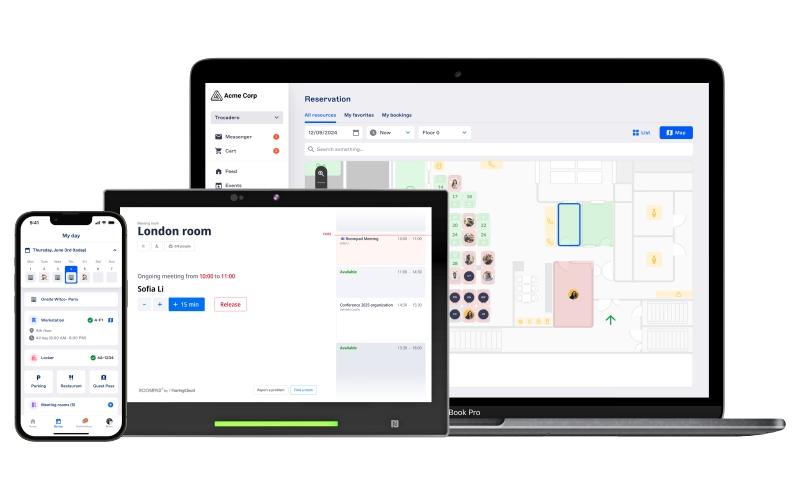
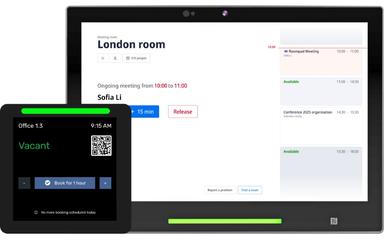
Witco enables employees to book desks, meeting rooms, and parking spots through a single interactive map with real-time availability. Color-coded layouts and filtering make it easy to locate resources or colleagues. Integrated with Outlook, Teams, and RoomPad, the platform streamlines bookings, supports hybrid management, and provides analytics to optimize space usage.
Hybrid Work Management
The software helps organizations manage hybrid work by allowing employees to register attendance, book spaces, and plan onsite days in advance. Policies like maximum office occupancy and minimum onsite days are enforced, while syncing with HRIS platforms. Managers gain insights into usage patterns, helping teams collaborate efficiently and optimize office productivity.
Community Building
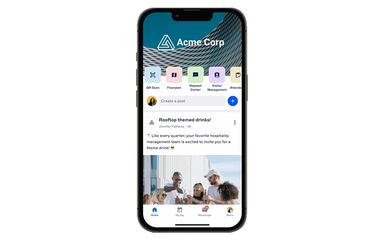
Witco fosters workplace communities by centralizing events, internal communications, chats, organization charts, and important documents. Employees can celebrate achievements, participate in team-building and well-being activities, and stay informed about company news. Real-time insights allow organizations to monitor engagement, strengthen social connections, and maintain a positive and connected workplace culture.
Workplace Analytics
The software provides actionable insights on space occupancy, hybrid work practices, employee satisfaction, and service usage. Managers can track desks, rooms, parking, and premium services to optimize resource allocation, reduce costs, and improve facility management. Data from surveys and attendance supports decision-making, enabling organizations to enhance workplace efficiency and align with evolving employee needs.
Pros And Cons of Witco
Pros
Provides useful data insights and KPIs to optimize space
Improves tenant satisfaction through service analytics
Offers a clear, efficient, and easy-to-use interface
Cons
Offers limited customization options
Guest management functionality could be enhanced
Witco Reviews

No reviews yet!
Be the first to review this product
Frequently Asked Questions
What other apps does Witco integrate with?
Witco integrates with multiple third-party apps, such as BambooHR, Circles, ParkHere, and Google Workspace.
Who are the typical users of Witco?
Typical users who benefit from Witco features include businesses across various industries and sectors, such as commercial real estate, coworking spaces, and property management.
Does Witco offer a mobile app?
Yes, it offers a mobile app for both Android and iOS devices.
What level of support does Witco offer?
The vendor provides support through a ticketing system.
Does Witco offer an API?
Yes, it offers an API.
What languages does Witco support?
Witco software is primarily available in English and French.
What types of pricing plans does Witco offer?
Witco is available from €200/user/month. Get in touch for a tailored Witco cost estimate.