


EyeOnTask
Last Updated
Overview
EyeOnTask's field service management offers comprehensive features to streamline operations, automate tasks, simplify processes, and reduce micromanagement, boosting customer satisfaction and revenue. While some modules (e.g., customer portal, contracts) can be challenging to configure, it provides regular software updates and excellent technical support.
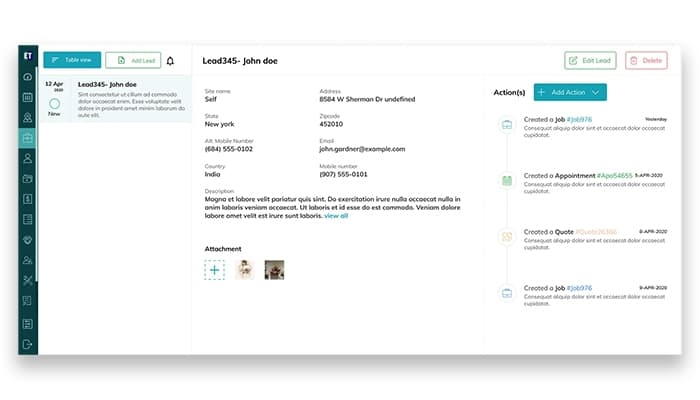
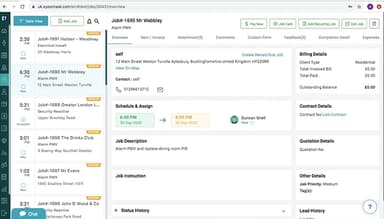
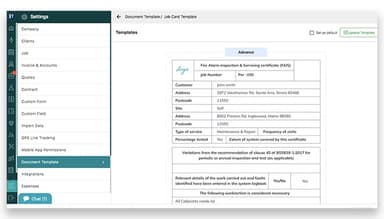
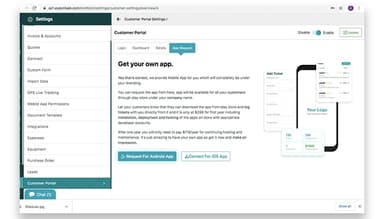
EyeOnTask Specifications
- Work Order Management
- Scheduling & Dispatching
- Mobile Access
- Customer Relationship Management (CRM)
Pros And Cons of EyeOnTask
Pros
Integrated across web, app, and plugins
Presents efficient historical data storage and report generation
Provides regular updates and great tech support
Affordable compared to open-source options
Cons
Difficult configuration of some modules
Slow support response times
EyeOnTask Reviews
Total 10 reviews
4.6
All reviews are from verified customers
Rating Distribution
5
Stars60%
4
Stars40%
3
Stars0%
2
Stars0%
1
Stars0%
Share your experience
Business Supplies and Equipment, 1-10 employees
Less than 6 months
“Solid and helpful tool”
Pros
I love how easy it is to use and how everything is on one platform. It makes things so much more convenient!
Cons
Overall, I think it's great! But I really wish the settings and customization options were a bit more user-friendly. It would make things so much easier if I could make changes and adjustments without feeling like I need a manual.
Rating Distribution
Ease of use
7
Value for money
10
Customer Support
10
Functionality
10
Facilities Services, 1-10 employees
Less than 6 months
“Perfect fit for service-based businesses”
Pros
This software does everything we need and more. It's got all the features that help us run smoothly.
Cons
One thing that could definitely be improved is the battery drain. It's pretty intense on phones and if they could fix that, it would make a huge difference for people who rely on it throughout the day.
Rating Distribution
Ease of use
7
Value for money
10
Customer Support
10
Functionality
10
Civil Engineering, 51-100 employees
Less than a year
“Outstanding support”
Pros
The system is really organized and it's easy to use. It's definitely user-friendly.
Cons
I really like how easy it is to generate reports, raise complaints and create quotations. Everything is pretty streamlined for that.
Rating Distribution
Ease of use
10
Value for money
10
Customer Support
10
Functionality
10
Frequently Asked Questions
Does EyeOnTask offer an API?
Yes, EyeOnTask provides API access.
What language does EyeOnTask support?
EyeOnTask supports a variety of languages, including French, Spanish, German, Italian, Portuguese, Russian, Japanese, Chinese (Simplified), Korean, Greek, Danish, Hebrew, and English.
Does EyeOnTask offer a mobile app?
Yes, EyeOnTask offers a mobile app for iOS and Android devices.
What other apps does EyeOnTask integrate with?
The software offers various integrations, including Xero, QuickBooks, PayPal, Stripe, Zapier, and Google Maps.
What types of pricing plans does EyeOnTask offer?
The EyeOnTask pricing model includes three unique solutions: the Imperative plan, the Advance plan, and the Premium plan. To make an informed choice, request a detailed EyeOnTask price estimate tailored to your needs.
Who are the typical users of EyeOnTask?
EyeOnTask is designed to support a wide range of services, including plumbing, computer installation and repair, transportation and logistics, construction, pest control, solar installation, and fire safety.
What level of support does EyeOnTask offer?
EyeOnTask provides various support options, including 24/7 live representative assistance, phone support, email/help desk, chat, a knowledge base, and FAQs/forums.