



Last Updated
Key Takeaways
Generated from the text of customer reviews
Our Verdict
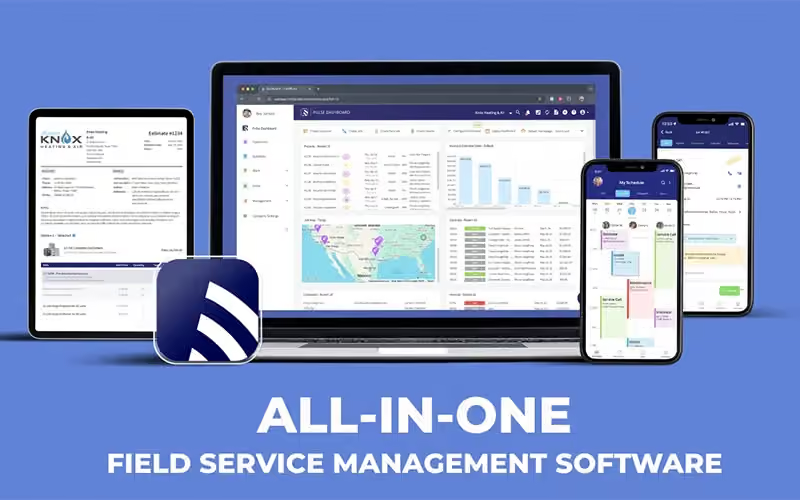


FieldPulse Specifications
- Work Order Management
- Scheduling & Dispatching
- Mobile Access
- Customer Management
FieldPulse Features
Scheduling And Dispatching
With FieldPulse, dispatchers can schedule appointments, assign jobs based on technician availability, and adjust schedules as priorities change. It also provides real-time updates that help field technicians stay informed about new assignments and schedule changes while keeping customers updated on appointment times.
Estimates And Invoicing
FieldPulse lets businesses track estimates, invoices, and payments from one place. Teams can monitor which estimates convert into jobs and see whether invoices are viewed, paid, or overdue. The platform also syncs invoices and payments with QuickBooks, helping teams keep financial records updated.
Dashboards And Reporting
FieldPulse provides customizable dashboards and reports for monitoring business operations in real-time. Managers can track technician performance, job profitability, revenue, job costs, and operational expenses. Teams can also customize reports around important business metrics, helping them identify performance trends and make informed operational decisions.
Pricebook
FieldPulse Pricebook lets businesses set standard prices for services, materials, and labor. Teams can use pre-set pricing to create detailed estimates without entering costs manually for each job. Prices can also be updated as costs change, helping keep estimates and invoices consistent across the business.
Inventory Management
FieldPulse helps businesses track inventory levels, material usage, and costs across job sites, warehouses, and vehicles. Teams can assign materials to specific jobs and receive alerts when stock runs low. Inventory forecasting also uses past usage to help teams plan future stock needs and avoid material shortages.
Asset And Equipment Management
FieldPulse helps businesses track customer and company-owned assets from one platform. Teams can maintain records of equipment condition, installations, warranties, and service history while linking assets to maintenance agreements. They can also generate reports showing equipment condition, previous service activity, and upcoming maintenance needs.
Pros And Cons of FieldPulse
Pros
Scheduling and dispatching keep field teams organized
Estimates and invoicing simplify billing workflows
Real-time inventory tracking helps prevent material shortages
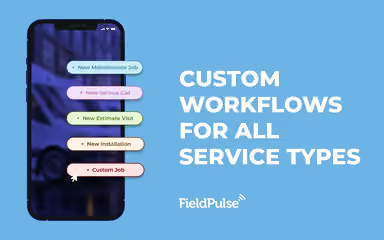
Custom workflows help create relevant job workflows across field teams
Responsive customer support helps resolve issues
Cons
Limited advanced features may restrict complex operational needs
Basic interface may feel limited for some users
Mobile app can slow down with larger job histories
FieldPulse Reviews
Total 11 reviews
4.5
All reviews are from verified customers
Rating Distribution
5
Stars55%
4
Stars36%
3
Stars9%
2
Stars0%
1
Stars0%
Share your experience
Customer Service, 11-50 employees
“HUGE thanks to Dane for the smooth switch!!”
Pros
The program was quite easy to pick up and I am overjoyed that we finally made the official transition. What really stands out is how simple it is to chat with support and get quick responses when I need help. Dane provided amazing assistance throughout the whole process and I can't thank him enough!
Cons
I have noticed some lag and buffering issues though I suspect it's because the system is still new and handling lots of simultaneous users.
Rating Distribution
Ease of use
8
Value for money
8
Customer Support
9
Functionality
8
Small Business, 11-50 employees
“Proven highly helpful for us”
Pros
I love how this tool helps me stay super efficient and whenever I have questions the support team gets back to me fast. It keeps all my customer info organized which is perfect for handling warranty stuff. I can also add notes about each customer so we can give them better service on future calls.
Cons
The two main issues I have right now are pretty frustrating. First the offline functionality is really limited. I work in remote areas with no cell service and I cannot create invoices, estimates or even access the pricebook when I am at those locations. Second the search feature for items is way too picky like if you dont type the item name exactly as it was entered into the system, it won't find it and just prompts you to create a new one instead.
Rating Distribution
Ease of use
7
Value for money
7
Customer Support
8
Functionality
6
Small Business, 11-50 employees
“All in one tool for field services”
Pros
What I like most is having everything in one place. The GPS fleet tracking and onboard cameras make it easy to keep track of safe driving and stick to schedules. Our VOIP system keeps the team connected, so we never miss important calls or opportunities. Being able to email estimates, invoices, and service contracts directly from the app has really improved our sales process and cash flow management. The QuickBooks Desktop and Online integration works smoothly too. There are so many useful features, honestly too many to list. And on top of that, customer service has been great,
Cons
I wish there was a way to send one email to several customers simultaneously. Our corporate clients really depend on email chains for communication and this feature would help us serve them much better.
Rating Distribution
Ease of use
10
Value for money
9
Customer Support
9
Functionality
8
Frequently Asked Questions
Does FieldPulse have a mobile app?
Yes, FieldPulse offers mobile apps for both iOS and Android devices.
Does FieldPulse offer an API?
Yes, FieldPulse provides an API.
What language does FieldPulse support?
FieldPulse is primarily available in English.
What types of pricing plans does FieldPulse offer?
FieldPulse pricing is estimated to range from $65–$115/user/month. Get a detailed FieldPulse cost quote.
Who are the typical users of FieldPulse?
Typical users include HVAC, electrical, plumbing, equipment repair, property management, and specialty service businesses. Business owners, dispatchers, office staff, and field technicians can use the platform.
What other apps does FieldPulse integrate with?
FieldPulse integrates with applications such as QuickBooks, CompanyCam, NiceJob, Clover Connect, Angi, and Marketing 360.
What level of support does FieldPulse offer?
FieldPulse provides customer support through FAQs, phone, and online resources.