


CorpIntake
Last Updated
Overview
CorpIntake automates the client onboarding process, reducing manual work for law firms and minimizing the chances of mistakes. Even though this software can be tricky to set up, it has conflict-checking and data-gathering tools that improve efficiency and compliance.
Be the first one to leave a review!
No review found

Starting Price
Custom
CorpIntake Specifications
- Case Management
- Document Management
- Client Management (CRM)
- Workflow Automation
What Is CorpIntake?
CorpIntake is a legal tech software designed to handle the new business intake process for law firms. By automating workflows, it eliminates the need for manual paperwork and time-consuming conflict checks, ensuring efficiency and accuracy. Additionally, the platform seamlessly integrates with legal and accounting systems, making it the perfect tool for saving time, enhancing compliance, and speeding up the entire process.
CorpIntake Pricing
CorpIntake Integrations
CorpIntake integrates with various systems, including:
- Document Management Systems (DMS)
- CRM systems
- Thomson Reuters 3E (AKA Elite)
Who Is CorpIntake For?
CorpIntake is designed for:
- Law firms of all sizes
- Legal professionals seeking to automate client intake
Is CorpIntake Right For You?
CorpIntake is perfect for law firms seeking to simplify their client intake processes by automating them to reduce manual effort, increase compliance, and improve productivity. Its conflict checking and data gathering features make it a valuable tool for improving efficiency and reducing risk.
Still doubtful if CorpIntake is the right fit for you? Connect with our customer support staff at (661) 384-7070 for further guidance.
CorpIntake Features
Data Gathering With Dynamic Forms
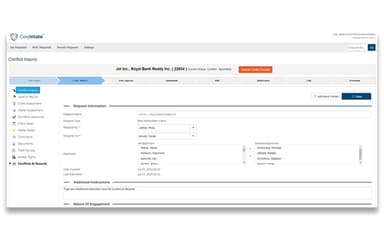
CorpIntake makes data collection simple with intelligent, dynamic forms that adjust based on client and matter details. By automating this process, law firms reduce manual data entry errors. This ensures accurate and efficient intake while saving the staff's time.
Conflict Search And Approval Workflow
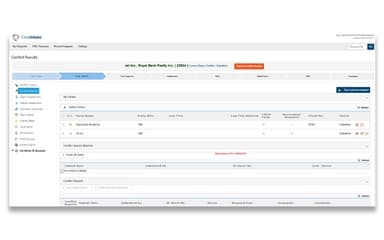
The platform automates conflict checks to speed up the process of identifying risks for law firms by flagging critical issues immediately. Its organized approval process ensures every matter is reviewed and documented. This helps reduce conflict risks and enhance compliance with a reliable record.
Integration With Existing Systems
CorpIntake integrates easily with existing systems, such as document management systems (DMS), CRM, and accounting software, making data exchange easy. This saves time spent on manual data entry, reduces errors, and prevents duplication. By connecting key platforms, it improves workflow efficiency, accuracy, and the overall operational productivity of law firms.
Notifications
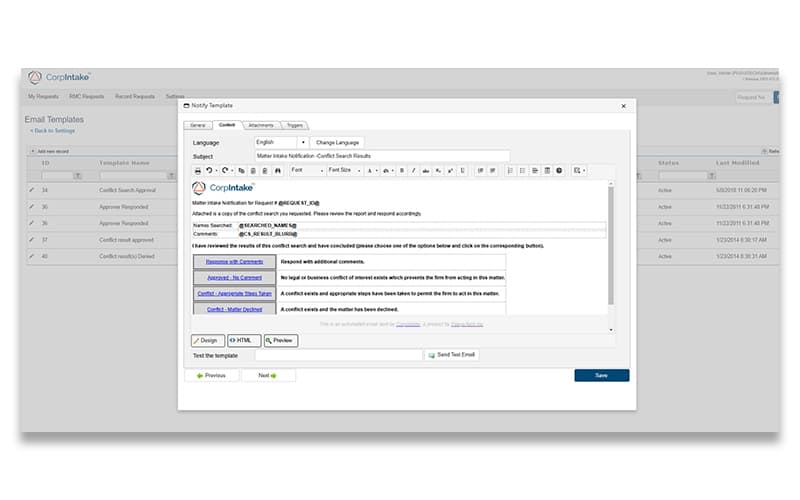
CorpIntake promotes transparency to improve communication with its automated email notifications feature. This feature ensures that the status of file-open workflows is updated, and all stakeholders stay informed about it. By reducing these communication gaps, it allows legal teams to resolve delays faster and keep cases on track.
Auditing
Every step of the intake process, from data entry and conflict checks to approvals, is logged in CorpIntake. This complete audit trail makes reporting easier, increases compliance, and improves accountability. With a clear historical record of all case intake activities, the system ensures transparency and reliability for reviewing past decisions.
Pros And Cons of CorpIntake
Pros
Helps reduce errors associated with manual data entry
Quickly finds potential conflicts and ensures proper approvals
Easy to access via a web browser or mobile phone
Cons
It takes time to set up and customize the system
Flexibility and ability of dynamic forms to handle complex cases is limited
CorpIntake Reviews

No reviews yet!
Be the first to review this product
Frequently Asked Questions
Does CorpIntake offer an API?
Yes, it offers an API.
What level of support does CorpIntake offer?
CorpIntake offers customer support, but the available options—such as email, chat, phone support, or a dedicated account manager—vary based on the selected plan.
Does CorpIntake have a mobile app?
No, it does not have a mobile app.
What languages does CorpIntake support?
It supports the English language.
Who are the typical users of CorpIntake?
It is designed for law firms, legal departments, and legal professionals.
What other apps does CorpIntake integrate with?
CorpIntake integrates with various systems, including Document Management Systems (DMS), CRM, and accounting software.
What types of pricing plans does CorpIntake offer?
CorpIntake pricing is based on the unique needs of your business. Get a CorpIntake price quote that suits your business requirements and budget.