


Last Updated
Overview
QView is a manufacturing execution and planning software that helps custom manufacturers achieve complete visibility across their production environment. Although its customization options can be improved, the platform’s overall features speed up job completion for production teams. Overall, QView’s floor simplicity tools make it a compelling choice for make-to-order operations.
Be the first one to leave a review!
No review found

Starting Price
Custom
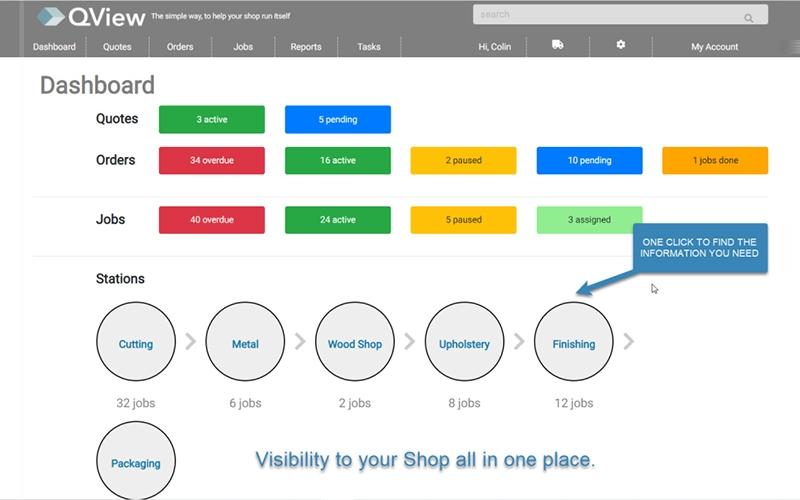
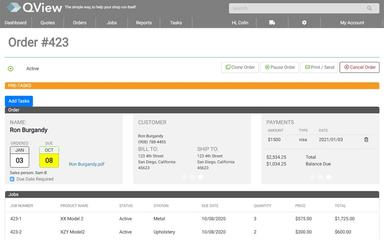
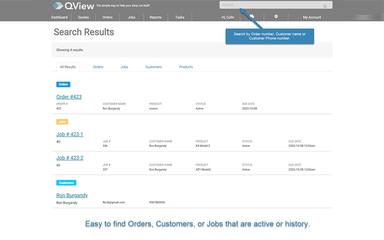
QView Specifications
- Production Planning
- Work Order Management
- Shop Floor Control
- Real-Time Monitoring
What Is QView?
QView is a cloud-based mini manufacturing execution system (MES) designed for custom makers and make-to-order environments seeking streamlined workflows. It replaces traditional spreadsheets with digital job sheets, providing enhanced visibility and traceability. The platform offers various features, including the ability to create custom jobs and track production time, allowing high-mix factories to gain real-time insight into their manufacturing progress.
QView Pricing
QView Integrations
Who Is QView For?
QView software caters to the following:
- Shop owners
- Manufacturers
Is QView Right For You?
If your business is struggling with outdated manual shop floor processes and requires immediate visibility without investing in an overly complex ERP, then Qview might be the right solution. Its make-to-order and custom manufacturing workflows provide unparalleled traceability and simplicity for production teams. The software minimizes training time and maximizes data capture accuracy, ensuring the system delivers high-impact operational improvements.
Still have questions about QView software? Contact our customer support team at (661) 384-7070, who will address all your queries to help you make an informed decision.
QView Features
Production Team Notes
This functionality enables real-time communication directly on the digital job sheet, ensuring seamless information flow across the factory floor. The platform enables production teams to add feedback or updates related to specific tasks, enhancing collaboration and reducing errors common with paper-based systems.
Invoice Creation
QView software accelerates the finalization process by providing integrated tools for sales order and invoice creation. Once production concludes and order completion is noted, the system facilitates the conversion of completed jobs into professional, accurate invoices, simplifying the transition from manufacturing completion to financial settlement.
Customizable Tasks
Users benefit from flexible customization of workflow steps for processes both preceding and following production. It allows companies to tailor the system to their unique operational requirements, manage preparatory logistics, and final delivery steps with precision. The platform ensures the production flow aligns perfectly with individual client specifications.
Stock Orders
The system manages both standard inventory requests and special-order items required for production jobs. It provides the factory team with clear visibility into material status, differentiating between regular stock consumption and custom procurement needs.
Time Tracking
QView features time tracking tools to offer granular tracking capabilities, recording both active production time and non-productive idle periods for every specific job. It provides management with essential data for analyzing efficiency, optimizing resource allocation, and ensuring labor costs are precisely captured for improved job costing and quoting.
Pros And Cons of QView
Pros
Simpler job control boosts output
Live floor insight speeds tasks up
Cuts admin waste to boost output
Cons
Lacks a dedicated mobile app
No API coverage
QView Reviews

No reviews yet!
Be the first to review this product
Frequently Asked Questions
Does QView offer an API?
No, QView does not offer an API.
What types of pricing plans does QView offer?
The QView price can be tailored to your company’s specific requirements and size. Get a personalized QView cost today.
Who are the typical users of QView?
Typical users of QView include manufacturers and shop owners.
What other apps does QView integrate with?
The vendor has not publicly disclosed its third-party integrations.
What language does QView support?
QView supports the English language.
What level of support does QView offer?
QView offers a form submission support option.
Does QView have a mobile app?
No, QView does not have a mobile app.