With the growing number of devices, remote endpoints, and different security challenges, managing IT infrastructure has become increasingly complex for organizations. This is where RMM and IT management platforms come into play.
Among the leading options in the space are NinjaOne and Atera. Both platforms offer automation, support capabilities, and robust monitoring, but they differ in how they approach alerts, reporting, path management, and overall IT workflow efficiency.
In this detailed NinjaOne vs Atera comparison, we will share what both these tools offer and what organizational problems they solve. We will also delve into the pricing of these platforms to help you make an informed decision.
NinjaOne Vs Atera: At A Glance
Features
NinjaOne
Atera
Remote Monitoring And Management
Real-time monitoring of endpoints, Alerts for CPU, disk, and services, Automated issue remediation, Remote task execution.
Detailed device and patch reports, Scheduled and automated reports, Trend tracking, Client-facing analytics.
What Is NinjaOne?
NinjaOne is a powerful Remote Monitoring and Management (RMM) software that helps IT teams stay on top of their infrastructure. It provides real-time endpoint monitoring and alerting, mobile device management, secure remote access, and task automation; plus, a self-service portal and built-in IT documentation.
With one intuitive, cloud-based console, it helps companies identify and solve issues promptly. NinjaOne is primarily aimed at Managed Service Providers (MSPs) and internal IT departments that need to manage large numbers of devices efficiently and proactively.
Unique Features Of NinjaOne
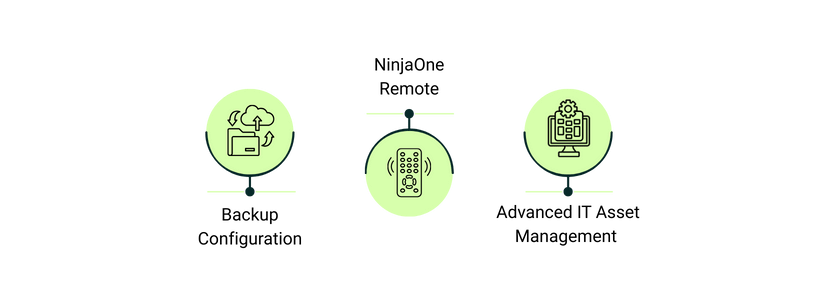
Backup Configuration: NinjaOne supports advanced backup configuration where users can choose backup types and specify where to store backups
NinjaOne Remote: NinjaOne offers one-click remote access for managed devices and secure, invitation-based Quick Connect for unmanaged devices, enabling fully integrated, encrypted sessions from the console
Advanced IT Asset Management: NinjaOne supports automatic asset discovery via Active Directory, scheduled scans, and SNMP to maintain an always-up-to-date hardware/software inventory
Pros And Cons Of NinjaOne
Pros
Cons
Combines ticketing, system monitoring, and IT management seamlessly
Smooth interface with easy onboarding and automation
Enables precise automation, device tagging, and warranty tracking
Mobile notifications lack customizable alert functionality
What Is Atera?
Atera is an all‑in‑one IT management platform. With remote monitoring and management features, it helps technicians access devices, computers, and files to cater to the issues in a timely fashion. Additionally, it supports IT processes automation and scripting, which significantly reduces human interventions. Atera assists managed service providers with its patch management feature by automatically applying Windows, Linux, Mac, Linux, and third-party updates.
IT managers can also benefit from its built-in helpdesk and ticketing system for AI‑driven ticket tagging and workflow automation. It also has network discovery to map devices and identify vulnerabilities.
Unique Features Of Atera
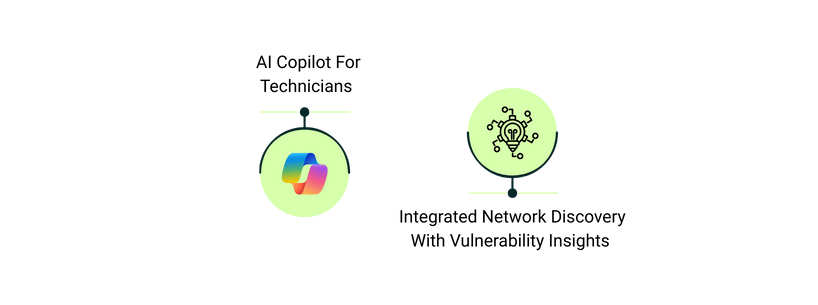
AI Copilot For Technicians: The AI Copilot helps generate scripts, summarize remote sessions, draft knowledge base articles, and suggest diagnostics, assisting technicians with faster troubleshooting and more consistent support
Integrated Network Discovery With Vulnerability Insights: Atera continuously scans networks, identifies devices, open ports, and vulnerabilities, helping teams maintain security visibility and quickly address potential threats
Pros And Cons Of Atera
Pros
Cons
Ensures stable IT performance with automated monitoring and support
Centralized dashboard boosts efficiency, saves time, and increases profitability
Intuitive interface and easy patching enhance user productivity
Advanced functionalities are limited in the mobile version of the platform
Reporting can be slow and lacks full customization
NinjaOne Vs Atera: Detailed Features Comparison
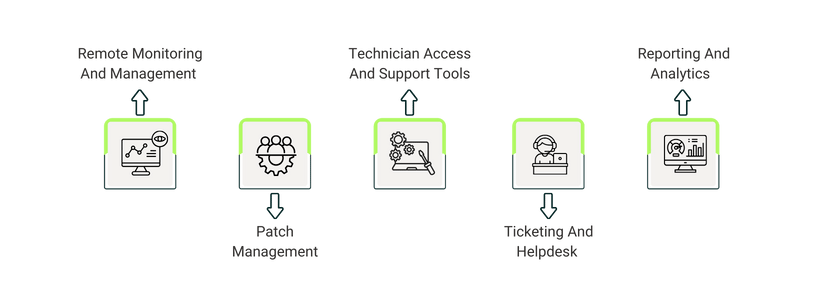
Remote Monitoring And Management (RMM)
NinjaOne offers real-time monitoring for workstations, servers, and network devices. Alerts can be customized for CPU, storage, and service issues, and many problems can be automatically remediated without interrupting users. The platform also allows scripts and tasks to be deployed remotely, giving IT teams hands-on control over endpoints.
Atera provides similar real-time monitoring, using threshold-based alerts that notify teams only when devices exceed specific limits. It also supports automation and scripting to handle daily tasks, while giving flexibility to adjust alert thresholds and coverage/device.
While both tools shine in remote monitoring, the automated alerts and scripted remediation offered by NinjaOne help reduce manual oversight and ensure all issues are addressed in a timely fashion. On the contrary, Atera helps teams that want granular control over alerts, but it requires more active monitoring.
Winner:NinjaOne wins because of its automation and proactive remediation. It streamlines endpoint management more effectively.
Patch Management
NinjaOne automates the patch deployment for Windows, macOS, Linux, and 6,000+ third-party applications. Thanks to its Patch Intelligence AI, the platform prevents disruptions triggered by faulty updates.
Atera also handles patching for multiple operating systems and third-party software. It allows teams to schedule updates, define policies, and view patch compliance in real time. Atera’s policy-based patching gives more control over timing and device-specific settings.
Both platforms cover the essentials, and broad third-party app coverage of NinjaOne’s makes it a must-have for companies with ever-changing patch management needs. Atera’s scheduling flexibility is valuable, and the real-time alerts regarding missed patches help teams respond quickly and mitigate issues.
Winner:NinjaOne wins for its extensive third-party app support and seamless patch automation.
Technician Access And Support Tools
NinjaOne includes secure remote access, terminal sessions, and command-line tools. Technicians can quickly connect to remote devices and run commands or scripts without disturbing end users, making troubleshooting fast and efficient.
Atera offers remote access via AnyDesk or Splashtop, with optional support for TeamViewer or ScreenConnect. Sessions support encrypted file transfer, multi-monitor setups, and session logging for security and accountability.
NinjaOne is designed for integrated, one-click access and rapid response, while Atera offers strong flexibility and security options.
Winner:NinjaOne wins because its integrated access and scripting make day-to-day support faster and simpler.
Ticketing And Helpdesk
NinjaOne provides a self-service portal where users can submit tickets, request remote support, or restore files. The tickets are integrated with the endpoint management modules that allow technicians to take common and critical remediation actions without even leaving the ticket. NinjaOne also offers customizable response templates and time-based ticket routing automations to enhance the team’s efficiency.
Atera comes with a full-featured ticketing system that helps track, organize, and manage tickets from creation to resolution. The platform supports SLA tracking, ticket prioritization, automated workflows, custom forms, and a knowledge base. It’s designed to handle high-volume environments with complex support requirements.
NinjaOne works well when it comes to basic ticketing. Alternatively, Atera is preferred when teams need robust workflow automation and structured helpdesk operations.
Winner:Atera wins because its ticketing and helpdesk capabilities are far more comprehensive for modern IT teams.
Reporting And Analytics
NinjaOne features dashboards that offer real-time analytics to monitor device performance and alerts. Teams can filter and customize reports for operational visibility, focusing on immediate issues and endpoint health.
Atera offers more extensive reporting, including scheduled reports, ticket metrics, patch compliance, and historical trends. The reporting system supports client-facing and internal analytics, helping teams track performance over time.
NinjaOne is strong for operational monitoring. On the contrary, Atera’s deeper analytics provide more value for teams that need structured performance tracking.
Winner:Atera wins due to its advanced reporting, trend analysis, and actionable insights.
Selecting The Ideal IT Management Solution
Both NinjaOne and Atera help IT companies and organizations maintain system health and reduce downtime for end users. Choosing the right tool depends on several factors, including the need for precise alert control and the scope of reporting. Moreover, companies that want to deploy the RMM software also look for levels of automation and patch management coverage.
NinjaOne excels in the automation and proactive issue resolution department, helping IT teams fix problems in a timely fashion. On the contrary, Atera provides detailed reporting and robust helpdesk, making it ideal for teams that want enhanced visibility and control across all the remote devices.