Between scheduling crews, tracking deliveries, and sorting bids, it’s no wonder many mistakes happen on the construction site. Something as small as miscalculated equipment estimates, or mismatched field reports can stall construction projects or create safety risks. These kinds of challenges can also pile on stress for teams already juggling so much. This is exactly when construction teams benefit from a dedicated software to keep the work in flow.
Two names that often come up in this context are The Construction Link, Inc. (TCLI) and Trimble. Although both are designed to improve how construction projects are managed, they approach the problem in noticeably different ways.
TCLI is an integrated software platform that connects crews, managers, and financials in one system for smoother construction workflows, whereas Trimble helps with integrated 3D modeling, telematics, and connected workflows for complex projects.
This TCLI vs Trimble guide looks past the marketing claims to explain what each platform actually offers, breaking down key features, integrations, pricing models, and the types of teams each solution is best suited for.
TCLI Vs Trimble: At A Glance
Feature
TCLI
Trimble
Collaboration Between Office And Field
Real-time tracking via Estimating, Field, and Billing Links with permission-based access
Single source of truth with ProjectSight and Trimble Connect for real-time data flow
Mobile Accessibility
Provides intuitive Cloud Link with offline support and easy field data entry
Offers the Trimble Connect app for 2D/3D files and remote access
Scalability For Construction Projects
Modular, multi-user access with flexible licensing for small to large projects
Enterprise-grade platform with 40+ interconnected solutions and centralized data for large operations
Accuracy And Data Confidence
Built-in error detection, automated calculations, and civil-specific calculators
AI-powered takeoffs, model-based estimating, and real-time updates
Invoice/Billing Generation
One-click professional invoices, automated progress payments, and subcontractor tracking
Billing integrated with ERP and project management for real-time financial visibility
Reporting And Analytics Tools
Customizable Field and Billing Link reports and project-specific insights
Enterprise-wide dashboards, forecasting, and benchmarking for strategic insights
TCLI Overview
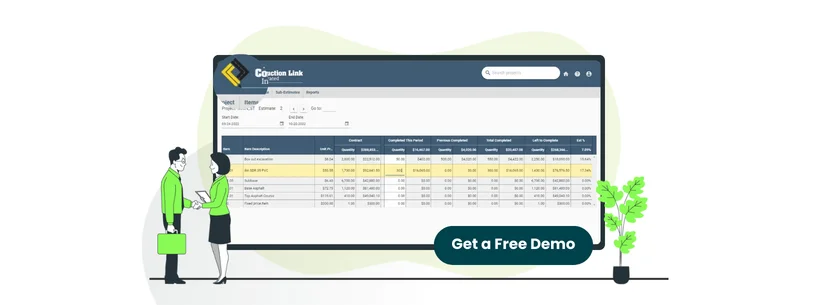
TCLI is an all-in-one construction software suite designed around estimating, field tracking, and billing. It helps teams manage the entire construction lifecycle, from bidding to tracking crew production and costs, and managing progress billing through its one connected system.
TCLI comes with various modules that work together. It integrates with payroll software, accounting systems, and DOT bidding platforms for a smooth project workflow. It is particularly effective for heavy highway, utilities, concrete, excavation, and site work projects for contractors that are looking for user-friendly software without lengthy implementation requirements.
Unique Features
CSV Import Flexibility: TCLI’s ‘Field Link’ lets you import projects from any source using a simple CSV template. This is possible even if the project wasn’t originally created in TCLI
Drill Down Functionality: This feature allows users to move from high-level bid items to detailed costs, such as labor, equipment, and production rates, in a clear, step-by-step view. Because it mirrors how contractors naturally build estimates, navigation feels intuitive and requires no formal training
Shared License Pool: TCLI allows multiple users to share one license. Through the ‘User Management Link,’ teams can easily control, and switch access as needed. This gives full control over who uses the license and when
TCLI Pros And Cons
Pros
Accelerates bid creation much faster than spreadsheets
Supports saving crew and equipment rates easily
User‑friendly with simple onboarding process
Cons
Lacks an integrated tool for estimating and takeoff
Windows 11 setup compatibility issues reported
Trimble Overview
Trimble provides connected hardware and software solutions designed for industries such as construction, geospatial, and transportation. Its solutions cover a wide range of use cases, including architecture and engineering workflows, civil construction, building operations, scanning and layout processes, as well as manufacturer data distribution.
The software greatly helps construction teams with 3D design automation, engineering management, asset management, and real-time field data collection. It integrates well with third-party Enterprise Resource Planning (ERP) systems, accounting software, and project management software through APIs. It’s ideal for construction companies looking for connected workflows that solve industry challenges digitally.
Unique Features
3D Modeling: It lets teams build precise and constructible digital project models that include all essential elements like design, visualization, and coordination. These models make it easier to catch problems early, so teams spend less time fixing mistakes and dealing with avoidable waste as the project moves forward.
Field Data Collection: FieldLink is Trimble’s field software that helps crews collect layout, scan, and as-built data on site with precision. It automatically syncs this information back to the office. This feature also supports automated scanning and real‑time point cloud registration
Site Productivity And Fleet Management: WorksOS, a web-based platform within Trimble Business Center, brings together site productivity, material quantities, fleet, and asset data in a single view. It shows where equipment is operating, tracks utilization and idle time, and continuously updates surface models to provide updated jobsite insights
Trimble Pros And Cons
Pros
The presence of a large model library supports quicker work
Very easy to use and navigate the system
The platform can store a lot of internal data
Cons
Support often requires a paid professional service
Lack of up‑to‑date documentation
TCLI Vs Trimble: Key Features Comparison
Collaboration Between Office And Field
TCLI offers real-time collaboration through ‘Field Link,’ where field personnel enter daily timesheets and production data that office teams can access at the same time. Everyone in the construction team, from foreman to project manager to office personnel, sees the same current and accurate data with individual permission settings controlling access levels.
In addition, ‘Cloud Link’ supports collaborative, multi-user workspaces that allows teams to share notes, track updates, and stay aligned throughout the project. The integration between ‘Estimating Link,’ ‘Field Link,’ and ‘Billing Link’ creates a connected workflow from bidding through project completion and payment.
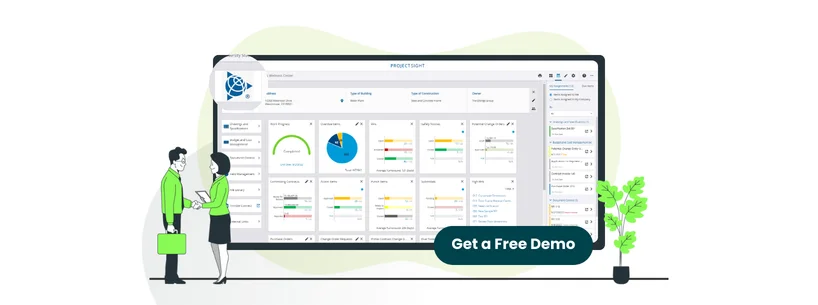
On the other hand, Trimble’s ‘ProjectSight’ creates collaboration environments where office and jobsite teams work from a single source of truth. The platform allows instant sharing of drawings, RFIs, specifications, and submittals with mobile access to ensure field teams have the most up-to-date information.
Trimble also offers a mobile app, which acts as a common data environment to enable secure communication and file sharing between the office and field on any device. Overall, the integration between ProjectSight and Trimble Financial Management solutions helps with data flow and job costs syncing hourly. This gives project managers actual cost visibility without switching systems.
Winner:TCLI excels for heavy civil contractors with its well-managed Estimating, Field, and Billing Link workflow that helps with real-time tracking and permission-based access.
Mobile Accessibility
TCLI offers mobile accessibility primarily through ‘Cloud Link,’ a web-based application that provides access to ‘Estimating Link’ from any device with an internet connection. Its mobile app is easy to use and requires very little training. Users can enter data offline, and it syncs automatically when they are back online.
In the case of Trimble, users can use its Trimble Connect app to get updated files, open supported 2D and 3D formats, and navigate project folders directly from their mobile. It is available for both Android and iOS devices. The app supports remote access across devices so teams can carry project information with them wherever work happens.
Winner:TCLI takes the lead here as its mobile accessibility is more user-friendly, which allows crews to update field data efficiently.
Scalability For Construction Projects
TCLI supports simultaneous multi-user access with both online and on-premises server deployments. This makes it easier for multiple estimators to collaborate within the same project at the same time. The software handles projects of all scales through its flexible licensing model, where companies can toggle licenses between users through ‘User Management Link’.
Its modular architecture allows contractors to implement individual subsystems or the complete solution. The platform's scalability extends from small contractors to large operations through reusable templates, customizable databases, and the ability to manage multiple concurrent projects.
Trimble Construction One provides an enterprise-grade platform with over 40 interconnected solutions that address every construction project phase. This means the system scales with growing companies as their operations expand.
Trimble's architecture supports multiple stakeholders across distributed teams with centralized data management and flexible subscription licensing that grows with workforce expansion. The platform handles everything from small contractors to large enterprise deployments.
Winner:Trimble surpasses TCLI in scalability, offering an all-in-one ecosystem and reliable deployment for projects of any size and complexity.
Accuracy And Data Confidence
TCLI includes built-in automated error detection through its ‘Check Bid’ function, which flags potential mistakes before bid submission. The platforms help with automated calculations, which replace manual spreadsheet work and minimize computation errors. The software also provides automated unit rates, database tracking, and error-reduction tools that catch missing line items and discrepancies. Furthermore, TCLI features specialized calculators, such as pipe trench and haul calculators, for more precise estimates for complex civil construction scenarios.
Trimble, on the other hand, uses AI-powered estimating tools to make project estimates more accurate. These tools automatically detect the scale of drawings and use AI-driven takeoff automation features to identify and count every component in a project. Its estimating solutions support standardized data, model-based estimating, and real-time updates. These allow teams to generate accurate, traceable quantities and adjust estimates quickly as project details change.
Winner:TCLI wins as it delivers built-in error detection, automated calculations, and civil-specific calculators that prevent estimating mistakes before bids are submitted.
Invoice/Billing Generation
TCLI's ‘Billing Link’ generates professional invoices with a single click that can be printed or downloaded as a PDF. The software automatically calculates progress payments, including completed quantities for current and previous periods, stored materials, retainage, and previously paid amounts.
Its invoice summaries provide instant visibility, showing invoice numbers, dates sent, amounts billed, amounts paid, and balances owed in an easy-to-read format. Moreover, the platform tracks subcontractor invoices, automatically determines subcontractor items from Estimating Link, and calculates retainage, bond deductions, and payment status.
As for Trimble, its ‘Trimble Pay’ manages billing and compliance documentation with automated calculation of billing amounts after labor and materials input. At the same time, its ‘ProjectSight’ enables contract invoice creation for subcontractors and progress payment determination, with automatic retainage calculations and stored material tracking. Its integrated construction management suite connects billing with ERP systems for real-time financial visibility.
Winner:TCLI leads here due to its tightly integrated Billing, Estimating, and Field Links, which allow for fast and one-click invoices and automated progress payments.
Reporting And Analytics Tools
TCLI offers highly customizable reporting through a strong library of pre-designed templates that can be exported to spreadsheets. Its ‘Field Link’ report writer lets users customize, save, and generate professional reports with project-specific details such as resources, dates, production data, and notes.
Furthermore, its ‘Billing Link’ feature adds built-in reports like invoice summaries, completed quantity comparisons, subcontractor invoice summaries, field worksheets, and item worksheets for complete project visibility. The platform also provides instant job performance analysis with clear profit and loss insights, showing variances between estimated and actual costs in both dollars and percentages.
When compared with Trimble, its ‘Construction One Analytic’s delivers in-depth reporting and analytics across the entire construction ecosystem through real-time dashboards. The platform supports configurable forms, dashboards, forecasts, and on-demand reports that help manage program performance, control changes, and reduce unexpected issues.
In addition, ‘ProjectSight’ adds detailed reporting on RFIs, submittals, drawings, and overall project progress, with drill-down capabilities for better insights. The platform also features B2W Track apps for enhancing visibility into equipment utilization, labor productivity, and project costs.
Winner:Trimble wins due to its enterprise-wide analytics, advanced dashboards, and industry benchmarking that deliver strategic insights across the entire construction operation.
How Much Does TCLI Vs Trimble Cost?
TCLI Pricing
TCLI pricing is custom, and its subscription starts at about $166/month, which includes all core features, setup, and training.
Disclaimer: The pricing is subject to change.
Trimble Pricing
Trimble’s solutions span multiple products and pricing models; hence, the costs depend on the specific tools and scale required.
Trimble Connect
Personal Plan: Free
Business Plan: $12.99/user/month
Business Premium: $23.95/user/month
The pricing for other Trimble software tools is typically offered via custom quotes based on business size, modules needed, and deployment scope.
Disclaimer: The pricing is subject to change.
TCLI Vs Trimble – Who’s The Winner?
After evaluating all features, TCLI proves to be a better fit for contractors that are looking for an integrated system for office-to-field collaboration, real-time tracking, and one-click invoices. Its well-connected Estimating, Field, and Billing Links helps with the construction operational workflows, from bidding through project completion.
While Trimble is a good choice when considering enterprise-wide analytics and scalability, TCLI’s contractor-focused approach delivers practical, day-to-day efficiency. Its flexible licensing, modular architecture, and calculators tailored for civil projects, makes it easier to juggle multiple projects at once, adjust to changes in the team, and tackle complex civil construction tasks.
Side-by-Side Review
Get a side-by-side overview of all the features you can expect with a Moodle or Canvas subscription. Enter the information below!
Side-by-Side Review
Get a side-by-side overview of all the features you can expect with a subscription. Enter the information below:
Need Help Deciding?
Our team of experts will give you a list of software that fits your budget and business needs.