


Loyverse
Last Updated
Key Takeaways
Generated from the text of customer reviews
Our Verdict
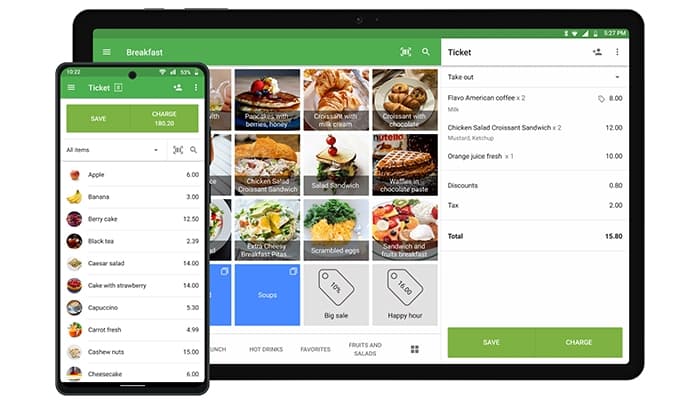
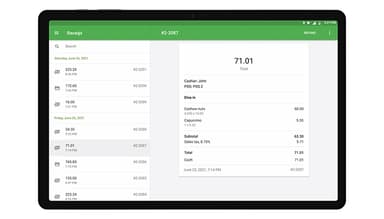
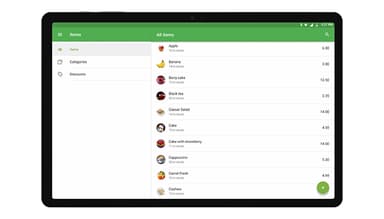
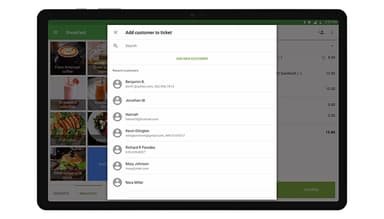
Loyverse Specifications
- Sales Orders
- Sales Tracking
- Customer Management
- Inventory Management
Loyverse Features
Back Office
This feature puts reporting and item setup together in one browser-based control panel. Reports cover sales trends, top selling items, full sales history, payment types, discounts, and taxes. Shift reports flag cash discrepancies, and merchants export any of this data to spreadsheets. The same panel builds the item list with size and color options, modifiers, and bulk spreadsheet imports.
Employee Management
The software manages staff through a single employee record that covers hours, sales, and permissions together. Staff open the till with a personal identification number, which the system uses to clock them in and out and to total their working hours as timecards. Managers can then read sales and tips under each name on that record and set access rights that decide who applies discounts, processes refunds or voids items.
Multi-Store Management
Loyverse lets one account run several outlets, so a merchant can grow from a single shop into a chain without opening a second system. Items import into every outlet at once, stock transfers move goods between them, and prices can differ from store to store. The account then reports gross sales, net sales and gross profit for all outlets together, which lets merchants compare one location against another.
Kitchen Display System
This feature sends each order straight from the till to a kitchen screen instead of a paper ticket. The screen lists items, quantities, modifiers, and notes, while the color of every order header marks how long that order has been waiting. Staff mark items or whole orders complete with one touch, reopen a finished order when something needs fixing, and split the flow across separate screens for bar, hot kitchen, desserts, and delivery.
Customer Display System
The customer display puts the same sale on a second screen facing the shopper during checkout. It shows item names, quantities, modifiers, discounts, taxes and the total as the cashier rings them up, then shows the amount paid and the change due once payment closes. Regular customers see their loyalty points on that screen and can type an email address for a digital receipt, which still works when the internet is down.
Pros And Cons of Loyverse
Pros
Records sales offline to keep daily takings accurate
Prints clear receipts that strengthen the business image
Monitors stock in real time to prevent lost sales
Sends orders to the kitchen to remove verbal relays
Uses composite items to reveal true profit margins
Cons
Customer credit accounts are not currently supported
Changing prices without barcodes takes extra effort
Beverage items offer fewer selection choices
Loyverse Reviews
Total 30 reviews
4.8
All reviews are from verified customers
Rating Distribution
5
Stars77%
4
Stars23%
3
Stars0%
2
Stars0%
1
Stars0%
Share your experience
Retail, 1-10 employees
Free Trial
“Excellent service ”
Pros
Loyverse is a bail out for me. A lot of companies are not that friendly with monthly charges. Thank you loyverse.
Cons
Nil
Rating Distribution
Ease of use
10
Value for money
10
Customer Support
10
Functionality
10
Product, 1-10 employees
“Used loyverse pos”
Pros
LoyVerse Software is a so much easy to use and have a great appearance. Setting up new items or deleting them is also not hassle.
Cons
The daily sales report isn't accurate when using customized time settings.
Rating Distribution
Ease of use
10
Value for money
10
Customer Support
10
Functionality
10
Retail, 1-10 employees
Less than 6 months
“Loyverse verry good”
Pros
According to me everything about this software is exceptional.
Cons
The only downside is that it doesn't offer discounts, which is disappointing because I would like to use it long term.
Rating Distribution
Ease of use
10
Value for money
7
Customer Support
10
Functionality
10
Frequently Asked Questions
Does Loyverse offer an API?
Yes, Loyverse offers an API.
What language does Loyverse support?
Loyverse software is available in multiple languages, including English, French, German, and Spanish.
What other apps does Loyverse integrate with?
Loyverse integrates with QuickBooks Online, Xero, Shopify, BigCommerce, and Mailchimp.
Does Loyverse have a mobile app?
Yes, it offers a mobile app for Android and iOS devices.
What types of pricing plans does Loyverse offer?
The Loyverse price includes free POS, Dashboard, Kitchen Display, and Customer Display apps. However, three paid add-ons apply: Unlimited Sales History at $5/store/month, Employee Management at $5/employee/month, and Advanced Inventory at $25/store/month. Request a tailored Loyverse pricing estimate for your business.
Who are the typical users of Loyverse?
Loyverse is used by multiple businesses, including convenience stores, liquor stores, fashion and clothing outlets, and jewelry shops.
What level of support does Loyverse offer?
Loyverse provides support through live chat, community, and a help center.