


Coefficient
Last Updated
Overview
Coefficient is a no-code tool that connects spreadsheets to live business systems. It automates data imports and keeps reports continuously updated, reducing manual effort. While familiarity with Google Sheets or Excel is helpful, it ensures teams always work with the latest data effortlessly.
Coefficient Specifications
- Customer Relationship Management (CRM)
- Lead Management
- Sales Pipeline Management
- Contact Management
Coefficient Features
Align Data From Multiple Systems
Coefficient enables users to combine data from multiple cloud systems directly into spreadsheets. It helps standardize metrics and KPIs, making it easier to analyze blended datasets and uncover insights without manual data preparation.
Dynamic Filters
Users can refresh live data automatically by changing cell values in a spreadsheet. This enables quick toggling between forecasts, scenarios, and reports while maintaining efficient and flexible data workflows.
Slack And Email Monitoring
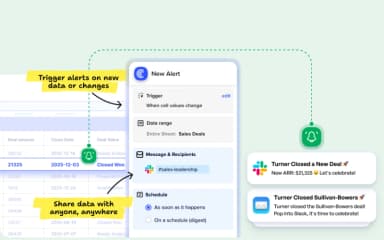
Coefficient enables users to trigger Slack and email alerts when cell values change or conditions are met. This ensures key stakeholders are instantly notified of important data updates without manually monitoring spreadsheets.
Team Notifications
The platform delivers automated Slack and email notifications to teams through daily or weekly digests. This helps teams consistently track critical reports and KPIs without needing to review spreadsheets manually.
Shared Connections
Coefficient allows teams to connect a business system to Google Sheets or Excel once and reuse the same connection across users. This simplifies access management while ensuring consistent data usage under a single license.
Pros And Cons of Coefficient
Pros
Imports HubSpot and Salesforce data directly into Google Sheets
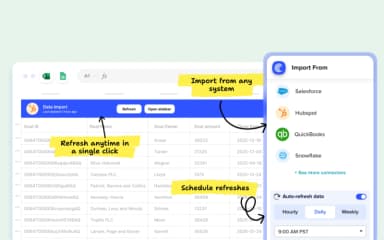
Automated scheduling refreshes reports hourly without manual exporting effort
Seamless live data connections reduce errors and save time
Easy initial setup helps users start workflows quickly today
Cons
Sidebar filters do not redirect properly causing confusion sometimes
Row limits may exclude data without clear missing notifications
Some integrations require frequent reauthentication complicating long term automation
Coefficient Reviews
Total 10 reviews
4.6
All reviews are from verified customers
Rating Distribution
5
Stars70%
4
Stars20%
3
Stars10%
2
Stars0%
1
Stars0%
Share your experience
Small Business, 11-50 employees
“helps with Salesforce data”
Pros
Working with large volumes of Salesforce data feels impressively easy, both when reading it and writing it back.
Cons
It still lacks MCP support so connecting it to Claude or other AI tools isn't possible. Advanced automations take some time to learn and pricing climbs as you add more sources and seats. It's also tied to spreadsheets which can become limiting with bigger datasets, refreshes aren't actually real-time and a few niche data sources still don't have connectors.
Rating Distribution
Ease of use
10
Value for money
8
Customer Support
9
Functionality
9
Small Business, 11-50 employees
“Increased productivity”
Pros
Bringing together different data sources and turning them into attractive dashboards has been incredibly smooth for our team. It has genuinely changed the way we work, giving us a noticeable lift in productivity and making our meetings much more efficient.
Cons
My only complaint is with the AI in the dashboard since it only lets you make one change at a time. That can get frustrating especially when there are a lot of updates you need to make all at once.
Rating Distribution
Ease of use
10
Value for money
9
Customer Support
9
Functionality
10
Mid Market, 51-100 employees
“Salesforce syncing made better”
Pros
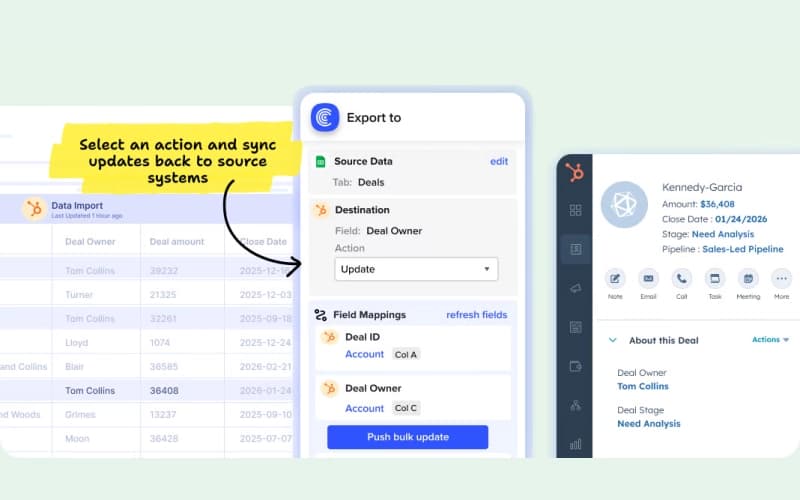
Being able to pull data from multiple connected apps straight into Google Sheets and push updates back to the source systems especially Salesforce, has been the biggest advantage for me. I used to rely heavily on Data Loader and Coefficient has made that whole process much simpler. It's easier to share, more approachable to use and it reduces how many sheets and CSV files I have to keep track of. I can stay inside the tool I'm already using instead of constantly switching between platforms. Another feature I really value is the recurring report pull. It helps me create automated dashboards while still giving me room for manual calculations and adjustments and it keeps stakeholders updated automatically without extra effort from me. Overall it's been a real productivity boost for both me and my team and I use it every single day.
Cons
There's nothing significant to complain about. Once in a while, we need to refresh a connection or re-authenticate but it's not a serious issue.
Rating Distribution
Ease of use
10
Value for money
9
Customer Support
10
Functionality
9
Frequently Asked Questions
What types of pricing plans does Coefficient offer?
The pricing for Coefficient starts at $59/month for the Starter plan with automated imports, scheduled refreshes, and basic collaboration. Other plans include Free, Pro ($119/user/month), and Enterprise (custom pricing). Request a Coefficient price quote to find the best fit.
Does Coefficient have a mobile app?
Coefficient does not offer a dedicated mobile app; its primary experience is through the Google Sheets add-on or Excel add-in accessed within those platforms.
Who are the typical users of Coefficient software?
Typical users include data analysts, sales operations managers, and finance professionals who rely on spreadsheets for business intelligence.
What other apps does Coefficient integrate with?
Coefficient connects with Salesforce, HubSpot, Snowflake, and Zoho CRM to sync live data into spreadsheets.
What language does Coefficient software support?
Coefficient’s interface and primary support are in English.
What level of support does Coefficient offer?
Coefficient offers a help center, email support for all users, and live chat.
Does Coefficient software offer an API?
Yes, Coefficient provides API access to help developers further customize data workflows and connect to proprietary internal systems.