


Last Updated
Overview
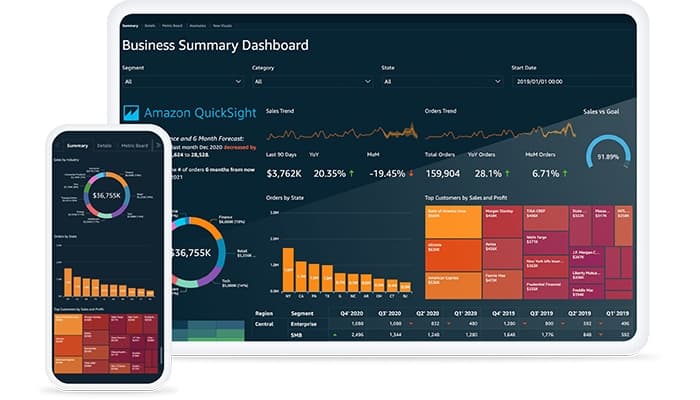
Amazon QuickSight software by AWS empowers businesses with intuitive dashboards and data visualization tools. It offers limited visualization customization options but excels in providing effective real-time data insights. Amazon QuickSight software offers an easy-to-use interface and integrates easily with AWS, making it perfect for organizations looking to drive informed decisions.
Amazon Quicksight Software Specifications
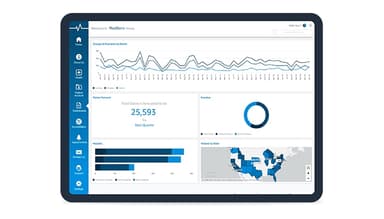
- Data Visualization
- Customizable Dashboards
- Data Analysis and Reporting
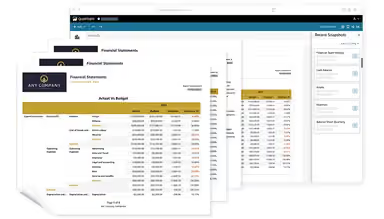
- Scheduled Reporting
Amazon Quicksight Software Features
SPICE (Super-Fast, Parallel, In-Memory Calculation Engine)
This robust feature empowers users with extremely fast data processing and analysis. SPICE automatically replicates data, ensuring high availability and seamless collaboration for thousands of users, all while reducing infrastructure demands for a more efficient experience.
Broad Data Source Support
Amazon QuickSight features a way for users to connect to a variety of data sources, from AWS services to third-party applications and databases. It supports importing diverse file formats like Excel and JSON, making data integration effortless and comprehensive.
Serverless Architecture And Simplified Management
Amazon QuickSight software brings this feature to simplify operations with serverless infrastructure and APIs. It enables users to automate workflows, manage access with single sign-on, and securely deploy dashboards across accounts, all while ensuring multitenant data separation for better scalability.
Built-In Security And Compliance
This ensures the safe sharing of insights with robust security tools like role-based access, multi-region redundancy, and compliance with industry standards like HIPAA and FedRAMP. It offers peace of mind when managing sensitive data.
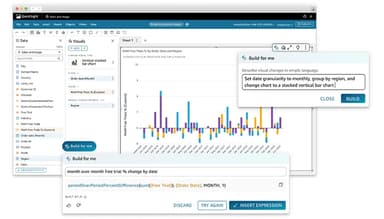
Amazon Q In Quicksight
This intuitive feature helps users create and enhance dashboards effortlessly. It comes with advanced tools that allow Amazon Q to simplify data storytelling, making insights accessible and empowering stakeholders to make informed decisions confidently.
Pros And Cons of Amazon Quicksight Software
Pros
Interactive and scalable data visualization
Effective for real-time data insights
Supports row and column-level security
Multiple data source compatibility
Cons
Limited visualization customization options
Errors with some dashboard elements, according to some software users
Limited advanced analytics functionality
Amazon Quicksight Software Reviews
Total 16 reviews
4.3
All reviews are from verified customers
Rating Distribution
5
Stars44%
4
Stars44%
3
Stars6%
2
Stars6%
1
Stars0%
Share your experience
Am
Media, 11-50 employees
More than a year
“Quicksight is ideal for data handling”
Pros
It meets our data needs and performs well most of the time.
Cons
The UI can feel cluttered, and scrolling becomes difficult when there are many scrollable boxes on the screen. This might be a user issue but I believe the UI could be improved.
Rating Distribution
Ease of use
8
Value for money
8
Customer Support
8
Functionality
8
Tony
Media, 11-50 employees
More than a year
“Affordable and efficient tool”
Pros
The pricing model makes this product highly appealing.
Cons
The time formatting options are somewhat restricted.
Rating Distribution
Ease of use
10
Value for money
10
Customer Support
10
Functionality
10
Nolan
Real Estate, 11-50 employees
More than a year
“It is simplifying data visualization”
Pros
QuickSight is a very customizable and valuable tool that helps us track current account status and customer profiles using AWS data. It allows us to create dashboards that enable our team to monitor account health, market trends and customer numbers on a weekly basis. The setup is simple, and it makes invoicing, planning and strategy much easier for our operations.
Cons
The UI seems a bit outdated and is mostly useful for internal use. It would be challenging to incorporate this into our customer facing models, especially for enterprise clients who might want to review data as it doesn't align with our design, layout or product.
Rating Distribution
Ease of use
8
Value for money
10
Customer Support
10
Functionality
8
Frequently Asked Questions
Does Amazon Quicksight software offer an API?
Yes, Amazon Quicksight software offers an API.
What level of support does Amazon Quicksight software offer?
Amazon Quicksight software offers limited email, chatbot, FAQs/forums, and knowledge base support.
Who are the typical users of Amazon Quicksight software?
Typical users of Amazon QuickSight software are professionals and organizations in industries like Manufacturing, finance, education, insurance, IoT, utilities, professional service, retail, and healthcare.
What language does Amazon Quicksight software support?
Amazon Quicksight software supports only English, Arabic, Indonesian, German, Spanish, French, Italian, Portuguese, Vietnamese, Turkish, Russian, Thai, Japanese, Korean, and Chinese languages.
What other apps does Amazon Quicksight software integrate with?
Amazon Quicksight software seamlessly integrates with Salesforce, ServiceNow, Jira, GitHub, and Adobe Analytics.
What types of pricing plans does Amazon Quicksight software offer?
Amazon QuickSight cost depends on different users. Author plans (Between $24-$50/user/month), and Reader plans for User-based pricing (Between $3-$20/user/month). Amazon QuickSight price is also available for Capacity pricing for Reader capacity and Amazon Q Questions Capacity pricing, which starts at $250/month for 500 sessions, which is ideal for flexible usage needs.
Does Amazon Quicksight software have a mobile app?
Yes, Amazon Quicksight software has a mobile app for Android and iOS users.