


Last Updated
Overview
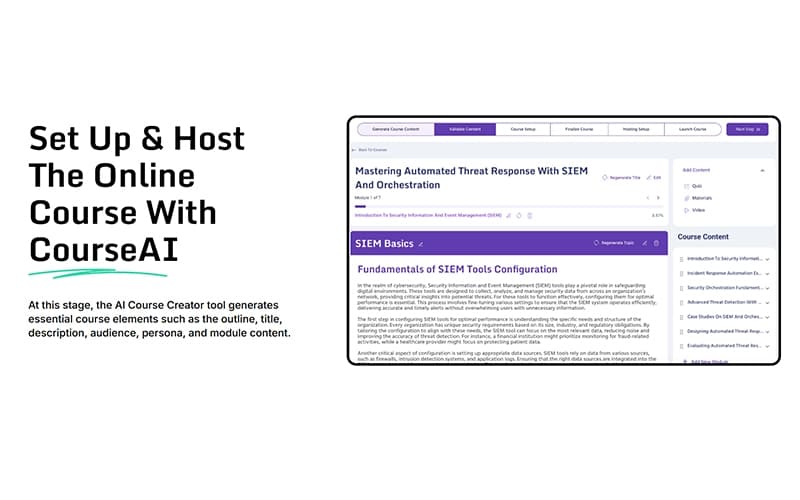
CourseAI helps course creators and experts transform niche topics, video content, and text outlines into structured, valuable lessons. While it occasionally struggles with maintaining consistent formatting across different content types, it allows users to generate course material quickly and efficiently. Overall, it’s a practical solution for building high-quality educational content.
CourseAI Specifications
- Self-Service Dashboards
- Text To Speech & Speech To Text
- Automation
- Predictive Capabilities
CourseAI Features
Video Script Generation
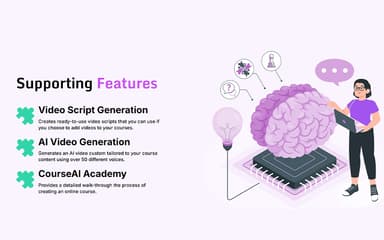
The platform automatically generates ready-to-use video scripts that correspond directly to the course content. Creators can use these scripts to film their own videos, which saves substantial time and effort in planning and writing video narratives.
AI Video Generation
This feature can create custom-tailored videos for the course content, complete with AI voices and corresponding visuals. Users can select from a variety of voices to match their desired tone, further automating content production.
Centralized Course Hosting
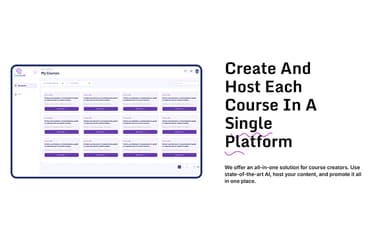
CourseAI acts as an all-in-one solution, allowing course creators to host and publish their finished material directly on the site. Creators can market and promote their content from a single platform, avoiding third-party handlers in the process.
Audience Optimization
This feature generates a detailed audience persona, including the demographics and psychographics of potential students. By tailoring course content, titles, and descriptions to this specific persona, CourseAI helps creators attract the most relevant learners to their educational products.
Sales Email Generation
CourseAI includes tools to automatically create persuasive, targeted marketing materials, specifically welcome emails for new students and sales emails for course promotion. These AI-generated copies are designed to optimize audience reach and enhance engagement metrics.
Pros And Cons of CourseAI
Pros
Rapidly generates comprehensive course content
Includes built-in hosting options
Automates the video script creation process
Cons
Documentation gaps may hinder user workflows
Customer support services may need improvement
CourseAI Reviews
Total 1 reviews
1
All reviews are from verified customers
Rating Distribution
5
Stars0%
4
Stars0%
3
Stars0%
2
Stars0%
1
Stars100%
Share your experience
Anna A.
Marketing and Advertising, 1-10 employees
Less than 6 months
“Pushy popups and unwanted charges”
Pros
Nothing about the platform worked for me. The lessons felt extremely basic and the examples were already completed for you so all I was really doing was clicking through the material.
Cons
Stay away from this service. The marketing popups for the add-on options would not let me opt out and while trying to close one, I accidentally clicked the add-on and got charged $49 for something I never wanted.
Rating Distribution
Ease of use
2
Value for money
2
Customer Support
1
Functionality
2
Frequently Asked Questions
What other apps does CourseAI integrate with?
CourseAI integrates with apps, such as Zoom, Slack, Mailchimp, and Google Classroom.
Who are the typical users of CourseAI?
CourseAI features support professionals and organizations across various industries and sectors, including corporate training, digital marketing, education, e-commerce, and retail.
Does CourseAI offer an API?
Information regarding an API is currently unspecified by the vendor.
Does CourseAI have a mobile app?
No, CourseAI does not offer a dedicated mobile app.
What language does CourseAI support?
CourseAI supports the English language.
What types of CourseAI pricing plans are available?
CourseAI offers two customizable pricing plans: Professional and Expert. Receive a personalized CourseAI cost estimate specific to your organization.
What level of support does CourseAI offer?
CourseAI offers support through email and a resource library. Users can also fill out an online form to get in touch with the team.