Last Updated

Key Takeaways

Generated from the text of customer reviews

MindStudio is a no-code AI agent builder by GoMeta, Inc., used by marketing, operations, and HR teams. Its interface can feel overwhelming at first, but 100+ templates and free weekly training help users launch fast. Recently, MindStudio released Remy, which builds apps from plain-language descriptions.

Our Verdict

MindStudio works best for non-technical teams in marketing, operations, HR, and sales, along with agencies building client workflows. The visual builder removes developer dependency, giving users access to 200+ AI models through one interface at cost. We recommend MindStudio for operations leads, marketing teams, and non-technical business owners who need to automate repeatable, multi-step workflows without writing code or hiring developers.

MindStudio Specifications

  • Natural Language Dialogue
  • Automation
  • Bot Design & Deployment
  • Text To Speech & Speech To Text
View All Specifications

What Is MindStudio?

MindStudio is an Artificial Intelligence (AI) software that helps users to build and deploy custom AI agents without writing code. The software offers a visual builder, helping users overcome the complex AI development. This approach from MindStudio accelerates prototyping and automates repetitive workflows, saving significant time and resources.

What is MindStudio Best For? 

The platform stands out for its ‘Agent Architect’ feature that lets users describe a workflow in plain language, and the system builds the agent scaffold automatically. Users can refine the agent by describing the changes they want, without any manual configuration. The average build takes between 15 minutes and one hour. From doing competitors’ analysis to analyzing the content of a video or article, this feature can do it all. 

How Much Does MindStudio Cost? 

MindStudio price starts at $20 for its Individual plan. Notable features include access to Remy Alpha, unlimited agents, free five weekly workshops, and access to 200+ AI models. 

The vendor also offers a Free and Business plan, with the latter being available at custom pricing.

In addition to the base subscription fee, organizations should account for the following potential additional expenses (estimated figures): 

  • Implementation: $2,000–$10,000 (one-time)

  • Data migration: $1,000–$5,000 (one-time)

  • Customization: $3,000–$15,000 (one-time)

  • Integration: $1,000–$8,000 (one-time)

Request a personalized MindStudio pricing quote for your business. 

Disclaimer: The pricing is subject to change. 

MindStudio Integrations 

The software supports integration with multiple platforms, such as: 

How Does MindStudio Work? 

Here's how you can access the platform and its features: 

  • Log in to your MindStudio account using your credentials to access its dashboard 

  • Open the ‘Visual Builder’ and choose from 100+ pre-built templates, or start with a blank workflow 

  • Describe your workflow in the ‘Agent Architect’ prompt box, and MindStudio will generate the initial agent scaffold 

  • Pick your AI model from 200+ options, including Claude, GPT-5, and Gemini, with no separate API accounts needed 

  • Connect your tools using 1,000+ pre-built integrations, or call any third-party API to extend your agent's capabilities 

  • Test your agent in the built-in debugger and refine prompts or logic until the output matches what you need 

  • Set your trigger type: schedule, email, webhook, browser extension, or user-facing web app 

  • Publish in one click and share your agent with your team or deploy it to end users 

Schedule a free MindStudio demo to explore its functionality in detail 

Who Is MindStudio For? 

MindStudio is ideal for anyone, from beginners to experts, who wants to build AI agents without coding, including: 

  • Non-technical users and beginners 

  • Operations, HR, and IT professionals 

  • Professionals and team leaders 

  • AI-automation specialists 

MindStudio Use Cases 

Based on our analysis of MindStudio’s capabilities and available user feedback, we have identified several scenarios where the platform is a strong fit for businesses and professionals looking to operationalize AI without relying heavily on software development resources. 

Agencies Building Client-Specific AI Solutions Without Dedicated Developers 

Marketing agencies, consultants, and service providers frequently need custom AI tools for different clients but lack the resources to maintain separate software projects. MindStudio allows these teams to package workflows around content creation, research, and information processing according to each engagement. Rather than investing in extensive engineering resources, agencies can rapidly deploy tailored solutions and iterate based on client needs 

Subject Matter Experts Turning Industry Knowledge Into Repeatable Workflows 

MindStudio is used by consulting firms, financial advisory practices, legal teams, and educational organizations that want to turn their expertise into repeatable workflows. Teams can use the platform to capture their processes in AI assistants, making it easier to deliver consistent work without relying on the same experts for every request. This approach is especially useful for knowledge-based businesses that are trying to grow while maintaining the quality and consistency clients expect. 

Innovation Teams Testing AI Use Cases Before Investing In Custom Development 

Building a fully custom AI application can be expensive, especially when use cases are still evolving. Teams exploring new ideas often use MindStudio to validate workflows and determine whether automation will deliver meaningful results. This enables organizations to experiment with internal assistants, document-processing tools, or knowledge workflows before committing engineering resources. 

Content And Research Teams Handling High Volumes Of Information 

MindStudio helps content and research teams manage large volumes of information without relying entirely on manual review. Teams producing reports, market analyses, newsletters, or research-driven content can use the platform to organize inputs and build repeatable workflows around information gathering and synthesis. This reduces the time spent sorting through documents and compiling findings across multiple sources. 

Is MindStudio Right For You? 

MindStudio is the right fit if your organization needs to rapidly build and deploy custom AI solutions with enterprise-grade controls. Its standout strength is its blend of no-code simplicity with full code extensibility. The platform is trusted by government agencies, major universities, and technology leaders, such as ServiceNow, Harvard, and Advance Local. Moreover, it ensures security and compliance through features like SAML SSO, role-based access control, and self-hosting options. 

Still not sure about MindStudio? Contact us at (661) 384-7070 for further guidance. 

MindStudio Features

Agent Development

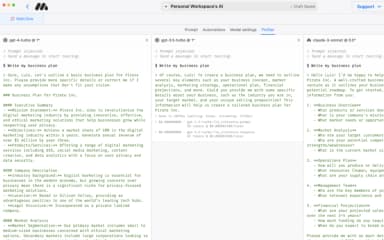
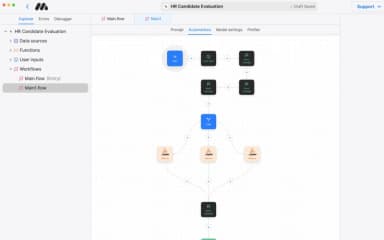
The platform provides a powerful, no-code visual builder that helps users design, build, and deploy AI agents. For advanced needs, it supports custom JavaScript and Python cloud functions, offering full developer control when required.

See How It Works
Content Generation

The software supports the generation of diverse multimedia, including text, images, and videos. It can also produce pixel-perfect custom outputs, such as interactive calculators, multi-step forms, and print-ready PDFs, all from descriptive prompts.

See How It Works
Data Ingestion

MindStudio enables agents to connect with over 1,000 business applications, allowing for the creation of sophisticated workflows. Users can also ingest data through API endpoints, webhooks, or by connecting directly to their own databases.

See How It Works
Testing And Quality Assurance

The system includes features for testing and debugging, such as live testing directly within the build window. For enterprise compliance, it also offers audit logging, allowing for detailed review and quality assurance of agent performance and user actions.

See How It Works
Autonomous And Scheduled Agents

Users can build and deploy autonomous agents that function as backend automations. These agents can be set to run on a schedule, allowing them to handle repetitive tasks and complex workflows without manual intervention.

See How It Works

Pros And Cons of MindStudio

Pros

  • Supports an intuitive and no-code visual builder

  • Offers access to over 200 AI models

  • Powerful and AI-enabled workflow automations

Cons

  • Its debugger cannot currently automatically amend agents

  • Adding advanced analytics and reports can be helpful

MindStudio Pricing

Free

eye

View Price

What's Included

  • One agent

  • 1,000 runs/month

  • Access to 200+ AI models via the MindStudio Service Router

  • Bring your own API keys

  • On-demand learning resources

  • Community job postings and opportunities

Individual

eye

View Price

What's Included

  • Everything in Free, plus:

  • Unlimited agents

  • Access to Remy Alpha

  • Unlimited runs/month

  • Free live weekly workshops

  • MindStudio Slack community

Business

eye

View Price

What's Included

  • Everything in Individual, plus:

  • Team-enabled workspace

  • Granular permissions

  • Unlimited collaborators

  • Audit logs, budgets, usage limits, and alerts

  • Private Slack support channel

  • Priority technical support

  • SSO

  • Custom SLAs & MSAs

  • Self-hosting and custom domains

Disclaimer: The pricing details were last updated on Jun 12, 2026 from the vendor's website. Please contact us for a tailored pricing list.

MindStudio Reviews

Total 10 reviews

4.8

All reviews are from verified customers

Rating Distribution

5

Stars

80%

4

Stars

20%

3

Stars

0%

2

Stars

0%

1

Stars

0%

Share your experience

RH

Rick H.

Small Business, 11-50 employees

5.0
February 2026

visual automation done right!

Pros

Right away, the visual interface made it simple to get up and running. At the same time, it's incredibly capable and lets me build nearly any automation I can think of. The setup process was quick and rolling it out across all of my devices should be just as simple. Support has also been excellent and having Slack available is a huge plus. Because it's so user-friendly, I end up using it often, even for smaller everyday tasks.

Cons

I haven't run into any missing features or anything that feels badly designed. I actually moved over from another agent platform based on advice from a mentor and SlackGPT.

Rating Distribution

Ease of use

8

Value for money

8

Customer Support

8

Functionality

8

DBD

De Beer D.

Small Business, 11-50 employees

5.0
February 2026

powerful LLMs

Pros

Having access to the newest LLMs along with up-to-date image and video generation tools is something I really value it. The part I appreciate most though, is being able to write code and functions directly inside the platform, plus the simple HTTP request features that let me connect with externally hosted scripts and apps.

Cons

During the time Ive used it, the business mode and subscription setup have changed quite a few times. The most frustrating example was when agent embedding was removed and then added back a few months later, by which point I had already redesigned a large part of my solution.

Rating Distribution

Ease of use

8

Value for money

8

Customer Support

8

Functionality

8

LK

Lori K.

Not Specified, N/A employees

5.0
February 2026

A good agent builder

Pros

Building agents with it has been really simple. The interface is very user-friendly and the debugger is a huge help when something isn't working because it makes it much easier to spot the issue and fix it. I also value the extra capabilities, like creating sub-workflows and being able to show others the productivity gains that come from using agents. The community is fantastic and always willing to help and it says a lot that even the CEO joins training calls. Another big plus is that it is model-agnostic so I can pick the most efficient model for each agent I build. It also connects well with the other APIs and software I already use through its built-in APIs and ready-made templates. After testing other platforms, this one feels more adaptive and saves me a lot of time. Even the initial setup was simple.

Cons

I honestly don't have any complaints...

Rating Distribution

Ease of use

8

Value for money

8

Customer Support

8

Functionality

10

Frequently Asked Questions

Does MindStudio have a mobile app?

No, MindStudio is a only web-based platform and does not have a native mobile app.

Does MindStudio offer an API?

Yes, MindStudio offers an API.

What language does MindStudio support?

MindStudio is primarily available in English.

What other apps does MindStudio integrate with?

MindStudio integrates with various third-party platforms, such as n8n, Slack, Google Sheets, Make, Notion, and HubSpot.

Who are the typical users of MindStudio?

The typical users of MindStudio features include individuals and teams of all technical backgrounds, non-technical users and beginners, operations, HR, and IT professionals, team leaders, and AI-automation specialists.

What level of support does MindStudio offer?

MindStudio software provides support through email, a community forum, Slack channel, a trust center, and MindStudio University.

What types of pricing plans does MindStudio offer?

MindStudio offers multiple plans. These include Free, Starter ($20/month plus usage), and Business (Custom pricing). Request a personalized MindStudio pricing quote for your business.