


Autoflow
Last Updated
Overview
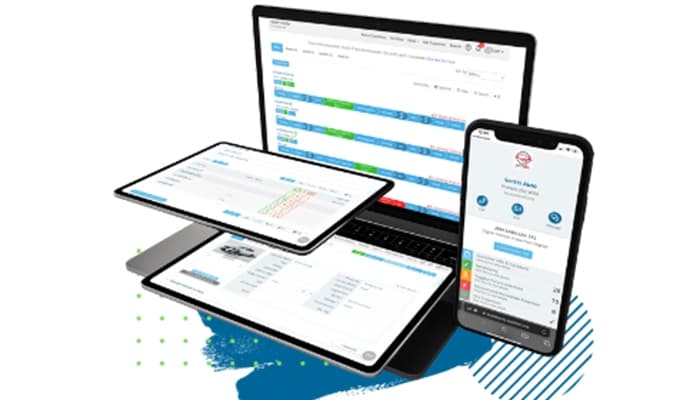
Autoflow offers robust web-based workflow and communication tool that enhances efficiency within and beyond auto repair shops. It includes comprehensive features for business growth and seamless management. While highly functional, some users express interest in advanced training to maximize its full potential and capabilities.
Autoflow Specifications
- Invoicing & Billing
- Accounting & Payroll Integration
- Inventory Management
- Online Parts Ordering
Autoflow Features
Two-Way Texting
Autoflow software enhances communication with vehicle owners through real-time text messaging, allowing seamless updates, approvals, and service notifications. It improves customer engagement, reduces phone calls, and ensures clear, documented interactions throughout the repair and service process.
Quality Control
The software minimizes errors and ensures high service standards with a structured digital quality control system. Every repair and inspection are verified before completion, reducing costly mistakes, improving accountability, and enhancing overall service reliability in the automotive repair process.
Digital Vehicle Inspection
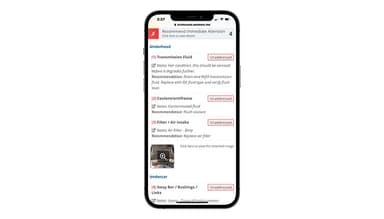
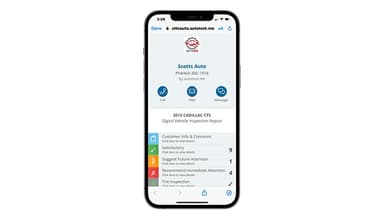
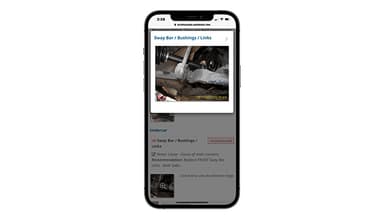
Autoflow software improves transparency and accuracy by providing a detailed digital inspection system. Technicians can capture images, videos, and notes to document vehicle conditions, making diagnosing issues easier and communicating findings with service advisors and vehicle owners.
TechFlow
The TechFlow feature is a powerful tool that monitors technician performance and productivity through a digital work order system. It tracks repair times, job statuses, and bay utilization, allowing for better efficiency management and improved service turnaround times in the repair shop environment.
CRM Marketing Module
The CRM Marketing Module is a key feature of Autoflow software. It automates customer engagement with personalized follow-ups, service reminders, and promotional messages. This ensures consistent communication, enhances customer retention, and drives repeat business by informing vehicle owners about maintenance schedules and special service offers.
Pros And Cons of Autoflow
Pros
Customizable format
Actively seeks feedback and evolves based on user input
Autoflow features include strong inspection capability
Simple and intuitive for day-to-day operations
Cons
Implementation requires significant effort
Shows shop flow/tech dashboard issues
Autoflow Reviews
Total 9 reviews
5
All reviews are from verified customers
Rating Distribution
5
Stars100%
4
Stars0%
3
Stars0%
2
Stars0%
1
Stars0%
Share your experience
Small-Business, 11-50 employees
“Complete package”
Pros
I've been really impressed with Autoflow's support, they're top-notch. The product itself has everything I need to run my shop smoothly and the interface is super easy to use. I never feel lost when using it!
Cons
I don't have any dislikes right now.
Rating Distribution
Ease of use
10
Value for money
10
Customer Support
10
Functionality
10
Small-Business, 11-50 employees
“Good enough for what I needed”
Pros
It's super simple to use, just click on a few bubbles and the reports are actually helpful. Makes everything a lot easier.
Cons
Maybe the layout could be a little better. I'd love to see how much media my techs are recording per car each week.
Rating Distribution
Ease of use
10
Value for money
10
Customer Support
10
Functionality
10
Small-Business, 11-50 employees
“Exceeded my expectations”
Pros
Integration was very simple! We can add our own predefined explanations, plus integrate videos which really helps our guests understand things better.
Cons
I don't really have a dislike yet, anytime there's been an issue or concern they've been quick to respond and fix it.
Rating Distribution
Ease of use
10
Value for money
10
Customer Support
10
Functionality
10
Frequently Asked Questions
What pricing plans does Autoflow software offer?
The Autoflow pricing is straightforward and includes three plans: Communication ($199.99/month), Inspection ($289.99/month), and Innovation ($379.99/month). Training and support are currently free, while the CRM marketing campaign add-on costs $180/month with any plan. Users should feel free to request a personalized Autoflow cost breakdown.
Who is Autoflow software typically used by?
Autoflow software enhances efficiency and service quality for businesses in auto repair shops, multi-shop operators, auto dealerships, third-party administrators, powersports dealerships, recreational vehicle dealerships, and heavy equipment dealers.
What languages does Autoflow software support?
Autoflow software supports English.
Does Autoflow software have a mobile app?
Autoflow works on tablets, desktops, and smartphones via a responsive web design, ensuring seamless access without a dedicated app.
Does Autoflow software have an API?
Yes, Autoflow software offers an API.
What level of support does the Autoflow software offer?
Autoflow software offers support through a knowledge base, chat, phone, FAQs/forum, and an email/help desk.
What other apps does Autoflow software integrate with?
Autoflow software integrates with leading third-party applications such as CARFAX, Gravity Payments, GrooveGlove, AutoNetTV, 360Payments, HUNTER Engineering Company, TextBox, and MOTOR to enhance functionality and streamline automotive service operations.