


Cockpit AI
Last Updated
Overview
Cockpit automates call and meeting documentation, turning every interaction into structured notes, CRM updates, and actionable follow-ups. While its full automation setup takes initial adjustment, it delivers rapid summaries and CRM enrichment with customizable AI workflows and coaching insights. Overall, it streamlines conversational data and strengthens call-to-CRM efficiency.
Be the first one to leave a review!
No review found

Starting Price
Custom

Cockpit AI Specifications
- Call Recording And Transcription
- Call Reporting And Analytics
- CRM Integration
- Real-Time Dashboard
Cockpit AI Features
Structured Call Summaries
Among the core Cockpit features, this capability generates clear, customized summaries from recorded calls, extracting decisions, next steps, and risks. Those structured summaries reduce the manual effort needed to interpret conversations and ensure essential details flow directly into reporting and CRM systems.
Automated CRM Field Enrichment
With CRM Autofill, the platform maps transcript evidence to CRM fields, keeping records accurate. By automatically enriching picklists, custom fields, and linked objects, teams avoid repetitive data entry and maintain consistent, reliable pipelines.
Conversational Search Tools
The ‘AskAnything’ function lets teams query past calls and surface patterns or responses instantly. By turning the call library into a searchable knowledge base, Cockpit provides quick context for meeting prep or trend analysis.
AI Coaching And Playbook Evaluation
Cockpit scores conversations against sales frameworks like BANT or MEDDIC and suggests tailored coaching tips. This feature reveals gaps and improvement points within calls, helping managers guide reps with evidence-backed insights.
Pros And Cons of Cockpit AI
Pros
The note-taking feature provides clear AI-generated summaries for calls
Saves time through mapping transcript evidence to CRM fields, keeping records accurate
Improves sales performance with actionable insights
Cons
Real-time call capabilities could improve
Summaries sometimes offer snippets over deep insights
Cockpit AI Reviews

No reviews yet!
Be the first to review this product
Frequently Asked Questions
Does Cockpit offer an API?
Yes, Cockpit offers an API.
What level of support does Cockpit offer?
The platform provides support with priority on higher plans and general assistance for all users. It also offers FAQs and a trust center.
What types of price plans are available?
Cockpit cost includes a Free plan, Notetaker at €20/user/month, and Sales Assistant at €30/user/month. Contact us to request a personalized Cockpit cost quote based on your institution's requirements.
Does Cockpit have a mobile app?
No, Cockpit doesn’t offer a mobile app.
What language does Cockpit support?
The software supports French and English only.
What other apps does Cockpit integrate with?
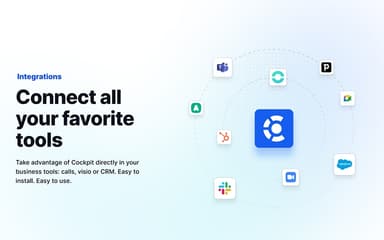
The platform integrates with multiple third-party applications and systems, including Zoom, HubSpot CRM, Pipedrive, Odoo, and Sellsy.
Who are the typical users of Cockpit?
Typical users include sales teams, customer success teams, support departments, and operations groups.