


Whip Around
Last Updated
Key Takeaways
Generated from the text of customer reviews
Whip Around is a fleet inspection and maintenance platform used by fleet managers, mechanics, and drivers in construction, trucking and delivery, and oil and gas. Reviewers value the time saved by keeping track of vehicle checks and maintenance, while others report occasional connectivity issues. In November 2026, Whip Around added up to 10 custom fields to work orders.
Our Verdict
Whip Around is a suitable option for businesses that manage vehicle fleets and need to keep daily operations and maintenance records organized. It is designed for fleet managers and operations teams that handle vehicle-related tasks and keep asset records up to date. Some reviewers find the pricing relatively high, while others feel the features justify the expense. We recommend it for fleets that prioritize driver adoption and repair accountability.

Whip Around Specifications
- Work Order Management
- Maintenance Logs
- Purchasing
- Incident Management
What Is Whip Around?
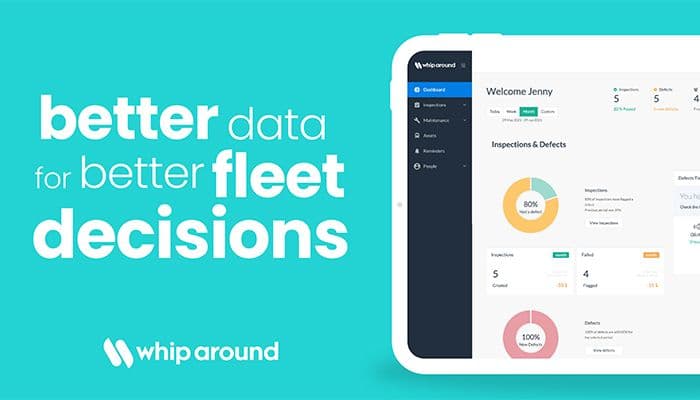
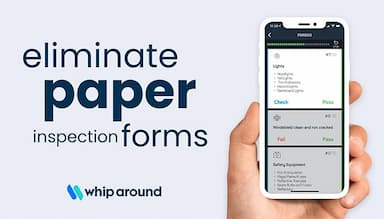
Whip Around is a fleet management platform that is built to manage vehicle inspections, maintenance, and regulatory compliance. It serves fleets in construction, trucking and delivery, oil and gas, landscaping, and waste and recycling. The software replaces paper inspections with digital workflows, so drivers report defects from the mobile app and managers turn them into work orders.
What Is Whip Around Best For?
The standout feature of Whip Around is 'AI fleet maintenance', which reviews vehicle inspection photos to identify potential damage. It automates follow-up actions, such as assigning defects to the team members or marking a vehicle out of service after a failed inspection. Additionally, the feature scans work orders, invoices, and receipts to extract vehicle details and line items.
How Much Does Whip Around Cost?
Whip Around pricing starts at $5/asset/month, for the Standard plan, which includes vehicle inspections and defect management. The Pro plan costs $10/asset/month and adds maintenance scheduling, work order management, and inventory tracking. A free Basic plan is also available for one asset and one user.
Apart from the base subscription price, organizations should also consider the following estimated additional costs:
- GPS Tracking Hardware: May range from $50 to $150/vehicle, based on hardware compatibility needs for location, mileage, and diagnostic data collection
- Telematics Subscription: Pricing generally spans $15 to $45/vehicle/month, varying with odometer tracking and GPS feeds
- Custom API Integration: Costs usually fall between $500 and $3,000, depending on developer hours needed to bridge Whip Around with internal accounting and maintenance
Some reviewers consider Whip Around's pricing reasonable, while others raise concerns about higher-cost plans and add-ons. Some also feel that costs increase as fleets require more features and capabilities
Disclaimer: The pricing is subject to change.
Whip Around Integrations
Whip Around integrates with third-party tools, including:
How Does Whip Around Work?
Here’s how to get started with Whip Around after signing in to the web platform or mobile app:
- Add vehicles, equipment, and facilities to the account to maintain their records
- Generate inspection forms for drivers to complete through the mobile app
- Review submitted inspection results, reported defects, and their priority levels on the management dashboard
- Create work orders from reported defects, assign mechanics, and track repair progress
- Record parts and labor costs associated with repairs and monitor upcoming services through maintenance schedules
Who Is Whip Around For?
Whip Around is designed for fleet-based businesses across several industries, including:
- Construction companies
- Landscaping businesses
- Oil and gas companies
- Passenger transportation services
- Trucking and delivery companies
- Waste management and recycling businesses
Whip Around Use Cases
Based on our evaluation of Whip Around features and user feedback, we have identified several scenarios in which the software can be the right choice:
Construction Companies Managing Equipment Across Job Sites
Construction companies use trucks, excavators, forklifts, and heavy machinery at different job sites. Regular checks help identify equipment problems, but paper forms can delay reporting and repairs. Whip Around replaces these paper forms with digital inspections and a centralized dashboard to review reported problems and maintenance history. Managers can send repair requests to relevant personnel and track their progress across locations.
Oil And Gas Companies Operating At Remote Wellsites
Oil and gas companies operate vehicles and equipment at remote wellsites where limited internet connectivity can interrupt inspection reporting. The platform supports offline mobile checks, allowing drivers to complete forms and capture timestamped photos without internet access. Records sync when connectivity returns.
Passenger Transportation Companies Preparing Vehicles For Bookings
Passenger transportation companies need vehicles ready for scheduled trips and drivers to complete pre-trip checks. Missed inspections and unresolved defects can take vehicles out of service. Whip Around provides digital inspections, and the PDF report includes GPS coordinates when drivers turn on location services. Teams can send reported defects to mechanics and use work orders to track repairs before upcoming trips.
Landscaping Businesses Maintaining Seasonal Equipment
Landscaping businesses rely on trucks, zero-turn mowers, chippers, and other equipment during busy seasons. Unexpected breakdowns can leave crews without the machinery needed for scheduled jobs. With Whip Around, a crew can inspect a mower or chipper from the mobile app before a job, and an engine-hour service schedule flags upcoming maintenance before the equipment fails mid-season.
Is Whip Around Right For You?
If you're looking for fleet management software to handle vehicle inspections, track repairs, schedule servicing, and maintain fleet records, Whip Around may be a suitable choice. Whip Around supports multi-location fleets, which can connect different telematics providers within one account.
On the security side, the platform follows a Zero Trust approach with OAuth 2.0 authentication, enterprise single sign-on (SSO) through SAML and OIDC, TLS 1.3 encryption for data in transit, and AES-256 encryption for stored data. It also uses AWS Web Application Firewall (WAF) protection, network-level access controls, and continuous security monitoring.
For compliance, Whip Around holds ISO 27001 certification and offers a Trust Center for vendor security reviews. It supports DOT and FMCSA requirements through digital inspections, document management, and audit-ready records, with automated workflows logged in an audit trail. For EEA residents, Whip Around aims to take reasonable steps to support requests to correct, amend, delete, or limit the use of personal data under GDPR. Inspection records are kept until the customer deletes them, and all customer data is permanently deleted after the service agreement ends.
If you're still unsure whether Whip Around is the right choice for your business, contact us at (661) 384-7070, and we will help you make an informed decision.
Whip Around Features
Fuel Management
Whip Around tracks fuel purchases, consumption, and costs across vehicles or assets. Fleet managers can connect supported fuel cards, upload transaction files, or enter purchases manually. They can also review fuel volume, total spending, and cost per mile for individual assets.
Purchase Orders
The platform connects parts purchasing with inventory management. Staff can select existing inventory items, choose suppliers, and add quantities and costs to purchase orders. They can submit orders for approval and track their status. When parts arrive, teams record delivered quantities, including partial shipments, so inventory records reflect the items received.
Quotes And Invoices
The software uses existing work order details to create quotes before repairs and invoices when billing is due. Asset information, labor, parts, and cost data carry over from the work order, so teams do not need to enter the same job details again. Shop Ops, which requires the Pro plan, supports sending work to external vendors and allocating costs between departments.
Fleet Document Management
Whip Around’s Wallet add-on stores fleet documents such as driver licenses, permits, and insurance documents. Managers can set a document’s expiration date and choose a reminder 30 days before, 60 days before, or on a custom date. Drivers can view their own documents and the asset documents assigned to them in the mobile app.
Fleet Reporting And Analytics
Whip Around helps you improve your fleet operations by providing tools for reporting and analysis purposes. You will be able to better understand your market and monitor fleet health and uptime.
Pros And Cons of Whip Around
Pros
Saves time by replacing paper-based inspections
Helps reduce downtime through planned maintenance
Improves accountability for completing driver inspections
Cons
Inspection forms may need more customization options
Custom work order fields are not yet available in the mobile app
Whip Around Reviews
Total 54 reviews
4.6
All reviews are from verified customers
Rating Distribution
5
Stars76%
4
Stars15%
3
Stars4%
2
Stars2%
1
Stars4%
Share your experience
Construction, 500+ employees
More than a year
“redesign the dashboard and inspection history headings”
Pros
Recording the machine's details and inspection history.
Cons
I use Whip Around multiple times daily. I wonder if the app could be updated to show the location of machines in the defect and inspection history headers. With several pieces of equipment inspected daily, having the job location in the headers would enhance my operations. I could select a job site and assign several pieces of equipment for my techs to repair. I've asked my superiors but received no response. Could you assist with this request? Feel free to contact me to discuss further. Thanks, Walter Hanson, Staker Parson Companies. 801-509-1218.
Rating Distribution
Ease of use
4
Value for money
6
Customer Support
6
Functionality
6
Trucking Accounting, 500+ employees
Less than 6 months
“It isn't very friendly for the people in the field, especially when not set up properly.”
Pros
It should be simple to use, but our team made it overly complicated.
Cons
The app crashes; I type a response that takes ten minutes, and then it gives an error upon submission. Often, I don't bother to redo it.
Rating Distribution
Ease of use
4
Value for money
2
Customer Support
2
Functionality
4
Construction, 51-100 employees
More than a year
“Ya... it should buff out”
Pros
Allowing every user to report and access fleet operation information at any time, ensuring it's up-to-date. Customizable service schedules can be set up and maintained.
Cons
Data entry for third-party vendor expenses and parts used in daily repairs is needed. Integration with vendors to reduce data entry, along with department expense calculations and budgeting reports, would be beneficial.
Rating Distribution
Ease of use
9
Value for money
10
Customer Support
10
Functionality
8
Frequently Asked Questions
Does Whip Around record GPS locations during vehicle inspections?
Yes, Whip Around can include GPS coordinates in PDF inspection reports when location services are enabled in the mobile app.
How long does Whip Around retain inspection records?
Whip Around keeps inspection records until the customer deletes them. After the service agreement ends, all customer data is permanently deleted. Deleted items stay recoverable in a temporary holding state, and customers can submit a hard-delete request for permanent removal.
Does Whip Around send reminders before driver documents expire?
Yes, Whip Around Wallet lets users set a document’s expiration date and choose a reminder 30 days before, 60 days before, or on a custom date.
Can Whip Around manage equipment other than vehicles?
Yes, Whip Around supports inspections and maintenance for trailers, forklifts, pallet jacks, scaffolding, tools, and facilities.
Can inspection forms capture odometer readings?
Yes, drivers can type the mileage or engine hours or take a photo of the odometer, and they must verify the value before continuing.