


CalendarHero
Last Updated
Overview
CalendarHero offers a robust scheduling solution for teams to efficiently organize one-on-one, group, and remote meetings. It simplifies complex scheduling tasks with user-friendly tools like automated reminders and different calendar integrations. While some users initially note a steep learning curve, CalendarHero boosts overall meeting productivity with its personalized features.
CalendarHero Specifications
- Real-Time Communication
- File Sharing & Management
- Document Management
- Task & Project Management
What Is CalendarHero?
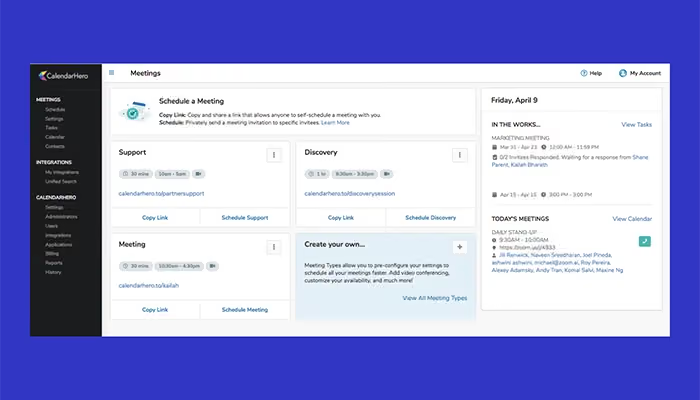
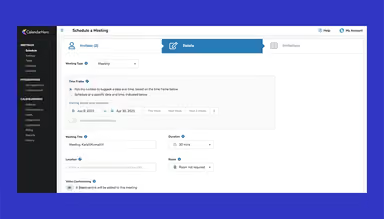
CalendarHero software is a meeting scheduling platform that simplifies the complex meeting process for businesses and individuals. It enables seamless automation of meeting bookings with clients, colleagues, prospects, and candidates. In that regard, it supports multiple channels, including a web app, inbox, chat assistant, website embed, and customizable scheduling links. CalendarHero optimizes scheduling efficiency for users across various industries with its enterprise-security level, reports, and wide integrations.
CalendarHero Pricing
The CalendarHero price model comprises the following three plans:
- Basic: Free forever
- Professional: $8/per month
- Team: $12/per user/per month
Disclaimer: The pricing is subject to change.
CalendarHero Integrations
The software integrates a range of third-party apps, including: Zoom
- Webex
- Google Meet
- Slack
- HubSpot
- Salesforce
- Pipedrive
Who Is CalendarHero For?
CalendarHero serves across various industries, including:
- Sales
- Marketing
- Customer Success
- Recruiting
- Consulting
- Education
Is CalendarHero Right For You?
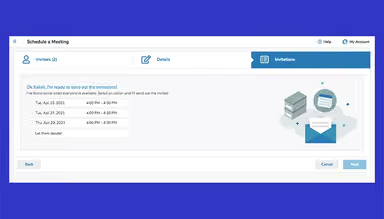
CalendarHero streamlines scheduling by managing bookings, payments, reminders, and more. It allows teams to focus on core tasks and frees them up from the manual complexities of meeting scheduling. It enables clients to self-book based on real-time availability and shows multiple team members' schedules. Its wide integration with calendars and automated reminders ensures smooth meetings to boost productivity and eliminate confusion. CalendarHero is used by hundreds of businesses, including Forrester, Venbridge, and BeyondReach, for such seamless meeting tools.
Are you still unsure about CalendarHero software? Contact our team at (661) 384-7070 for expert guidance on your questions.
CalendarHero Features
Automated Reminders
The software sends timely notifications and reminders to minimize no-shows. It ensures attendees stay informed beforehand, stay prepared, and engaged with scheduled meetings.
Custom Branding
This feature enhances brand visibility by incorporating your logo, profile photo, and tailored messaging throughout the invitee experience. It provides a personalized and consistent brand presence for professional meetings.
CRM/ATS Automation
It helps users easily access and retrieve information from your CRM or ATS to monitor your pipeline and automatically record meeting details. Moreover, it streamlines data management and improves workflow efficiency without the need for manual tracking.
Round Robin
With CalendarHero, executives can automatically assign meetings to the appropriate team members or collaborators based on their availability and the invitee's preferences. This approach results in efficient scheduling and a seamless coordination process.
Personal Scheduling Link
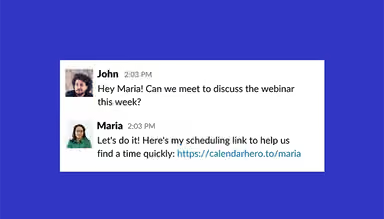
By sharing scheduling links in emails or direct messages, you can easily promote your real-time availability. You can offer invitees a convenient way to book appointments themselves, streamlining the process and saving time for both parties.
Pros And Cons of CalendarHero
Pros
Automates scheduling and reminders, saving time
Integrates with popular calendar apps and communication tools
Customizable meeting types with prequalifying questions
Provides insights to optimize scheduling and productivity
Cons
Limited scalability for some features, according to some users
A few users suggest that its initial setup has a steep learning curve due to numerous options
CalendarHero Reviews
Total 10 reviews
4.4
All reviews are from verified customers
Rating Distribution
5
Stars60%
4
Stars30%
3
Stars0%
2
Stars10%
1
Stars0%
Share your experience
Healthcare, 51-100 employees
Less than 6 months
“Terrible company, run!!”
Pros
I realy don't like much about this software. I created an account looking for a cheaper alternative to Calendly to save money for my non-profit but this is just not it. It charges more for the same features, much harder to use, and customer support is nonexistent. I deleted my account a month ago but I'm still being charged every month and they've ignored all my attempts to contact them. I've never experienced worse service and it feels like they're stealing from a non-profit.
Cons
The software is not user-friendly, and the dashboard is so unattractive. Customer service is so bad that I would give them negative stars if I could..... They've been charging me a large monthly fee even though my account has been closed for months. I've been trying to contact them since August (and it's almost November now) to get a refund and stop the charges for an account that doesn't exist, but they've ignored all my attempts to reach them. I'm so frustrated that I may have to contact my bank to block these charges. It's appalling that they are actively stealing from a non-profit organization.
Rating Distribution
Ease of use
2
Value for money
3
Customer Support
3
Functionality
3
Finance, 1-10 employees
More than a year
“Somehow competent”
Pros
I got it through a lifetime deal on Appsumo, so it was very affordable.
Cons
They don't allow clients to choose different types of meetings through a single appointment link. For example, customers can't select whether the meeting is in-person, over the phone, or via Zoom. I had to create separate appointment types, which is so messy and unprofessional.
Rating Distribution
Ease of use
8
Value for money
6
Customer Support
8
Functionality
6
Healthcare, 1-10 employees
Less than a year
“Improved significantly since its inception”
Pros
The appointment system is easy to set up once you get used to it. It has a clean and neat user interface for booking appointments. Also they've been rolling out new features since I purchased it (when it was called Zoom.ai) and I hope they continue to make improvements.
Cons
Not all features and links in CalendarHero are functional right now. For instance, I tried to access the Room Booking FAQ but the link is broken. It also takes a lot of time and trial and error to change settings or add team members to the team plan. The admin controls are confusing and not intuitive. Also the booking page is not customizable, so clients are stuck with a plain, basic page. Lastly I haven't received the contact insights as described on their feature page. I can only see the number of meetings but not any other details like LinkedIn info.
Rating Distribution
Ease of use
8
Value for money
8
Customer Support
6
Functionality
8
Frequently Asked Questions
Does CalendarHero offer an API?
Yes, CalendarHero provides API access.
What language does CalendarHero support?
CalendarHero supports English, German, French, Spanish, Portuguese, and Swedish languages.
Does CalendarHero offer a mobile app?
No, CalendarHero does not currently offer a dedicated mobile app.
What other apps does CalendarHero integrate with?
The software offers a wide range of third-party integrations, including Google Calendar, Microsoft Office 365, Zoom, Webex, Google Meet, Slack, HubSpot, and Zapier.
What types of pricing plans does CalendarHero offer?
The CalendarHero cost ranges in three plans: a free-of-cost Basic plan, a $8/month Professional plan, and a $12/user/month Team plan. Each plan comes with a free trial for 14 days. Users can request a detailed analysis of the CalendarHero price.
Who are the typical users of CalendarHero?
CalendarHero is typically used across different industries, such as sales, marketing, customer success, customer support, recruiting, consulting, and education.
What level of support does CalendarHero offer?
CalendarHero provides support through FAQs, tickets, and webinars.