


Pitch Software
Last Updated
Overview
Pitch software empowers teams to craft beautiful, engaging presentations with ease. Although downloaded file sizes are too large, its extensive template collection simplifies designing stunning slides. It’s the perfect solution for modern teams looking to elevate their storytelling and presentations with real-time collaboration, smart design tools, and smooth integrations.
Pitch Software Specifications
- Real-Time Communication
- File Sharing & Management
- Document Management
- Integration with Other Tools
Pitch Software Features
AI-Powered Templates
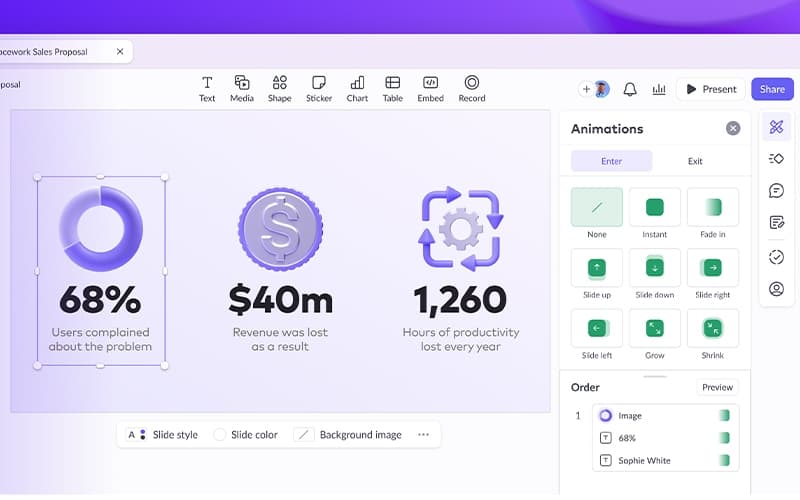
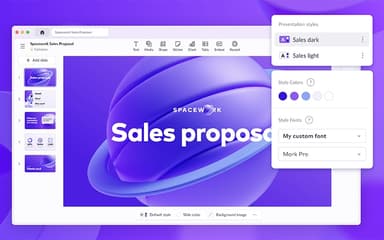
This powerful feature helps users create stunning presentations effortlessly. Choose from 100+ expert-made templates or let AI generate a draft. Customize every slide by adding brand colors, fonts, and assets to make your presentation uniquely yours.
Collaborative Editing
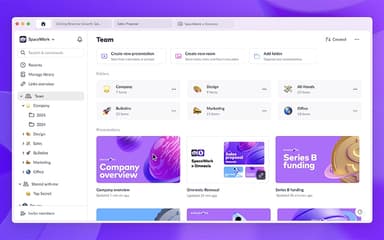
This robust feature enables teams to work on slides together in real-time. Assign tasks, add comments, and track progress seamlessly. Whether working remotely or in the office, collaboration becomes smooth, efficient, and hassle-free.
Share And Track Presentations
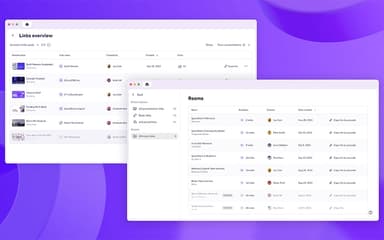
This important feature allows users to share presentations with a simple link, update content anytime, and track audience engagement. Present with a speaker view, export as a PDF or PPTX, and ensure your message reaches the right people effectively.
Presentation Analytics
Presentation Analytics is an insightful feature that helps users understand audience engagement by tracking visits, slide views, and time spent on each section. Get real-time data to refine presentations and maximize impact.
Branding Tools
Pitch software offers this feature that ensures brand consistency across all presentations. Set up slide styles with brand colors, fonts, and design elements. Upload images, videos, and assets to maintain a professional and cohesive look across every deck.
Pros And Cons of Pitch Software
Pros
Supports exporting presentations to various formats for flexibility
AI-powered themes enable quick and professional slide customization
Real-time team collaboration makes editing presentations seamless
Extensive template collection simplifies designing stunning slides
Cons
Downloaded file sizes are too large, making sharing inconvenient
Formatting options tend to be inconsistent, slowing down text editing
Pitch Software Reviews
Total 10 reviews
4.7
All reviews are from verified customers
Rating Distribution
5
Stars70%
4
Stars30%
3
Stars0%
2
Stars0%
1
Stars0%
Share your experience
Small-Business, 11-50 employees
“I'd definitely recommend it”
Pros
At first, I wasn't sure about the way Pitch limits certain aspects of the presentation, like the font size. It felt a bit weird but after presenting or sending a PDF of my presentation, I noticed how much easier it was to read and understand. With tools like PowerPoint and Keynote, there are so many options and animations that it actually felt like a burden and I was spending too much time trying to get creative instead of focusing on the topic of the presentation. With Pitch, it's much simpler and the presentation flows better.
Cons
The main issue I've run into is the limit on adding fonts that aren't listed on Google Fonts. My company's primary font isn't available. Also when it comes to videos you can only add them from YouTube or a few selected platforms , no direct uploads.
Rating Distribution
Ease of use
10
Value for money
8
Customer Support
10
Functionality
9
Mid-Market, 51-100 employees
“All the tools you need”
Pros
It's web-based, so I can work and share my presentations from anywhere without any problem.It has an integrated image and icon library, which makes things a lot easier. The rulers and alignment features for EVERYTHING are awesome. I love that! ,It's super easy to use. You can export your work into so many formats. It's really versatile.
Cons
Honestly, nothing. It has all the core features I need without any of the unnecessary extras.
Rating Distribution
Ease of use
10
Value for money
10
Customer Support
10
Functionality
10
Small-Business, 11-50 employees
“Perfect for team collaboration”
Pros
Working together on a presentation with Pitch is a joy. It's got great aesthetics. it's super easy to use and honestly it's just the perfect tool for collaboration.
Cons
One downside might be that custom links and traceable links are somewhat limited.
Rating Distribution
Ease of use
10
Value for money
10
Customer Support
10
Functionality
9
Frequently Asked Questions
What other apps does Pitch software integrate with?
Pitch software offers seamless integration with more than 30 apps, including PowerPoint, Notion, Slack, HubSpot, Google Drive, Figma, and Salesforce.
Does Pitch software have a mobile app?
Yes, Pitch software has a mobile app for Android and iOS users.
Does Pitch software offer an API?
Yes, Pitch software offers an API.
Who are the typical users of Pitch software?
Typical users of Pitch software include sales and marketing professionals, designers, agencies, and customer success teams.
What language does Pitch software support?
Pitch software supports only the English language.
What types of pricing plans does Pitch software offer?
Pitch software cost is structured across four plans: Free ($0 forever), Pro ($20/month or $17/month billed yearly), Business ($80/month or $68/month billed yearly), and Enterprise (custom pricing). Get a tailored quote today!
What level of support does Pitch software offer?
Pitch software offers email/helpdesk, FAQs/forums, and knowledge base support.