


Last Updated
Overview
Sunsama helps professionals plan realistic days by unifying tasks, meetings, and time blocking into a single, structured workspace. While long-term project planning is limited, its guided routines and focus tools support sustainable productivity. Overall, it suits individuals and small teams seeking organized, intentional daily workflows.
Be the first one to leave a review!
No review found

Starting Price
Custom

Sunsama Specifications
- Task And Project Management
- Calendar And Scheduling
- Integration With Other Tools
- Automation And Workflow
What Is Sunsama?
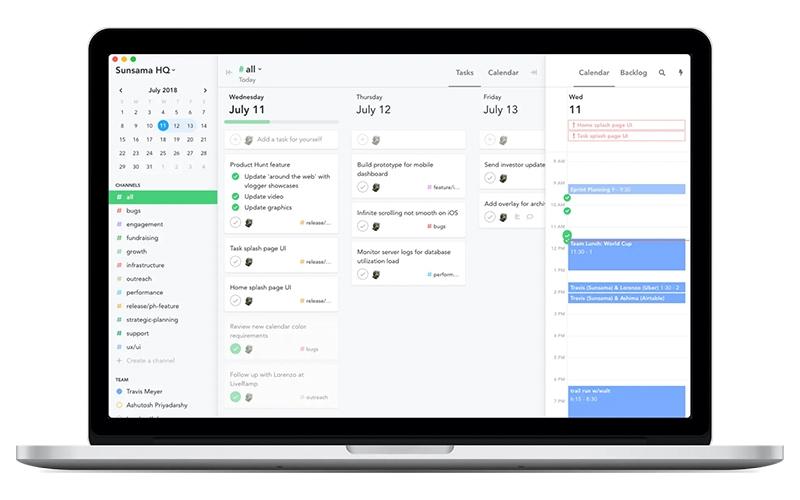
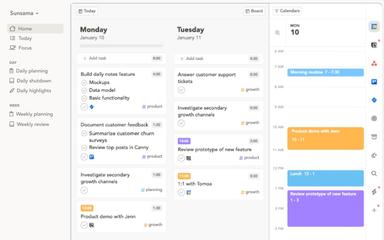
Sunsama is a daily planning, task management, and calendar software designed for modern professionals who want a clearer and more organized workday. It structures each day by helping users align goals, prioritize tasks, and block time directly on an integrated calendar. The platform consolidates tasks, meetings, notes, and updates from multiple tools into a single unified workflow. Sunsama also supports focused work sessions, end-of-day reviews, time tracking, and progress visibility. Overall, it enables users to manage daily responsibilities with greater clarity while maintaining a sustainable and balanced approach to work.
Sunsama Pricing
Disclaimer: The pricing is subject to change.
Sunsama Integrations
Sunsama features seamless integration with various applications, including:
- GitHub
- Microsoft Outlook
- Slack software
- Microsoft Teams
- Jira software
- Trello software
- Zapier software
Who Is Sunsama For?
Sunsama serves a diverse group of users spanning different professions and workflows, including:
- Designers
- Engineers
- Executives and founders
- Product managers
- Marketers
- Operations leaders
Is Sunsama Right For You?
If you’re a professional seeking a calmer, more organized way to manage daily work, Sunsama brings tasks, meetings, and planning into one structured workspace. It is trusted by individuals aiming to stay focused and end the day feeling accomplished, and it is named Best Scheduling Tool by Wirecutter.
Sunsama emphasizes clarity through intentional planning and unified organization. If a structured, distraction-reducing workflow aligns with your priorities, it may be a strong fit.
Still not sure if Sunsama is right for you? Our support staff is available at (661) 384-7070 to help you make the right choice.
Sunsama Features
Weekly Objectives
Sunsama supports intentional weekly planning by helping define meaningful goals and track progress. This feature emphasizes clarity around priorities, ensuring important commitments maintain visibility throughout the week while promoting steady advancement toward both personal and professional outcomes.
Pomodoro Timer
The platform includes a Pomodoro timer that structures focused intervals and planned breaks. It promotes concentration, prevents burnout, and creates a steady work rhythm that supports healthier productivity patterns across demanding workloads and shifting daily responsibilities.
Analytics
The software provides analytics that reveal patterns in time allocation and energy use. These insights highlight trends, clarify workload distribution, and support thoughtful adjustments, helping establish more sustainable working habits aligned with evolving objectives and overall planning needs.
Start Each Day With Clarity
Sunsama enables an organized start by aligning goals, shaping a balanced workload, and outlining essential tasks. It helps maintain clarity, connecting immediate responsibilities with upcoming priorities, so each day begins grounded, focused, and intentionally prepared.
Stay Focused And On Track
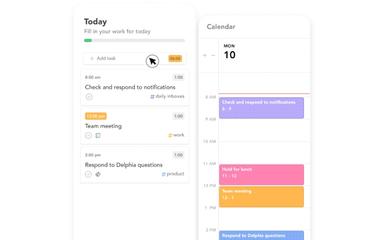
Sunsama supports steady progress by enabling flexible adjustments to daily plans while maintaining clarity. It displays focused task lists, real-time progress, and context-rich details. This helps manage workload, integrate new items, mute distractions, and sustain balanced energy throughout the day.
Pros And Cons of Sunsama
Pros
Easy drag-and-drop planning workflow
Helps merge tasks from multiple tools
Robust calendar and task centralization features
Cons
Missing browser extension for quick task capture
Limited long-term project planning capability
Sunsama Reviews

No reviews yet!
Be the first to review this product
Frequently Asked Questions
What level of support does Sunsama offer?
Sunsama offers support through FAQ, blog, manuals, guides, chat, newsletter, help center, and email.
Does Sunsama have a mobile app?
Yes, Sunsama offers a dedicated mobile application for iOS and Android devices.
What other apps does Sunsama integrate with?
Sunsama integrates effortlessly with tools like GitHub, Microsoft Outlook, Slack, Microsoft Teams, Jira, Trello, and Zapier.
What language does Sunsama support?
Sunsama primarily supports the English language.
Who are the typical users of Sunsama software?
Sunsama is well-suited for professionals across multiple roles, including designers, engineers, executives, founders, product managers, marketers, and operations leaders.
What types of pricing plans does Sunsama offer?
Sunsama pricing starts at $20 per month, with both monthly and yearly billing options available, along with a free trial. Request a detailed Sunsama cost breakdown for your organization today.
Does Sunsama offer an API?
No, Sunsama does not offer an API.