


Workshop
Last Updated
Overview
Workshop helps internal communications teams streamline employee engagement with unified email and SMS tools. While focused solely on internal audiences rather than external marketing, its specialized analytics and on-brand templates are powerful assets. Overall, it is a reliable platform for enterprises aiming to connect and align their entire workforce efficiently.
Be the first one to leave a review!
No review found

Starting Price
Custom
Workshop Specifications
- Real-Time Communication
- Integration with Other Tools
- Feedback Management
- Automation & Workflow
What Is Workshop?
Workshop is a cloud-based internal communications platform designed specifically for corporate teams, HR, and internal marketers. It provides a centralized solution for creating, sending, and measuring employee messaging across various channels, including email, SMS, and collaboration tools. The software focuses on replacing fragmented distribution methods with a unified hub that ensures workforce alignment. By catering to both desk-bound and frontline employees, it enables organizations to foster a connected culture through targeted, data-driven internal campaigns and simplified workflow management.
Workshop Pricing
Workshop cost is structured around the following plans:
- Essential - starts at $250/mon (for 250 employees)
- Enhanced - custom pricing
- Premium - custom pricing
- Enterprise - custom pricing
Disclaimer: The pricing is subject to change.
Workshop Integrations
The software supports integration with multiple systems and platforms, such as:
- Slack software
- MS Teams
- Microsoft SharePoint
- Azure AD
- Okta
Who Is Workshop For?
Workshop is ideal for a wide range of industries and sectors, including:
- Information technology and services
- Non‑profit organization management
- Hospital and health care
- Staffing and recruiting
- Computer software
Is Workshop Right For You?
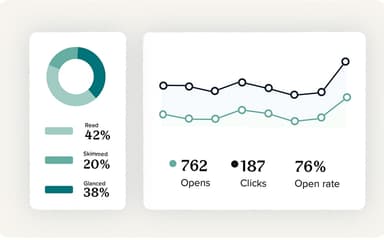
If you are looking for a scalable, secure internal communications solution, this software could be the ideal choice for you. Workshop empowers communications teams to reach every employee — whether remote, frontline, or distributed — with timely, targeted messages. It supports enterprise-grade security (SOC 2 Type II compliance, GDPR, encrypted data), delivers centralized analytics for engagement tracking, and scales smoothly from small teams to large organizations. Trusted by hundreds of internal comms teams, Workshop streamlines communications so your messages land efficiently and securely.
Still doubtful if Workshop is the right fit for you? Connect with our customer support staff at (661) 384-7070 for further guidance.
Workshop Features
Drag And Drop Email Editor
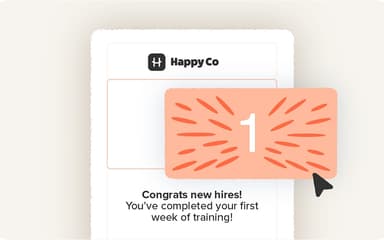
This feature allows users to craft polished, professional emails that are perfectly on-brand without needing coding skills. The platform includes built-in image editing tools, enabling communicators to crop, resize, and adjust visuals directly within the workflow. Workshop ensures that every message feels personal, high-quality, and ready for distribution.
Customizable Email Templates
Workshop software provides a library of pre-designed templates that users can effortlessly customize to match their company branding. The platform enables teams to create and save their own branded layouts using the intuitive editor. This ensures consistency across all internal communications while saving significant design time for busy teams.
Automatic Distribution Lists
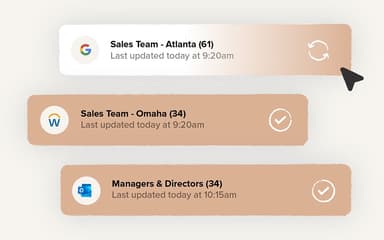
This feature eliminates manual list management by syncing directly with Outlook or HRIS platforms to keep employee data current. The software ensures that distribution lists are always up-to-date without requiring IT intervention. Users can confidently send targeted messages knowing that new hires and role changes are automatically reflected in real-time.
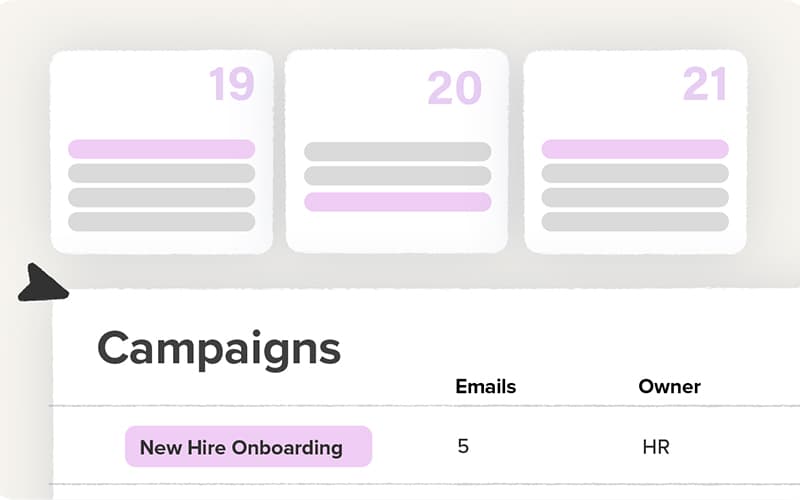
Communications Calendar
The platform offers a comprehensive view of the entire communications strategy, allowing users to see past, present, and future sends immediately. Workshop enables teams to coordinate schedules, prevent message overload, and identify gaps in communication. This visual tool helps maintain a consistent and strategic messaging cadence.
Two-Way Text Messaging
Workshop enables organizations to reach frontline and deskless employees quickly through SMS, ensuring no one is left out of the loop. This feature supports real-time replies, facilitating genuine two-way conversations. Users can easily manage these text communications alongside email campaigns for a truly unified employee engagement strategy.
Pros And Cons of Workshop
Pros
Ensures mobile-friendly message optimization
Offers intuitive, and user-friendly interface
Provides quick onboarding and minimal training needs
Cons
Limited social media integrations
Advanced reporting requires setup
Workshop Reviews

No reviews yet!
Be the first to review this product
Frequently Asked Questions
What language does Workshop support?
Workshop primarily supports the English language.
Does Workshop offer an API?
Yes, Workshop offers an API.
What level of support does Workshop offer?
Workshop offers support through contact forms.
Who are the typical users of Workshop?
Workshop features are used by organizations across industries and sectors, including healthcare, nonprofits, and computer software.
What types of pricing plans does Workshop offer?
The vendor offers customizable and flexible Workshop price plans: Essential, Enhanced, Premium, and Enterprise. Get a detailed Workshop cost breakdown tailored to your specific requirements.
What other apps does Workshop integrate with?
Workshop integrates with various third-party applications, such as Okta, Slack, Microsoft Teams, and more.
Does Workshop have a mobile app?
No, Workshop does not offer a dedicated mobile app.