


Zoho Show
Last Updated
Overview
Zoho Show simplifies presentation design with intuitive tools, stunning templates, and real-time collaboration. Although slow internet connection can sometimes lead to navigation issues, Zoho Show’s cloud-based access ensures seamless availability anywhere. Create, edit, and share presentations effortlessly, whether on desktop or mobile, making teamwork and creativity smoother than ever.

Zoho Show Specifications
- Real-Time Communication
- File Sharing & Management
- Document Management
- Integration with Other Tools
Zoho Show Features
Collaboration
Collaboration feature enables teams to work together in real-time, making slide creation seamless. It assists multiple users to edit, comment, and provide feedback instantly, while role-based access ensures content security.
Broadcast
Zoho Show’s Broadcast feature allows presenters to deliver live presentations to remote audiences effortlessly. Viewers are able to follow slides in sync, while interactive tools like chat, pointers, and highlighters enhance engagement.
Publish
Zoho Show offers Publish features helping users share presentations online through a unique link or embed them on websites. Furthermore, customizable permissions ensure content security while allowing easy access.
Charts
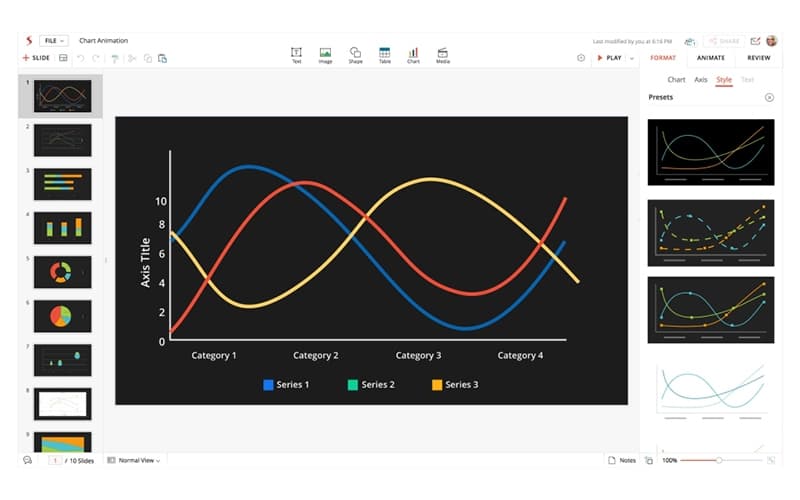
This advanced feature assists users in presenting data visually with customizable charts. It also simplifies complex information, making presentations more engaging and easier to understand, whether needed for reports or insights.
Animation
Zoho Show offers this dynamic feature, bringing presentations to life by adding smooth animations to text, images, and elements. It enhances storytelling, keeps audiences engaged, and highlights key points effectively.
Library
This feature provides a collection of professionally designed templates and themes. It helps users with diverse layouts and styles create high-quality presentations without design expertise, ensuring presentations look professional.
Pros And Cons of Zoho Show
Pros
Pre-designed templates and themes make slide creation simple
Supports inserting images, videos, and infographics for engaging slides
Live broadcast feature enables real-time presentation sharing with chat
Cloud-based platform allows access through any device with an internet connection
Cons
The software shuts down unexpectedly if the internet crashes
Navigation issues arise at times, with a slow internet connection
Presentation features are not as advanced as PowerPoint
Zoho Show Reviews
Total 9 reviews
4.7
All reviews are from verified customers
Rating Distribution
5
Stars67%
4
Stars33%
3
Stars0%
2
Stars0%
1
Stars0%
Share your experience
Renewables & Environment, 51-100 employees
More than a year
“Great choice for projects”
Pros
One of my favorite features is the collaboration functionality. Multiple people can work on a presentation at the same time and make real-time edits. I also love that I can export the files in different formats which is really useful.
Cons
I haven't noticed any major issues with Zoho Show so far. Plus, the ability to store data in the cloud and access it from any device is definitely a great feature.
Rating Distribution
Ease of use
8
Value for money
10
Customer Support
8
Functionality
8
Information Technology and Services, 500+ employees
More than a year
“Perfect for on-the-go presentations”
Pros
It comes packed with a lot of great features that solve many problems.Pre-designed templates and themes. Easy-to-use and user-friendly interface, making it so convenient to create presentations. Real-time collaboration with team members on the same presentation. Unique infographics, It's available on mobile so you can work anywhere, It works great with MS Office which is super handy.
Cons
It is a great tool but it still needs some updates to reach the level of Google Slides or MS PowerPoint.
Rating Distribution
Ease of use
8
Value for money
9
Customer Support
10
Functionality
9
Photography, N/A employees
Less than 6 months
“Simple way to share presentations”
Pros
There are so many templates available, which makes creating presentations really simple for me.
Cons
I honestly can't think of anything I don't like about Zoho Show.
Rating Distribution
Ease of use
8
Value for money
8
Customer Support
8
Functionality
8
Frequently Asked Questions
Does Zoho Show offer an API?
Yes, Zoho Show offers an API.
Does Zoho Show have a mobile app?
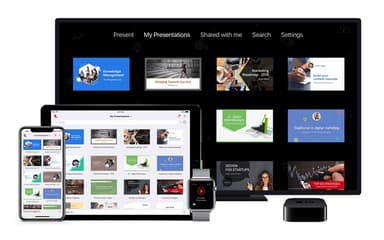
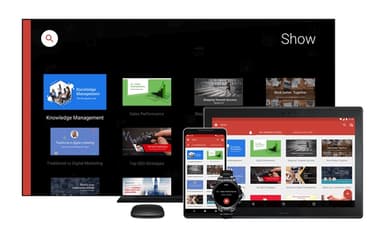
Yes, Zoho Show has a mobile app for Android and iOS users.
What language does Zoho Show support?
Zoho Show supports English, Spanish, Portuguese, German, French, Dutch, Japanese, Arabic, Indonesian, Thai, Vietnamese, and Chinese.
What types of pricing plans does Zoho Show offer?
Zoho Show cost includes a Free Plan for individuals at $0 and a Professional Plan starting at $2.50/user/month (billed annually).
What level of support does Zoho Show offer?
Zoho Show offers phone, email/helpdesk, FAQs/forums, and knowledge base support.
Who are the typical users of Zoho Show?
Typical users of Zoho Show are individuals, startups, SMBs, large organizations, and individuals involved with education, finance, HR, sales, and marketing professionals.
What other apps does Zoho Show integrate with?
Zoho Show offers seamless integration with Confluence, Jira, Slack, Flow, and Zapier.