


MaestroQA
Last Updated
Overview
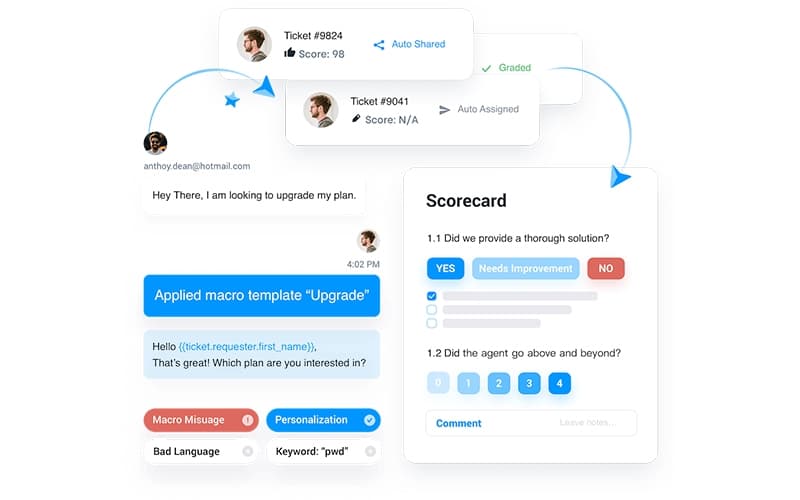
MaestroQA provides comprehensive AI conversation analytics, enabling contact center teams to move beyond manual sampling to achieve performance excellence. While CES scores cannot be reviewed topic-wise, limiting analysis, extensive MaestroQA features and deep customization capabilities justify the investment.
MaestroQA Specifications
- Real-time Communication
- Integration with Other Tools
- Feedback Management
- Automation & Workflow
What Is MaestroQA?
MaestroQA is a leading platform designed to optimize customer service quality assurance through AI conversation analytics. It enables organizations to analyze tickets fully, providing comprehensive insights that traditional sampling often lacks. This emphasis on complete data coverage is particularly valuable for mid-market and enterprise teams in regulated environments, helping mitigate compliance risk by ensuring every interaction is accounted for.
MaestroQA Pricing
MaestroQA Integrations
The MaestroQA software supports integration with multiple systems and platforms, such as:
- Agentforce
- Asana
- Assembled
- Freshcaller
- Guru
- Salesforce customer success
- Sierra
- Snowflake
Who Is MaestroQA For?
MaestroQA is ideal for a wide range of industries and sectors, including:
- Financial services
- High tech
- Retail operations
- E-commerce
- Large contact centers
- CX analytics professionals
- BPO quality teams
Is MaestroQA Right For You?
MaestroQA is the ideal QA solution if your organization requires enterprise-level coverage and deep analytic rigor to maximize ROI. By delivering unparalleled support throughout implementation and driving major success metrics, the platform delivers measurable value. MaestroQA features highlight its commitment to innovation and team satisfaction.
Still doubtful if MaestroQA is the right fit for you? Connect with our customer support staff at (661) 384-7070 for further guidance.
MaestroQA Features
Performance Dashboard
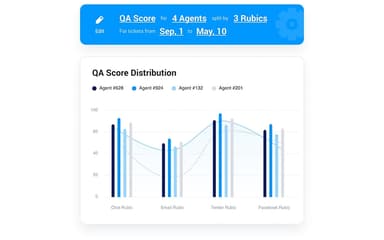
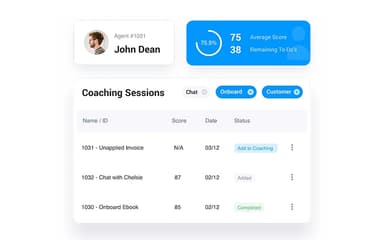
This central hub provides tailored insights and data visualization, allowing teams to gain holistic agent ranking knowledge through gamified leaderboards. Users benefit from AI-enhanced quality KPIs that automate metrics for targeted QA and seamless identification of necessary training requirements. This puts the key to performance excellence directly in the hands of team managers and supervisors.
Auto QA
Auto QA supercharges quality programs by leveraging custom metrics, including LLM and Phrase Match, to analyze 100% of tickets comprehensively. This powerful automation eliminates reliance on traditional sampling, uncovering hidden root causes and business-critical trends. The result is focused human review precisely where applying human judgment generates the most significant performance impact.
Report Builder
Unlock deeper data insights by building custom reports with tailored charts and visualizations. Dashboard flexibility lets users combine multiple data views within a single interface for seamless exploration. Advanced filtering ensures focus remains on critical performance drivers, while sharing full dashboards promotes enhanced agent engagement with their metrics and progress.
Screen Capture
Capture multiple customer and agent interactions simultaneously across various digital and voice channels. This crucial functionality provides comprehensive visual context for QA specialists scoring complex omni-channel tickets. Full interaction visibility enables accurate assessment, ensuring thorough quality control and validation of agent performance across all integrated customer platforms.
Root Cause Analysis
Discover in-depth insights by utilizing custom GPT-powered AI queries combined with expert human analysis. This strategic feature facilitates targeted RCA sprints focused on systemic issues like high average handle time or negative customer effort score factors. RCA dashboards efficiently identify agent training needs and systemic friction points that hinder customer satisfaction and operational flow.
Pros And Cons of MaestroQA
Pros
Offers advanced functionalities that remain unavailable in some newer platforms
Helps teams analyze calls and chats for deeper insights into customer interactions
Highly customizable and user-friendly interface
Seamlessly integrates with AI to streamline QA processes
Cons
Some AI-generated outputs require refinement for better accuracy
Integrations have limitations in certain areas
MaestroQA Reviews
Total 11 reviews
4.3
All reviews are from verified customers
Rating Distribution
5
Stars45%
4
Stars45%
3
Stars0%
2
Stars9%
1
Stars0%
Share your experience
Small Business, 11-50 employees
“Automation and scorecards boost QA”
Pros
Workflow automation plus customizable scorecards have made our quality reviews way more efficient. I also really appreciate that QA scores can be connected straight to agent performance metrics inside the same place which cuts out the constant manual tracking we used to do.
Cons
That said the reporting area can feel a little outdated sometimes. Creating custom reports also takes a bit more ramp-up than I expected and it would be great to see faster load times when you're working with larger data sets.
Rating Distribution
Ease of use
10
Value for money
8
Customer Support
10
Functionality
9
Mid Market, 51-100 employees
“strong cSat correlation”
Pros
The cSat correlation feature is a huge win for understanding how changes impact customer satisfaction. I also really like the coaching workflows, everything feels structured around actually improving results, not just tracking metrics. On top of that, the AI auto-scoring paired with integrations has been a practical time saver in daily work.
Cons
Admin and ticket-related settings aren't laid out in a very obvious way so I keep wasting time searching for them. A couple of the integrations also require extra setup steps and that extra friction makes the product feel a bit more of a hassle to use than it should be.
Rating Distribution
Ease of use
9
Value for money
7
Customer Support
10
Functionality
7
Mid Market, 51-100 employees
“rebranding disappointed me”
Pros
The QA features were genuinely useful especially the ability to build workflows based on specific event criteria. The dashboard UI also looked really solid.
Cons
After the rebrand from MaestroQA to Rippit, the product no longer felt like it was focused on QA and that shift was a deal-breaker for us. We're not renewing our contract because of it.
Rating Distribution
Ease of use
3
Value for money
2
Customer Support
2
Functionality
3
Frequently Asked Questions
Who are the typical users of MaestroQA?
MaestroQA is well-suited for a diverse range of industries, serving financial services, high-tech companies, retail operations, e-commerce brands, large contact centers, CX analytics teams, and BPO quality departments.
Does MaestroQA offer an API?
Yes, MaestroQA offers an API.
Does MaestroQA have a mobile app?
Yes, MaestroQA has a mobile app available for Android and iOS devices.
What language does MaestroQA support?
MaestroQA is primarily available in English.
What types of pricing plans does MaestroQA offer?
MaestroQA price is tailored to fit the specific needs of your business, ensuring you only pay for the features and scale you require. Request a customized MaestroQA cost quote that aligns with your goals and budget.
What other apps does MaestroQA integrate with?
MaestroQA smoothly integrates with a variety of tools and platforms, including Agentforce, Asana, Assembled, Freshcaller, Guru, Salesforce, Snowflake and Sierra, helping teams streamline workflows and enhance overall quality operations.
What level of support does MaestroQA offer?
MaestroQA offers support via email, and online chat.