


Last Updated
Overview
CimTrak Integrity Suite ensures continuous system integrity and compliance with industry standards like HIPAA. Its real-time change detection and integration with STIX/TAXII threat feeds provide proactive security measures. Though some users find its reporting scheduler outdated, the platform’s extensive monitoring capabilities make it a strong choice for organizations prioritizing security.
CimTrak Integrity Suite Specifications
- Security Measure
- Data Encryption
- Threat Intelligence
- Vulnerability Management
CimTrak Integrity Suite Features
File Integrity Monitoring
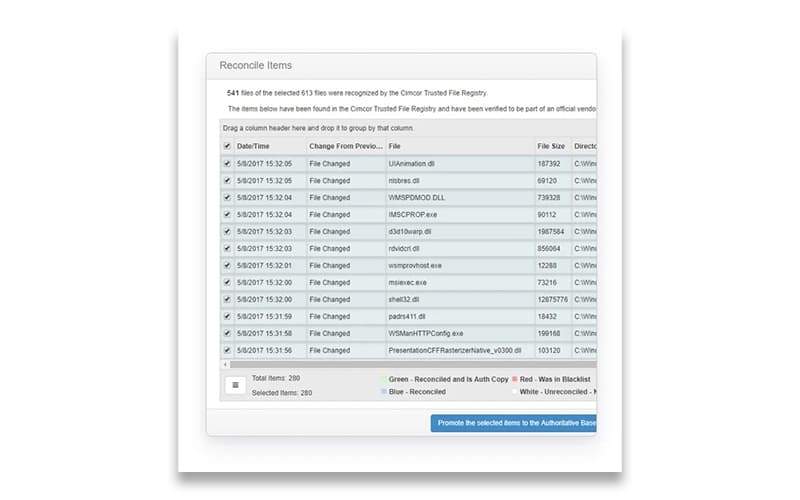
CimTrak continuously tracks changes across critical files, configurations, and system settings to detect unauthorized or suspicious modifications in real-time. It helps prevent security breaches and ensures compliance by maintaining a verifiable chain of integrity across IT environments.
Active Directory (AD) And LDAP
The software integrates with Active Directory (AD) and LDAP to monitor user activities, access permissions, and directory structure changes. It enhances security by detecting unauthorized modifications, ensuring compliance with access control policies, and preventing insider threats or privilege escalation attacks.
Workflow And Ticketing
The platform includes built-in workflow and ticketing capabilities, allowing teams to efficiently track, manage, and resolve security incidents. CimTrak Integrity Suite features automated approval processes and action logging, improving collaboration and reducing response time to potential threats.
File Registry
With extensive registry monitoring, CimTrak detects and records any modifications to system registry settings, ensuring that unauthorized or harmful changes are flagged instantly. It prevents malicious software from embedding itself into critical system processes, enhancing overall endpoint security.
STIX/TAXII Thread Feeds
The software enables organizations to stay ahead of emerging cyber threats by leveraging real-time data from global threat-sharing communities using this functionality. This proactive approach strengthens security defenses by providing actionable insights into known vulnerabilities and attack patterns.
Pros And Cons of CimTrak Integrity Suite
Pros
Real-time file integrity monitoring
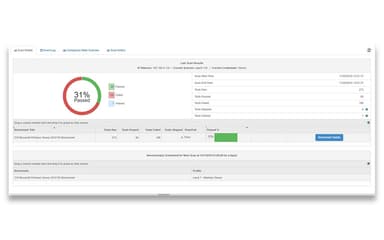
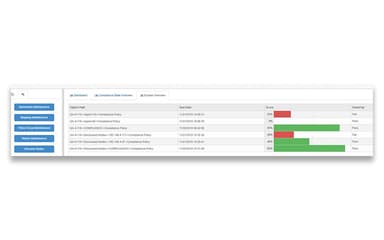
User-friendly compliance tracking
Create specific baseline reports
Monitors all device types
Cons
Outdated report scheduler
Lacks compliance support
Installation is complicated
CimTrak Integrity Suite Reviews
Total 10 reviews
4.5
All reviews are from verified customers
Rating Distribution
5
Stars80%
4
Stars10%
3
Stars0%
2
Stars0%
1
Stars10%
Share your experience
Swati
Banking, 500+ employees
More than a year
“very complicated integration ”
Pros
Ok for windows
Cons
Worst for Linux
Rating Distribution
Ease of use
2
Value for money
5
Customer Support
2
Functionality
2
Verified User
Financial Services, 500+ employees
“Cimtrak shines”
Pros
One of the things I really like about CimTrak is how it monitors files and system configurations in real time, not just on a set schedule. This is critical for catching threats as they happen, rather than discovering them after the damage has been done.
Cons
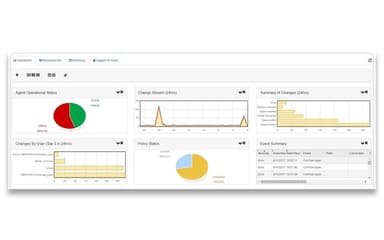
The UI/UX could definitely use a more modern touch and the compliance module could benefit from better dashboards.
Rating Distribution
Ease of use
9
Value for money
9
Customer Support
9
Functionality
9
Verified User
Gambling and Casinos, 500+ employees
“Amazing product and outstanding customer support!”
Pros
Although I've been using CimTrak for less than a year, I can't say enough good things about it. The ease of use is unmatched, the price is fantastic and the support team is incredible. The real standout feature for me is the file integrity monitoring with real time detection of unauthorized changes. The support staff is knowledgeable and always there when needed.
Cons
I haven't come across anything I don't like so far but I did notice that the report scheduler felt outdated. I just found out that they have updated the scheduler in their latest release and I'm really looking forward to upgrading to that version soon.
Rating Distribution
Ease of use
10
Value for money
10
Customer Support
10
Functionality
10
Frequently Asked Questions
What types of pricing plans does CimTrak Integrity Suite offer?
The software's pricing depends on the size and needs of your practice. Get a custom CimTrak Integrity Suite cost based on your requirements along with a 30-day free trial.
Does CimTrak Integrity Suite have a mobile app?
No, the platform does not have a mobile app.
What other apps does CimTrak Integrity Suite integrate with?
The software integrates with Checkpoint’s Threat API, Palo Alto Wildfire, and Virus Total to conduct malware and file analysis.
Who are the typical users of CimTrak Integrity Suite?
It is used by various industries, such as finance, government, education, utilities, and healthcare.
What language does CimTrak Integrity Suite support?
CimTrak Integrity Suite supports the English language.
What level of support does CimTrak Integrity Suite offer?
The software provides various support options, including phone, email, and customer support representatives.
oes CimTrak Integrity Suite offer an API?
Yes, CimTrak Integrity Suite software provides an API.