


Onehub
Last Updated
Overview
Onehub facilitates secure document sharing and collaboration with strong encryption and controlled access. While users value its ease of use, some find the advanced features limited. Nonetheless, its straightforward security features make it an excellent choice for businesses focused on reliable and simple data protection.
Onehub Specifications
- Security Measure
- Firewall Protection
- Anti-Virus and Anti-Malware
- Data Encryption
Onehub Features
FTP Gateway
Onehub’s FTP gateway allows secure file transfers between systems by integrating with existing FTP servers. It ensures encrypted data movement, reducing the risk of interception and data breaches during file exchanges.
Version Control
The software tracks changes to documents, allowing users to view and revert to previous versions. This ensures accurate record-keeping and minimizes data loss or errors, providing a clear history of document modifications.
Complex Passwords
This feature enforces stringent password requirements, including length and character variety. This enhances security by making unauthorized access more difficult, thus protecting sensitive information from potential breaches.
White Label
Onehub provides white-labeling options, enabling businesses to customize the software’s branding to align with their identity. This feature allows companies to deliver a unified brand experience while benefiting from Onehub’s robust security features under their own name.
Audit Trails
The audit trails feature logs all user activities and document interactions, providing a comprehensive record of actions. This enables businesses to monitor usage, track changes, and ensure compliance, improving oversight and accountability.
Pros And Cons of Onehub
Pros
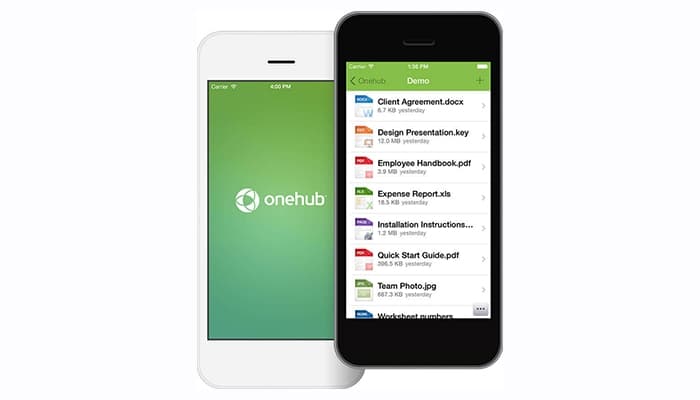
Mobile app
Extensive customization options
Supports team collaboration efficiently
Strong encryption options
Easy integration with existing systems
Cons
Limited advanced feature options available
Some tools look outdated
Accessing data rooms can be difficult at times
Not ideal for complex workflows
Onehub Reviews
Total 26 reviews
4.6
All reviews are from verified customers
Rating Distribution
5
Stars69%
4
Stars23%
3
Stars8%
2
Stars0%
1
Stars0%
Share your experience
Legal, 11-50 employees
More than a year
“Good tool”
Pros
I used to accidentally email docs to the wrong person sometimes, but Onehub totally solved that. Overall it is easy to use and the price makes it super efficient.
Cons
It is not integrated with Office, so saving new documents takes too long.
Rating Distribution
Ease of use
10
Value for money
5
Customer Support
9
Functionality
7
Healthcare, 1-10 employees
Less than a year
“OneHub Review”
Pros
It is super simple to use and works great for people who are not regular users.
Cons
No complaints about the OneHub portal.
Rating Distribution
Ease of use
9
Value for money
10
Customer Support
10
Functionality
10
Finance, 11-50 employees
Less than a year
“Steven Simerka's Review”
Pros
Setting it up for clients was easy. I love how you can assign roles to different clients, and getting around the software is easy.
Cons
There were some quirks here and there, but I do not recall exactly where. Support got me through everything I needed quickly.
Rating Distribution
Ease of use
8
Value for money
10
Customer Support
10
Functionality
8
Frequently Asked Questions
Does Onehub offer an API?
Yes, Onehub offers API.
What language does Onehub support?
Onehub supports English.
What other apps does Onehub integrate with?
Onehub supports DocuSign, office online, and Google Drive.
Does Onehub support mobile devices?
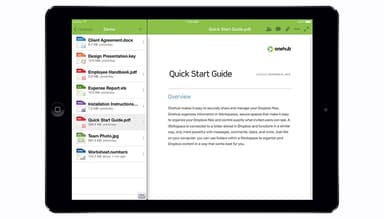
Yes, Onehub supports Android and iOS devices.
What types of pricing plans does Onehub offer?
Pricing starts at $12.50/user/month. Users can get pricing customized for their businesses.
Who are the typical users of Onehub?
The typical users of Onehub are fishery, biotechnology and construction industries.
What level of support does Onehub offer?
Onehub offers email, FAQs, chat, Knowledge Base and phone support.