


Passage Technology
Last Updated
Overview
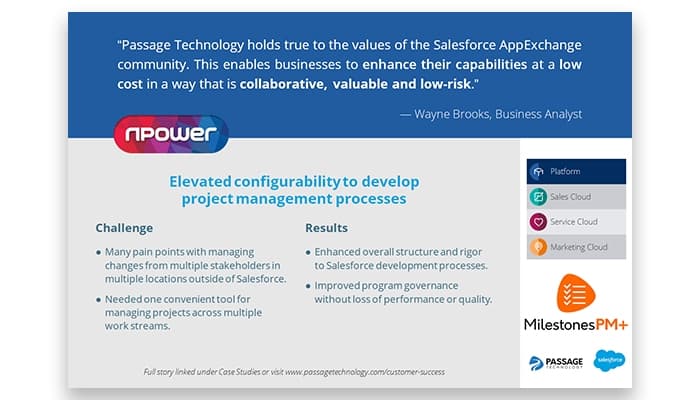
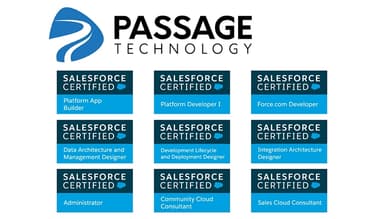
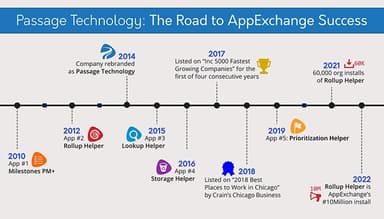
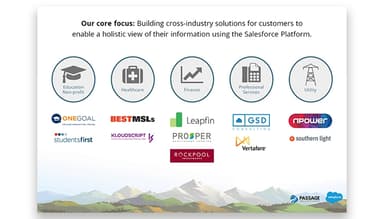
What Is Passage Technology?
Passage Technology is a cloud-based company specializing in Salesforce consulting, applications, and custom development services. Catering to industries such as finance and life sciences, it helps organizations optimize their use of Salesforce for enhanced efficiency and decision-making. The company offers solutions for challenges like data integration, process automation, and compliance, enabling streamlined operations and improved reporting. Known for its expertise in the Salesforce ecosystem, Passage Technology supports administrators, project leaders, and decision-makers by addressing critical business needs.
Passage Technology Pricing
The cost of Passage Technology services will differ depending on your organization type and needs. Users can get a quote for the plan that best suits them.
Who Is Passage Technology For?
The company offers services for businesses of all sizes across various industries, including:
- Software
- Financial services
- Nonprofits
- Healthcare
- Life sciences
Is Passage Technology Right For You?
Recognized for its growth and innovation, Passage Technology serves a global client base, empowering businesses to achieve their strategic goals efficiently. It empowers businesses by enhancing productivity, improving data-driven decision-making, and optimizing Salesforce usage. Its solutions offer better workflow efficiency, secure data management, real-time insights, and streamlined customer onboarding. With tailored approaches and scalability, it helps organizations achieve operational excellence, strengthen client relationships, and drive sustainable growth. Explore Passage Technology reviews and Passage Technology ratings to gain valuable user insights.
Still not sure if Passage Technology is right for you? Get in touch with our customer support team at (661) 384-7070, and it will help you make a confident decision.
Passage Technology Features
Salesforce Project Management And Implementation
Passage Technology streamlines salesforce project management and implementation, ensuring efficient workflows and clear task visibility. It enhances scheduling and collaboration, empowering businesses to meet deadlines, allocate resources effectively, and achieve project goals with improved productivity and organization.
Custom Reports And Dashboards
The company develops tailored Salesforce reports and dashboards, transforming complex data into actionable insights. These customized visualizations enhance decision-making and strategic planning, enabling users to monitor key metrics and track performance with clarity and precision.
Custom Search
This service enhances Salesforce’s search capabilities with tailored filters for industries, regions, and keywords. This improves data retrieval efficiency, helping teams quickly locate critical information, reduce downtime, and streamline workflows for better decision-making.
Document Management
Passage Technology enables secure document management within Salesforce, facilitating seamless file sharing and collaboration. Teams benefit from real-time access to up-to-date information, ensuring smooth communication, reducing errors, and maintaining compliance with organizational standards.
Management Pipeline Visibility
Customers can improve sales pipeline visibility by offering real-time insights and analytics. It enables better opportunity tracking, forecasting, and decision-making, helping businesses optimize sales strategies and drive revenue growth with a clear view of sales activities.
Customer Onboarding
Passage Technology simplifies customer onboarding with streamlined, repeatable processes that improve organization and scalability. Businesses benefit from enhanced client satisfaction and retention through efficient implementation, minimizing delays and ensuring a seamless experience for new customers.
Passage Technology Reviews
Total 6 reviews
4.8
All reviews are from verified customers
Rating Distribution
5
Stars83%
4
Stars17%
3
Stars0%
2
Stars0%
1
Stars0%
Share your experience
Electronic Manufacturing, 51-100 employees
“Great team for Salesforce implementation”
Pros
The implementation was completed super quickly and I was always kept up to date with the timeline. Everything was smooth from start to finish.
Cons
During the implementation, some important things like naming conventions weren't really followed. It was just a basic setup, which led to a lot of additional enhancements being needed down the line.
Rating Distribution
Ease of use
10
Value for money
10
Customer Support
10
Functionality
10
Information Technology and Services, 11-50 employees
“Reliable multi-purpose sales & PM tool”
Pros
It goes far beyond just being a sales tool. It replaces multiple software platforms that I used to need. One of the best features is transforming data from Salesforce into charts, it saves me so much time. It's also used by project managers, sales teams, marketing and even billing and accounting to check project statuses and payments. Super useful!
Cons
I think the customer and tech support could use some improvement. Sometimes when I reach out for a quick answer, it takes longer than expected to get a response, which can be a bit frustrating.
Rating Distribution
Ease of use
10
Value for money
10
Customer Support
10
Functionality
10
Financial Services, 51-100 employees
“Simple to use, amazing value, essential for Salesforce admins!”
Pros
Rollup Helper makes it incredibly easy to get the info I need exactly where I want it. There are no issues with Master-Detail relationships, so I can roll up almost any field, including activities. No more complicated workarounds.
Cons
The website could definitely be updated to include more real-life examples and use cases.
Rating Distribution
Ease of use
10
Value for money
10
Customer Support
10
Functionality
10