

CMR Software
Last Updated
Overview
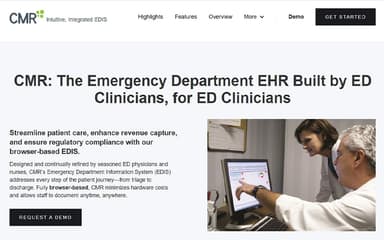
CMR Software is a browser-based Emergency Department Information System (EDIS) designed for clinicians. While implementation may require staff training, it improves patient tracking, clinical documentation, and revenue capture. Its intuitive interface and 24/7 support help emergency departments operate efficiently while meeting regulatory standards.
CMR Software Specifications
- Lab Integrations
- Patient Demographics
- Appointment Management/Scheduling
- e-Prescriptions
CMR Software Features
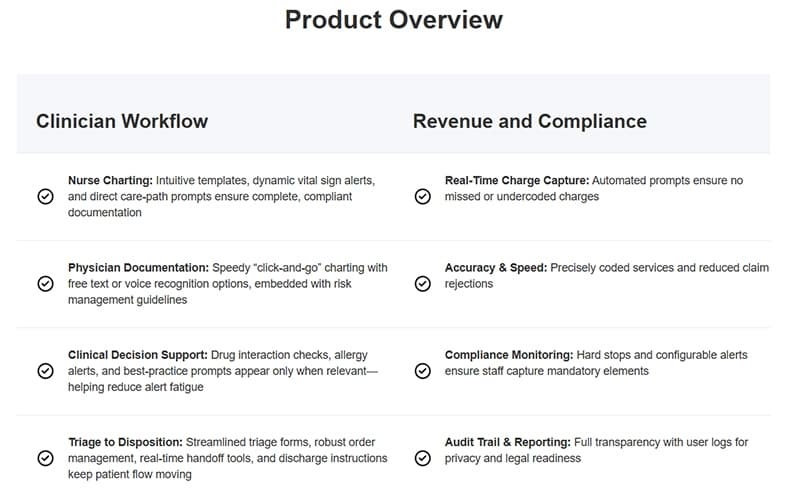
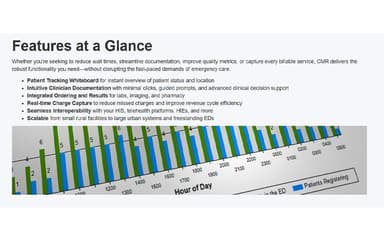
Patient Tracking Whiteboard
Provides a real-time visual overview of every patient’s status and location within the emergency department. Staff can easily monitor patient flow, prioritize care, and identify bottlenecks. This functionality helps reduce wait times, improves resource allocation, and enhances overall department efficiency.
Intuitive Clinician Documentation
Streamlines clinical documentation by guiding staff through minimal-click workflows and step-by-step prompts. Embedded decision support ensures that records are accurate, compliant with regulations, and completed in a timely manner. This reduces errors and allows clinicians to spend more time on patient care rather than paperwork.
Integrated Ordering and Results
Enables seamless ordering of laboratory tests, imaging studies, and pharmacy services directly within the patient’s electronic chart. All results are automatically integrated into the patient's record, supporting faster clinical decision-making and improving workflow efficiency. This integration ensures a smooth, end-to-end documentation and care process.
Real-Time Charge Capture
Automatically identifies and prompts for missed or incomplete charges during patient care. This ensures accurate billing and maximizes revenue capture without disrupting clinical operations. By reducing human error and missed charges, it improves the financial performance of the emergency department.
Seamless Interoperability
Supports industry-standard protocols such as HL7, FHIR, and CCD, as well as direct messaging for secure data exchange. It connects efficiently with hospital information systems, telehealth platforms, and health information exchanges. This ensures that clinical, administrative, and billing data flows seamlessly across all integrated systems.
Pros And Cons of CMR Software
Pros
CMR offers affordable pricing for most users
Provides excellent value with comprehensive feature coverage
Flexible deployment available via cloud or on-premises
Cons
Reporting features lack customization and flexibility options
CMR Software Reviews
Total 4 reviews
4.8
All reviews are from verified customers
Rating Distribution
5
Stars75%
4
Stars25%
3
Stars0%
2
Stars0%
1
Stars0%
Share your experience
Marketing and Advertising, N/A employees
“flexible setup”
Pros
Installation and set up is quite easy. It offers a wide range of features and plenty of configuration options.
Cons
Making the most of it can be a bit complex. It really requires more advanced knowledge to take full advantage of everything.
Rating Distribution
Ease of use
8
Value for money
8
Customer Support
8
Functionality
9
Media Production, N/A employees
“powerful sales”
Pros
From handling data processing to giving access across multiple channels this software has been a strong support for our team. It creates better integration between marketing and sales, helps uncover more leads and contributes to converting more opportunities into actual sales. It also cuts down on repetitive tasks and the wide range of features really boosts sales efforts and customer prospecting.
Cons
Don't see the weakness as being in the software itself but more in how people choose to use it. The tools are excellent when applied the right way but if managers lose direction or use the features poorly it can throw an entire project off track.
Rating Distribution
Ease of use
10
Value for money
10
Customer Support
10
Functionality
8
Medical Practice, N/A employees
“simple to figure out”
Pros
Getting around CMR feels very easy and it doesn't take much time to learn. It keeps all the key information a patient record needs in one place and the portal is laid out in a very clear simple way. Everything you need is right there in front of you.
Cons
No complaints for now. It doesn't seem to be missing anything important and the system is very easy to use.
Rating Distribution
Ease of use
10
Value for money
10
Customer Support
10
Functionality
8
Frequently Asked Questions
Does CMR software have a mobile app?
CMR is fully browser-based, enabling access from any device with an internet connection without a dedicated mobile app.
What language does CMR software support?
The platform currently supports English for clinical and administrative documentation.
Who are the typical users of CMR software?
Emergency department clinicians, nurses, hospital administrators, and billing staff across freestanding, rural, and urban hospitals.
What level of support does CMR software offer?
CMR provides 24/7 clinical and technical support, including live experts, onboarding, training, and dedicated account managers.
What other apps does CMR software integrate with?
CMR integrates with hospital HIS, labs, imaging systems, telehealth platforms, and health information exchanges.
What types of pricing plans does CMR software offer?
CMR offers custom pricing plans based on hospital size, patient volume, and required features. Get a CMR price based on your facility’s size and requirements.
Does CMR software offer an API?
The official website does not explicitly mention the availability of an API.