



Last Updated
Overview
eresource scheduler software simplifies workforce planning and resource allocation with user-friendly scheduling features. While it can be slow to start up, its intuitive interface and powerful tools empower organizations to optimize operations and enhance productivity. eresource scheduler is very useful for efficient workforce management.
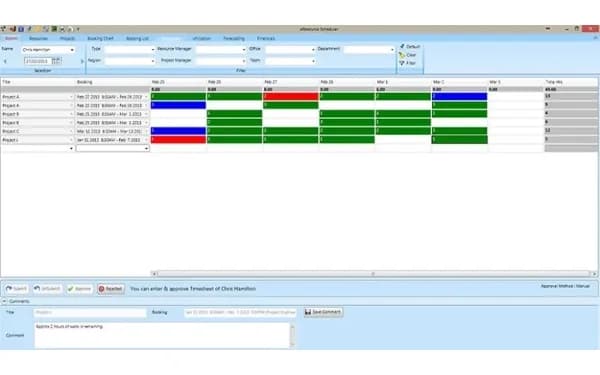
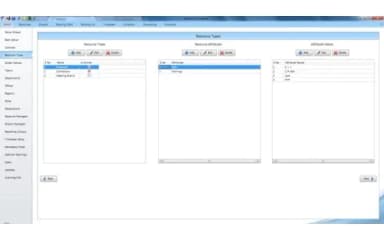
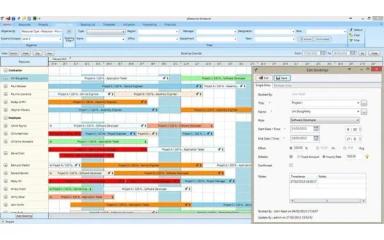
eResource Scheduler Specifications
- Contact Management
- Lead Management
- Opportunity Management
- Sales Forecasting
Pros And Cons of eResource Scheduler
Pros
Offers real-time visibility into resource availability for decision-making
Users appreciate the ability to export data according to their preferences
The booking chart is available that help users see the booked time slots
Supports team collaboration via shared scheduling and resource management
Cons
Users express the need for having default features to avoid the repetition of clicks
Handling large volumes of data sometimes result in slower performance
eResource Scheduler Reviews
Total 17 reviews
4.3
All reviews are from verified customers
Rating Distribution
5
Stars29%
4
Stars71%
3
Stars0%
2
Stars0%
1
Stars0%
Share your experience
Ruchika
IT, 1-10 employees
Less than a year
“Surpassed all the promises that were made”
Pros
This customizable resource management software has been crucial for our business. The dashboard is impressive, offering real-time information that makes decision-making effortless.
Cons
Currently, there is not a mobile app available for accessing it, which restricts its usability on-the-go and in situations where mobile access is crucial for seamless workflow integration.
Rating Distribution
Ease of use
8
Value for money
10
Customer Support
10
Functionality
8
Abigail
Not Specified, N/A employees
Less than 6 months
“its a great sofware, easy to use with my team, i love the reports”
Pros
I appreciate the booking chart; it's clear to see my team's booked time and separate it by projects. This feature allows us to measure team productivity effectively.
Cons
I'd appreciate having pie or Pareto charts. I can't find anything I dislike; I find this software very helpful for leadership in my company.
Rating Distribution
Ease of use
10
Value for money
9
Customer Support
9
Functionality
10
Zack
Not Specified, N/A employees
Less than a year
“Great interface, easy to use”
Pros
ERS boasts a fantastic interface and is straightforward to administer. It accomplishes everything we need it to do.
Cons
If there is not already, it needs a cloud version. Using RDP is inconvenient, though licensing issues have been minimal.
Rating Distribution
Ease of use
10
Value for money
10
Customer Support
10
Functionality
10
Frequently Asked Questions
What types of pricing plans does eResource Scheduler offer?
eResource Scheduler pricing modules, including the Scheduling module for $6.25/resource/month, the Scheduling Plus module for $3/resource/month, the Timesheet module for $5/resource/month, the Financial module for $4/resource/month, and the Authentication Plus module for $2/resource/month.
Who are the typical users of eResource Scheduler?
The users of eResource Scheduler include project and resource managers across various industries.
What language does eResource Scheduler support?
eResource Scheduler primarily supports the English language.
Does eResource Scheduler offer a mobile app?
No, eResource Scheduler does not offer a mobile app.
Does eResource Scheduler offer an API?
Yes, eResource Scheduler offers an API.
What other apps does eResource Scheduler integrate with?
eResource Scheduler integrates with various third-party applications like Outlook, Google Calendar, Slack, and other project management tools via its API.
What level of support does eResource Scheduler offer?
eResource Scheduler offers multiple support levels, including email, phone, and training resources.