


Last Updated
Overview
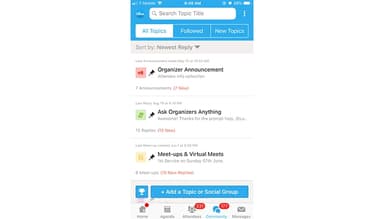
Whova is a powerful and advanced event management platform that perfectly enhances attendee engagement. While it has limited desktop functionality, it facilitates easy communication with attendees, ensuring a seamless experience. With its robust features, Whova helps you create memorable events that connect people effortlessly.
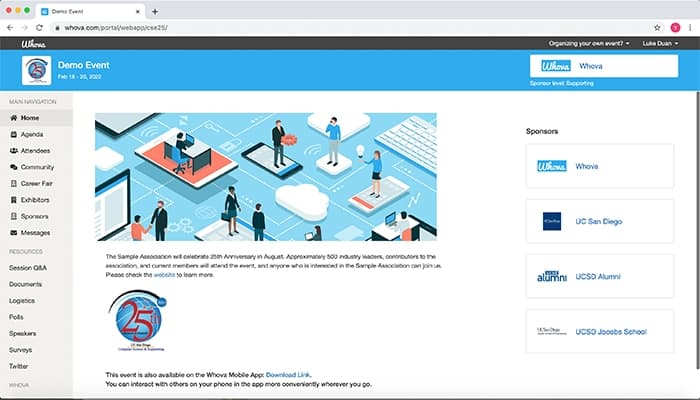


Whova Specifications
- Budgeting Tools
- Attendee Communication
- Registration Management
- Venue and Resource Management
Whova Features
Registration & Ticketing
This powerful feature allows users to manage event registration effortlessly. With customizable forms and various ticket options, it simplifies the ticketing process. This feature helps organizers track attendees easily, ensuring a smooth experience from the very beginning.
Hybrid & Virtual Events
Whova enables users to create engaging hybrid and virtual events. Integrating live streaming and interactive sessions helps connect in-person and online audiences effectively. It also ensures that everyone feels included, enhancing participation and connection.
Event Management Tools
Users benefit from event management tools that streamline every aspect of planning. Automated name badge creation simplifies attendee check-ins, saving time and reducing stress. This allows organizers to focus on creating an exceptional experience for participants.
Exhibitor Management
This valuable feature helps users easily create and distribute professional certificates for attendees. Organizers can personalize certificates and automate delivery, recognizing participant achievements. It adds value to their experience and encourages ongoing engagement in future events.
Event Website Builder
Event website builder feature allows users to enhance real-time interactions during events. Showcasing attendee posts and social media activity fosters a sense of community. This exciting atmosphere encourages networking and highlights key participants, making the event lively and enjoyable.
Pros And Cons of Whova
Pros
Easy communication with attendees
Interactive and engaging experience
Quick access to event agenda
Helpful site map for navigation
Cons
Difficult commenting on posts
Limited desktop functionality
Some content seems repetitive, according to some software users
Whova Reviews
Total 25 reviews
4.7
All reviews are from verified customers
Rating Distribution
5
Stars76%
4
Stars20%
3
Stars0%
2
Stars4%
1
Stars0%
Share your experience
Aimee
Automation, 500+ employees
More than a year
“Very suitable for events”
Pros
I found Whova particularly useful for the SHRM conference, as it displayed the scheduled events, vendors, and attendees.
Cons
I have not faced any problems with the app so far.
Rating Distribution
Ease of use
9
Value for money
9
Customer Support
10
Functionality
9
Katherine
Finance, 1-10 employees
More than a year
“Glad they are improving it”
Pros
Everything was consolidated in one location. The app on my iPad was handy during presentations, and it worked well for virtual attendance too.
Cons
Initially, navigation was a bit hard but scrolling around made it easier. It seemed simpler to use this year compared to previous ones.
Rating Distribution
Ease of use
10
Value for money
10
Customer Support
10
Functionality
10
Melissa
Casuality, 1-10 employees
Less than 6 months
“Great app, does a great job”
Pros
The app was super easy and allowed me to check in for each breakout session directly.
Cons
Receiving random event updates without a way to stop them was really frustrating for me.
Rating Distribution
Ease of use
10
Value for money
10
Customer Support
10
Functionality
8
Frequently Asked Questions
Does Whova offer an API?
Yes, Whova offers an API.
Who are the typical users of Whova?
Typical users of Whova are small to large size entities working in the education, science, healthcare, government, corporate, and fundraising industries/sectors.
What other apps does Whova integrate with?
Whova integrates with MailChimp, Zapier, Google Drive, Wild Apricot, and Constant Contact.
Does Whova support mobile devices?
Yes, Whova supports Android and iOS devices.
What language does Whova support?
Whova supports only the English language.
What types of pricing plans does Whova offer?
Whova cost is not mentioned on its official website. You can get pricing according to your business model and requirements.
What level of support does Whova offer?
Whova provides support through phone, email, FAQs/forums, and knowledge base.