


Last Updated
Key Takeaways
Generated from the text of customer reviews
Our Verdict
Be the first one to leave a review!
No review found

Starting Price
Custom
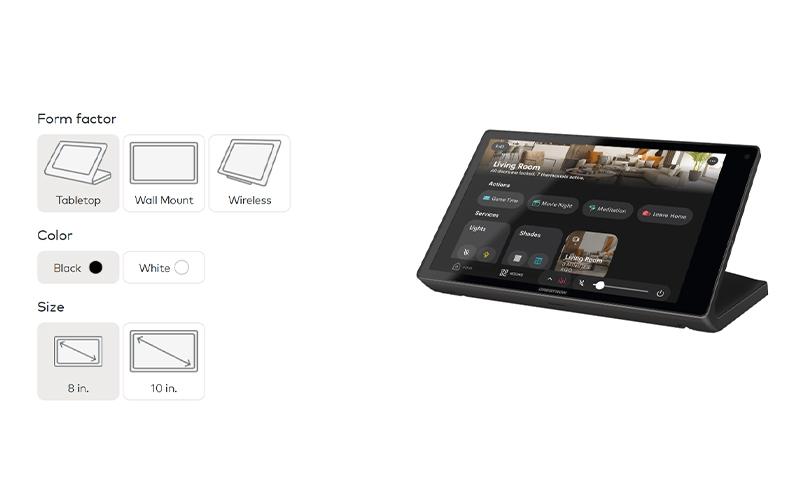
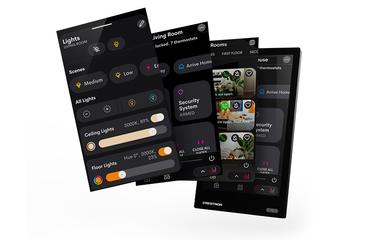
Crestron Specifications
- Space Management And Planning
- Reporting And Analytics Dashboards
- Mobile Accessibility
- IoT integration
What Is Crestron?
Crestron is a desktop and cloud-based solution for managing technology and shared spaces. It combines room panels, desk booking interfaces, occupancy sensors, AV controls, and digital displays with XiO Cloud for centralized device management. Employees can check room availability and make bookings from panels outside meeting rooms without opening another app. Occupancy sensors can also detect unused bookings and make those rooms available again. Crestron connects with prominent third-party management systems, allowing organizations to keep their existing calendar systems.
What Is Crestron Best For?
Crestron’s stand out feature is Occupancy-Based Room Release, which uses occupancy sensors to check whether a booked room is actually being used. When a room stays empty, the booking can be released so another employee can use the space. The feature also gives facilities teams a better view of room usage and helps identify spaces that are frequently booked but left unused.
How Much Does Crestron Cost?
Crestron pricing is estimated at $50–$200/room/year, while hardware-integrated setups may cost around $1,500–$3,000/room. TSS-1070 scheduling panels are listed at about $1,386–$1,750 MSRP per panel, depending on configuration.
In addition to the base hardware and software costs, organizations should account for the following expenses when deploying Crestron for facility management:
- Implementation And Installation: $3,000–$15,000+ for professional installation, configuration, testing and deployment. Larger campus or enterprise projects can cost more
- Custom Programming: $2,000–$10,000+ per project for custom interfaces, room workflows, device configuration and programming. Larger or more complex installations may require a higher budget
- System Integrations: $3,000–$20,000+ for connections with Microsoft 365/Exchange, Google Calendar, workplace management systems, building management systems and other third-party applications. XiO Cloud Premium also supports third-party device management and ServiceNow integration
- Ongoing Hardware Support And Maintenance: $500–$2,500/year per deployment, depending on device count, support coverage, replacement needs and service arrangements
Disclaimer: Pricing references are based on publicly available third-party information and industry benchmarks. Actual costs may vary.
Crestron Integrations
The software supports integration with many systems, such as:
- Microsoft 365 software
- Zoom Meetings
- Envoy
- Telelogos
- Robin software
- PepperDash
How Does Crestron Work?
Here’s how users can start working with Crestron software:
- Create or access the Crestron account and open XiO Cloud
- Connect Crestron with Microsoft Teams, Microsoft Exchange, Google Workspace or another supported calendar service
- Configure room and desk settings through XiO Cloud
- Add and configure occupancy sensors to track room use
- Set room availability rules and display settings
- Configure room status displays to show current availability
- Set up digital wayfinding displays for rooms and shared spaces
- Monitor device status and apply firmware updates through XiO Cloud
- Review occupancy and room-use data to assess space utilization
Who Is Crestron For?
Crestron software is ideal for a wide range of industries and sectors, including:
- Education
- Government
- Crestron Home
- Hospitality
- Marine
Crestron Use Cases
Based on its facility management capabilities, Crestron is a good fit for the following use cases:
Managing Meeting Room Availability Across Corporate Offices
Crestron gives corporate offices a way to check which meeting rooms are booked, occupied, or free. Employees can view room status on the panels and reserve an open room when needed. Occupancy sensors can also identify booked rooms that are sitting empty. Facilities teams can use this information to see how often rooms are used and where booking patterns may be causing problems.
University Facilities Teams Managing Classroom Schedules Across Campuses
Universities with classrooms in several buildings may already rely on systems such as CollegeNET 25Live or Ad Astra. Crestron can work with these scheduling systems, so universities can add room panels and occupancy tracking without changing the scheduling system already in place. Staff can continue their existing process while having more visibility into classroom availability and actual room use.
Managing Large Numbers Of Room Devices Through IT
IT teams managing scheduling panels in different buildings can use Crestron XiO Cloud to manage device updates, settings, and status checks from one dashboard. Staff can update firmware, change configurations, and check device status without visiting each location. This is useful for organizations with many panels installed across multiple sites.
Managing Shared Desks In Hybrid Workplaces
Hybrid organizations with shared desks may have trouble showing which workstations are free. Employees can arrive without a desk or spend time looking for an available one. Crestron desk displays show desk availability and lets employees reserve a workstation through a connected calendar system. Facilities teams can also use the booking and occupancy information to review how shared desks are being used.
Is Crestron Right For You?
Crestron is for mid-to-large organizations managing meeting rooms or shared workspaces. It is most useful when IT and facilities teams need occupancy tracking and control of panels, sensors, and displays installed in different buildings.
Crestron may be worth considering for organizations with many meeting rooms or shared workspaces that need occupancy information and use a supported calendar system such as Microsoft Exchange, Google Calendar, or CollegeNET 25Live. XiO Cloud can also help IT teams manage room panels and other connected devices from a central location. The hardware adds equipment and installation costs. The system is suited to larger organizations that require security and scalability, with SOC 2 Type 2 and ISO/IEC 27001 certifications.
Crestron can also suit facilities spread across several buildings or locations. Its work on the Espai Barça project includes meeting rooms, hospitality areas, executive spaces, and other parts of the venue. This provides an example of how the system can be used in a large and varied facility. The tool is more suitable for organizations that need room scheduling, occupancy tracking, and device management together.
Still doubtful if Crestron is the right fit for you? Connect with our customer support staff at (661) 384-7070 for further guidance.
Crestron Features
Room Scheduling And Instant Booking
The room scheduling panels show room availability and let users book spaces from the touchscreen. The panels support ad hoc bookings and display upcoming meetings, while PoE connectivity can simplify installation. it also supports scheduling services.
Hot Desk And Workstation Booking
Crestron supports desk booking through touchscreens placed at individual workstations. Employees can check desk availability and book a workstation through the connected scheduling system. This suits hybrid offices where employees share desks instead of having permanently assigned workstations.
Room Availability Indicators And Wayfinding
Crestron room indicators show space status through visible light signals outside meeting rooms. Wall and ceiling-mounted options are available for different locations. Digital wayfinding displays can also help employees and visitors find rooms and shared spaces in larger facilities.
Occupancy Sensors And Room Release
The occupancy sensors detect whether a room is being used and send occupancy information to the scheduling system. When room release is enabled, the system can make an unused booked room available again. This helps facilities teams compare scheduled bookings with actual room use.
XiO Cloud Device Management
XiO Cloud provides one place to manage supported Crestron devices. IT teams can configure devices, check their status, and update firmware through a web-based interface. This is useful for organizations with scheduling devices installed in many rooms or locations.
Space Utilization Reporting
Crestron gives facilities teams access to occupancy and room usage information. They can compare booking records with actual occupancy to see which rooms are underused and where scheduled bookings do not match room use. This information can help teams decide how to assign rooms and plan workplace space.
Pros And Cons of Crestron
Pros
Supports several calendar systems for existing scheduling workflows
Provides occupancy data that reflects actual room usage
Centralizes device settings and status through XiO Cloud
Offers utilization data for workplace planning decisions
Supports room and desk booking from connected interfaces
Cons
Upgrade schedules lack sufficient advance notice
Configuration options may be more than small teams need
Software interface may seem dated and clunky
Crestron Reviews

No reviews yet!
Be the first to review this product
Frequently Asked Questions
What other apps does Crestron integrate with?
Crestron integrates with Microsoft 365, Zoom, Envoy, Telelogos, Robin, and PepperDash.
Does Crestron have a mobile app?
Yes, Crestron offers mobile apps for both iOS and Android devices.
What level of support does Crestron offer?
Crestron provides support via phone, email, and contact form.
What types of pricing plans does Crestron offer?
Crestron price is estimated between $50–$200/room/year. Get in touch for a personalized Crestron cost estimate.
Who are the typical users of Crestron?
Crestron features make it suitable for facility managers and IT teams in education, government, hospitality, and marine sectors.
Does Crestron offer an API?
Yes, Crestron offers an API.
What language does Crestron support?
The software is available in English, French, German, Chinese, Japanese, and Korean.