Last Updated

Key Takeaways

Generated from the text of customer reviews

FieldRoutes is field service management software for pest control companies and lawn care providers. Dispatchers and field technicians use it to handle scheduling and customer records. The platform is often highlighted for helping teams stay organized during daily work. However, some reviewers report that customer service could improve. FieldRoutes continues to expand its platform with updates; one example is its ‘ServiceTitan Fleet Pro’ integration, which added fleet tracking and driver monitoring tools for pest control businesses.

Our Verdict

It is a reliable field service platform best suited for mid-sized to large pest control and service-based teams managing high job volumes and multiple technicians. Pricing leans toward the higher side for smaller operators but delivers stronger long-term value at scale. All in all, it is recommended for growing, multi-crew operations needing structured coordination.

Overall Rating

Based on 14 users reviews

4.2

Rating Distribution

Positive

79%

Neutral

21%

Negative

0%

Starting Price
Custom

FieldRoutes Specifications

  • Work Order Management
  • Scheduling & Dispatching
  • Mobile Access
  • Customer Relationship Management (CRM)
View All Specifications

What Is FieldRoutes?

FieldRoutes is a cloud-based software designed for field service industries, particularly pest control and lawn care businesses. It provides comprehensive solutions to automate and centralize operations, addressing common issues like inefficiency, scheduling challenges, and revenue leakage. By streamlining workflows, optimizing resource allocation, and simplifying administrative tasks, FieldRoutes empowers businesses to scale effectively and improve customer experiences.

What is FieldRoutes Best For? 

The platform is best known for its dashboards feature, which gives instant insights that help managers understand how the business is performing. It brings together real-time data so users can keep an eye on schedules and profitability, along with overall activity without delay. The interface supports different ways of viewing information, including graphs and charts that can be adjusted based on what matters most at the moment. Critical alerts highlight important changes so teams can respond early. It also keeps key information in one place, making day-to-day decision-making more grounded and clearer. 

How Much Does FieldRoutes Cost? 

FieldRoutes software offers an approximate starting price of $75-$225/month. It also offers two custom-priced packages: 

  • Growth 
  • Corporate 

The final cost estimate will differ depending on your organization type and needs. In addition to the base price, organizations may also incur extra costs, which may include: 

  • Setup fee: Usually $1,000–$5,000, one-time 
  • Data migration: Generally $500–$5,000, one-time 
  • Training and onboarding: Approximately $500–$1,000 
  • SMS / automated messaging add-on: Typically $50–$200/month 
  • Advanced reporting features: Ranges between $50–$200/month 
  • Payment processing fees: Usually 2%–3%/transaction 
  • API or integration usage fees: Roughly $100–$500/month 

Pricing feedback is mixed across users. Some appreciate the platform’s capabilities and say it supports growth well, while others point to high starting costs and extra fees. Smaller businesses often feel the overall expense adds up quickly, despite its functionality. 

Request a personalized FieldRoutes price quote based on your requirements today.

Disclaimer: Pricing references are based on publicly available third-party information and industry benchmarks. Actual costs may vary. 

FieldRoutes Integrations

The software seamlessly integrates with various business applications, such as:

  • FleetPro
  • Marketing Pro
  • LoyaltyLoop
  • FieldRoutes Payments
  • A.R.M Solutions
  • Scorpion
  • Voice for Pest

How Does FieldRoutes Work? 

Using the FieldRoutes platform is simple once you understand the main flow from login to daily operations. Here is a clear step-by-step guide to help you navigate the software: 

  • Start by opening the FieldRoutes login page and entering your company subdomain, username, and password to access your account 
  • After logging in, you are taken to the main dashboard where key business activities and summaries are displayed 
  • From the dashboard, open the navigation menu to access core modules such as customers, jobs, tasks, and scheduling tools 
  • Select the customer section to view and manage client information 
  • Move to the scheduling or routing area to assign jobs and organize field operations 
  • Open the jobs or work orders section to create, update, or track service tasks 
  • Use the reporting section to review performance data and monitor business activity 
Book a free FieldRoutes demo for a guided walkthrough of the platform.

Who Is FieldRoutes For?

The software is designed for businesses of all sizes across various industries, such as:

  • Consumer services
  • Accounting
  • Environmental services
  • Facilities services
  • Chemicals
  • Real estate
  • IT

FieldRoutes Use Cases 

Based on user reviews and the current capabilities of FieldRoutes, there are a few clear situations where it tends to be a strong fit for field service and pest control businesses. 

New Or Growing Pest Control Businesses Moving Away From Manual Work 

This software often fits companies that are still relying on spreadsheets or disconnected tools to manage jobs and customers. At this stage, things usually start to feel messy as the number of bookings increases.FieldRoutes gives these teams a more structured way to handle operations from one place. It is commonly used by businesses that want fewer gaps between scheduling, customer records, and billing.

Multi-Location Operators That Need Shared Visibility 

Some pest control companies expand into more than one branch and start struggling to keep track of what each team is doing. FieldRoutes tends to work well in that situation because it keeps operational activity in a single system. Managers can stay aware of jobs and customer activity without switching between different tools for each location.

This makes it easier to understand what is happening across the business without waiting for updates from each branch. Over time, it supports more consistent oversight without adding extra coordination effort.

Recurring Service Businesses Focused On Ongoing Customer Work 

Pest control is often built on repeat visits rather than one-time jobs. FieldRoutes is commonly used by businesses that depend on scheduled maintenance and long-term service plans. It helps companies stay aligned with returning customers and reduces the chance of missed appointments or delayed follow-ups. Some users also mention that it is helpful for keeping service history organized, especially when accounts have been active for years. That kind of continuity matters in businesses where retention is just as important as new sales. 

Field Teams That Spend Most Of Their Time On The Road 

Many pest control technicians work away from the office for most of the day. In these cases, communication gaps can slow things down or lead to confusion in the field. 

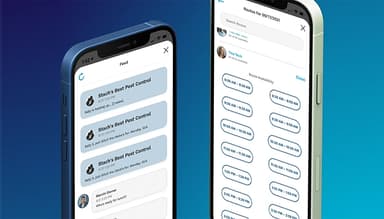
FieldRoutes is often chosen by teams that need quick updates while on-site. Technicians can stay aligned with office staff without relying on back-and-forth phone calls or manual notes. It keeps field activity and office coordination closer together, which helps daily operations run with fewer delays. 

Is FieldRoutes Right For You?

Managing field operations and customer coordination can quickly become overwhelming as a service business grows. FieldRoutes offers a solution to this challenge.

Known for its robust capabilities, Field Routes software is a trusted choice among service providers looking to grow and enhance operational efficiency. With its focus on scalability and automation, the software has established itself as a leading solution in the field service management space​. Serving over 1,700 companies, FieldRoutes also prioritizes security by using technical and organizational safeguards to help protect user data from unauthorized access, loss, misuse, or alteration.

Still not sure if FieldRoutes is right for you? Get in touch with our customer support team at (661) 384-7070, and it will help you make a confident decision.

FieldRoutes Features

Interactive Dashboards

The software’s interactive dashboards offer real-time insights into business operations, including metrics like sales, revenue, and customer retention. This feature simplifies decision-making by centralizing critical data in an accessible format, enabling businesses to identify trends and act proactively to improve performance​.

See How It Works
Intelligent Routing

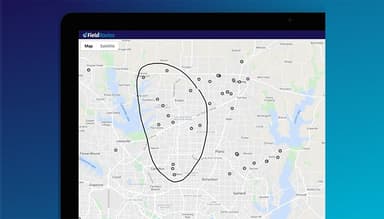
This feature optimizes technician routes by factoring in variables like location, traffic, and capacity. This reduces fuel costs, improves time management, and increases the number of daily service calls, leading to enhanced productivity and customer satisfaction​.

See How It Works
Dynamic Scheduler

The dynamic scheduler adapts to real-time changes, such as cancellations or urgent appointments. It ensures efficient allocation of resources, minimizing downtime and maximizing operational flexibility to meet customer demands without disrupting workflows.

See How It Works
Payment Processing

FieldRoutes' payment processing simplifies transactions by supporting various payment methods and automating billing processes. This feature reduces errors, accelerates cash flow, and enhances customer convenience, improving overall financial efficiency​.

See How It Works
API

The API enables seamless integration with third-party applications, enabling businesses to customize workflows and expand functionality. This connectivity enhances operational flexibility and ensures the software aligns with unique business needs​.

See How It Works

Pros And Cons of FieldRoutes

Pros

  • User-friendly interface simplifies navigation and reduces training time

  • Efficient routing tools save fuel and time

  • Comprehensive reporting enhances data-driven decision-making

  • Streamlined scheduling optimizes technician allocation

  • Automated payment processing accelerates cash flow

Cons

  • Occasional software slowdowns disrupt operations

  • Requires stable internet for optimal performance

FieldRoutes Reviews

Total 14 reviews

4.2

All reviews are from verified customers

Rating Distribution

5

Stars

50%

4

Stars

29%

3

Stars

14%

2

Stars

7%

1

Stars

0%

Share your experience

K

ken

Accounting, N/A employees

More than a year

3.0
November 2024

Support needs some improvement

Pros

One of my favorite things is being able to see my entire schedule for the month at a glance. It really helps in planning ahead and staying on top of appointments and tasks, making the whole scheduling process a lot less stressful.

Cons

The service is frustrating because there's no support when you need it. They usually take 2-3 days to get back to you, if they call back at all.

Rating Distribution

Ease of use

6

Value for money

8

Customer Support

5

Functionality

6

J

Josh

Accounting, 1-10 employees

More than a year

4.0
November 2024

Very effective software

Pros

I find it really easy to use and packed with tons of useful features. It's clear that a lot of thought went into making it efficient and practical, which makes a big difference in managing everything smoothly.

Cons

The company has grown a lot but unfortunately, that's made customer service less efficient. It feels like they're not as responsive as they used to be.

Rating Distribution

Ease of use

8

Value for money

8

Customer Support

8

Functionality

10

R

Randolf

Consumer Services, 51-100 employees

Less than a year

5.0
October 2024

Clean & easy to use

Pros

What really stands out to me is how simple the software is to use. Everything is simple but the support system they provide is honestly refreshing. It's nice knowing help is just a click away whenever I need it.

Cons

I really like the simplicity of it. I should be paid for giving feedback like this. Reviewing reports like this is easy for me but I feel like it's a valuable part of the service.

Rating Distribution

Ease of use

10

Value for money

10

Customer Support

10

Functionality

10

Frequently Asked Questions

Does FieldRoutes offer an API?

Yes, FieldRoutes offers an API.

What language does FieldRoutes support?

FieldRoutes supports English.

What other apps does FieldRoutes integrate with?

FieldRoutes integrates with LoyaltyLoop, A.R.M solutions, Marketing Pro, Voice for Pest, FleetPro and Scorpion.

Does FieldRoutes have a mobile app?

Yes, FieldRoutes has a mobile app for both iOS and Android users.

What type of pricing plans does FieldRoutes offer?

The software price typically starts at $75-$225/month. It also offers custom-priced Growth and Corporate packages. Get custom FieldRoutes pricing tailored to your needs today.

Who are the typical users of FieldRoutes?

The typical users of FieldRoutes are those in the consumer services, environmental services, chemicals, IT and real estate industries.

What level of support does FieldRoutes offer?

FieldRoutes offers support through phone, FAQs, E-guides, infographics, etc.