


TrueContext
Last Updated
Overview
TrueContext empowers users to streamline form management and data collection across multiple platforms. Although it offers limited use of templates, it allows easy user management. Its user-friendly interface and robust integration options make it perfect for teams looking to enhance productivity and workflow management in various industries.
TrueContext Specifications
- Work Order Management
- Scheduling & Dispatching
- Mobile Access
- Customer Relationship Management (CRM)
TrueContext Features
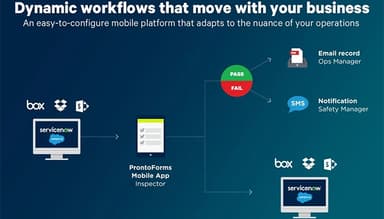
Advanced Automation
This powerful feature helps users automate repetitive tasks, saving time and boosting productivity. It enables field service teams to focus more on critical work by letting the app handle administrative duties and trigger actions based on specific inputs.
Connected Data
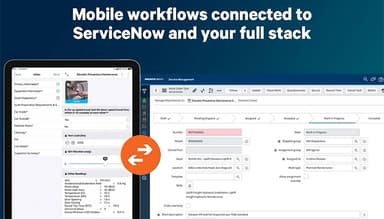
This robust feature allows seamless data flow between field teams and office systems, ensuring all concerned stay informed. It offers actionable insights to key decision-makers and ensures operational efficiency by eliminating data silos and improving collaboration.
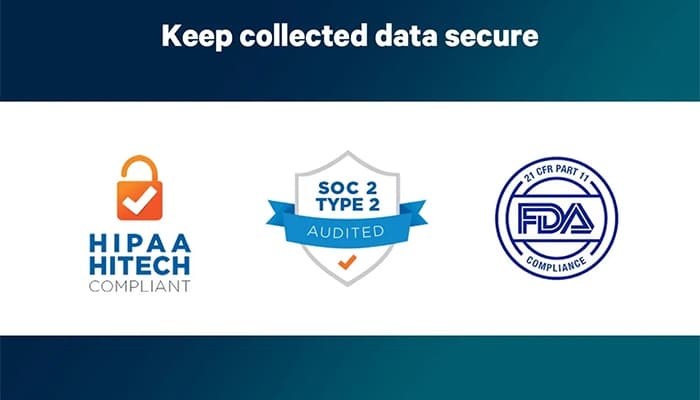
Compliance & Security
It ensures your operations meet strict industry regulations and security standards. It helps safeguard sensitive data, offering robust security measures like encryption and regular audits so users can operate with confidence and maintain compliance.
Workflow Creation
The workflow creation feature enables users to quickly build and refine workflows for field teams. It allows real-time updates, templates for faster deployment, and the flexibility to automate tasks based on technician inputs, ensuring efficient and streamlined operations.
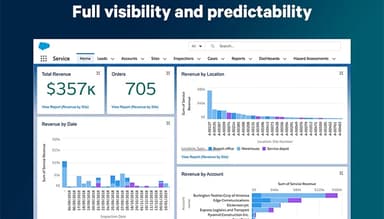
Reporting & Analytics
TrueContext offers this valuable feature to help businesses make smart decisions by providing real-time insights into field performance. It allows users to identify bottlenecks, optimize processes, and anticipate trends, driving profitability and improving overall service quality.
Pros And Cons of TrueContext
Pros
Superb documentation for troubleshooting
Great API and integrations
Immediate report visibility after submission
Easy to manage user accounts
Cons
Requires effort for custom integrations
Limited keyword search functionality
Limited use of templates
TrueContext Reviews
Total 10 reviews
4.6
All reviews are from verified customers
Rating Distribution
5
Stars60%
4
Stars40%
3
Stars0%
2
Stars0%
1
Stars0%
Share your experience
Consumer Services, 1-10 employees
More than a year
“My experience with TrueContext”
Pros
Pictures are super important for us especially when we need to go back to a customer's place years later. It helps to easily locate things like where the septic tank is.
Cons
I really wanted them to add a dollar sign to the numbers, especially since it deals with money. Unfortunately, they never helped me with it. I assumed it would be included when the invoice was designed but despite asking several times, it never got done.
Rating Distribution
Ease of use
10
Value for money
10
Customer Support
7
Functionality
10
Oil & Energy, 500+ employees
More than a year
“Positive experience with construction forms”
Pros
I started with the design and deployed the first form with no issues. The documentation is really detailed, so with a little patience, it can fix most of the problems. Plus, the API and connectors make integration really easy.
Cons
The conditional logic can be pretty annoying and requires a lot of workarounds to get the results you want. Customer support doesn't always solve the tougher problems either. Plus, there are still a lot of features missing, like the ability to send attachments with the form.
Rating Distribution
Ease of use
8
Value for money
6
Customer Support
5
Functionality
6
Information Technology and Services, 500+ employees
More than a year
“Is TrueContext suitable for us?”
Pros
TrueContext has a super simple interface that makes it easy to design forms quickly. It's a great tool for capturing and integrating data without any hassle.
Cons
TrueContext does offer custom integrations but honestly, the process takes more effort and energy than I expected. It's definitely possible with the right support but it's something users need to consider carefully. Also, it's important to keep in mind the costs involved in using and maintaining the software.
Rating Distribution
Ease of use
10
Value for money
7
Customer Support
8
Functionality
10
Frequently Asked Questions
Does TrueContext offer an API?
Yes, TrueContext offers an API.
Does TrueContext have a mobile app?
Yes, TrueContext has a mobile app.
What language does TrueContext support?
TrueContext supports only the English language.
What types of pricing plans does TrueContext offer?
TrueContext cost is available through three pricing plans, i.e., Essentials at $25 per license/month (billed annually), Advanced at $45 per license/month (billed annually), and Enterprise, which offers custom pricing based on specific business needs and budget.
What other apps does TrueContext integrate with?
TrueContext seamlessly integrates with ServiceNow, Salesforce, Box, Dropbox, Zendesk, Google Workspace, and Microsoft.
Who are the typical users of TrueContext?
Typical users of TrueContext are businesses in field service, oil & gas, medical equipment, and power industries/sectors.
What level of support does TrueContext offer?
TrueContext offers support through phone, live chat, portal, email/helpdesk, FAQs/forums, and knowledge base.