


Skimmer Software
Last Updated
Overview
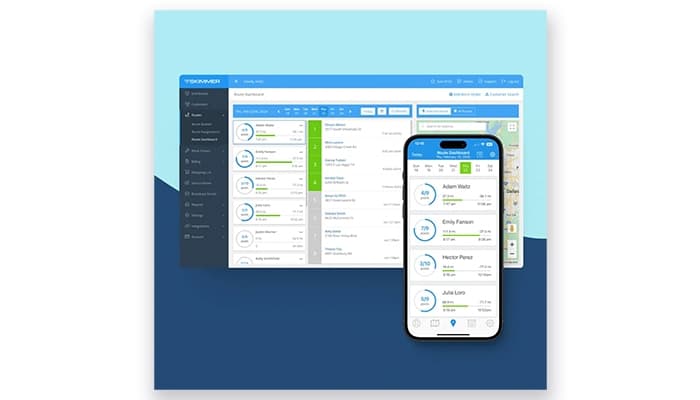
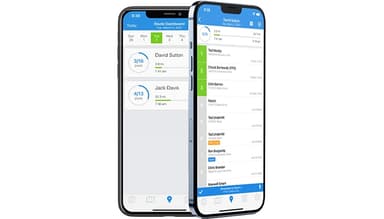
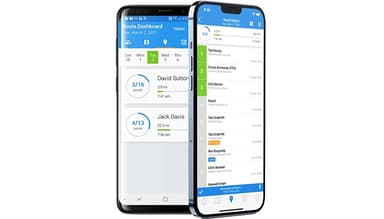
Skimmer software is a pool service management software that streamlines scheduling, invoicing, and reporting for pool service businesses. Although some users may find its features very minimal, the software provides easy-to-use and customizable services, making it a valuable solution. Users laud Skimmer software for its recordkeeping and, specifically, mobile app.
Skimmer Software Specifications
- Work Order Management
- Scheduling & Dispatching
- Mobile Access
- Customer Relationship Management (CRM)
Skimmer Software Features
Route Management
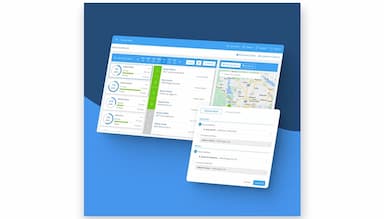
Skimmer software simplifies route planning by optimizing service schedules and reducing unnecessary travel. It helps technicians save time and fuel, enabling businesses to serve more clients efficiently. At the same time, it ensures that routes are manageable and well-organized.
Streamlined Invoicing
Users can generate and send invoices quickly with Skimmer software, reducing administrative tasks and ensuring timely payments. It accelerates cash flow while maintaining professionalism so businesses can focus on delivering high-quality pool service without delays in billing.
Service Report Emails
The software automatically sends detailed service summaries to clients after each visit. These reports build trust by providing transparency into completed tasks, chemicals used, and service notes. Thus, it helps improve client satisfaction and foster long-term relationships.
Checklists
This feature supports customizable checklists to ensure technicians follow standardized procedures during each visit. It promotes consistency, reduces errors, and helps maintain high service quality, giving both businesses and clients confidence in the work performed.
Bill Ahead/Arrears
The software offers flexible billing options, enabling businesses to invoice clients in advance or after services are completed. This flexibility helps manage cash flow efficiently and accommodates varied client preferences for payment timing.
Pros And Cons of Skimmer Software
Pros
Easy to navigate, with a minimum learning curve for new users
Optimizes scheduling and routing for technicians
Responsive and helpful assistance when needed
Provides up-to-date information accessible from anywhere, even offline services, with its app
Customizable for specific business needs
Cons
Users have reported intermittent data synchronization problems
Some software users note that the software could be too minimal for larger businesses
The addition of an advanced calendar management could be great, according to some software users
Skimmer Software Reviews
Total 12 reviews
4.8
All reviews are from verified customers
Rating Distribution
5
Stars75%
4
Stars25%
3
Stars0%
2
Stars0%
1
Stars0%
Share your experience
Small Business, 11-50 employees
More than a year
“Skimmer constantly evolving”
Pros
A fantastic way to organize your workflow and business. Not only that but your presentation to the customer is consistent and very attractive.
Cons
Unable to create reoccurring work orders that can be continuously allocated to a particular employee.
Rating Distribution
Ease of use
10
Value for money
7
Customer Support
10
Functionality
8
Consumer Services, 1-10 employees
More than a year
“User-friendly & smooth”
Pros
Skimmer makes things simple and works exactly how I need it to. It is super easy to use and I like that I can customize it to fit the way I work.
Cons
After using it for about two years, I honestly have not run into any issues so far.
Rating Distribution
Ease of use
10
Value for money
10
Customer Support
10
Functionality
10
Consumer Services, N/A employees
More than a year
“Loving Skimmer so far!”
Pros
This product is really easy to use and I love how the layout is designed. Everything feels easy, so figuring things out does not take much effort. Plus, Skimmer provides great resources if I ever need help.
Cons
The only thing I am not a fan of is that I cannot see a breakdown of Stripe payments along with the fees for each customer. It would be really helpful to have that info easily accessible.
Rating Distribution
Ease of use
10
Value for money
10
Customer Support
10
Functionality
10